9 Workflow Automation Examples for Marketers to Copy Today
At AI Flow Chat
Contents
0%You already know that copying and pasting between tabs, reformatting content for each platform, and manually pulling data from videos eats hours out of your week. What you might not know is exactly which tasks are worth automating first. That's where concrete workflow automation examples come in, they give you a proven starting point instead of forcing you to design every process from zero.
This article breaks down nine specific workflows that marketers, creators, and agency owners are automating right now to produce more content in less time. Each example includes what the workflow does, why it matters, and how you can replicate it yourself without writing a single line of code.
Several of these workflows run natively inside AI Flow Chat, where you can drag reference sources like viral videos, competitor ads, and documents onto a visual canvas, connect them to AI prompts, and build repeatable flowcharts that handle the heavy lifting on autopilot. Whether you use our platform or another tool, the patterns here are designed to be copied, so let's get into them.
1. Build repeatable content workflows on a visual AI canvas
Most content production breaks down not because the ideas are bad, but because the process is inconsistent. You write a great post one day, then spend the next three days figuring out where to start again. Repeatable workflows solve this by turning your best process into a reusable template that produces predictable outputs every time you run it.
What it automates
This workflow automates the ideation-to-draft pipeline for content you produce on a regular schedule, whether that's weekly blog posts, social captions, or video scripts. Instead of rebuilding your process from scratch each time, you connect your reference materials to a sequence of AI prompts that run in order. The result is a structured, on-brand output that matches your format and voice without manual setup on your end. This is one of the most foundational workflow automation examples you can implement because it underlies every other content task you run.
Copy-this trigger and actions
Set your trigger as a new reference source being added, such as a video link, PDF, or website URL. Then chain the following actions in order:
- Extract: Pull key points, quotes, and themes from the source material
- Summarize: Run those points through a prompt that identifies the core angle
- Generate: Pass the summary to a content prompt formatted for your target platform
- Save: Push the output automatically to your content library or project folder
The sequence of these actions matters more than which tools you use. Get the order right, and consistent quality follows.
Suggested tools and setup
AI Flow Chat handles all four of these steps inside a single visual canvas. You drag your source onto the whiteboard, connect it to prompt nodes, and the flowchart runs from top to bottom. For teams that need a review step before publishing, you can route the final output to Slack or a shared inbox through a secondary automation layer.
What to measure
Track time from source to first draft as your primary metric. A working repeatable workflow should cut that number by at least 60 percent compared to your manual baseline. Also watch output consistency across runs, since stable format, length, and tone confirm that the workflow is reliable and not just occasionally useful.
2. Repurpose one viral video into a week of posts
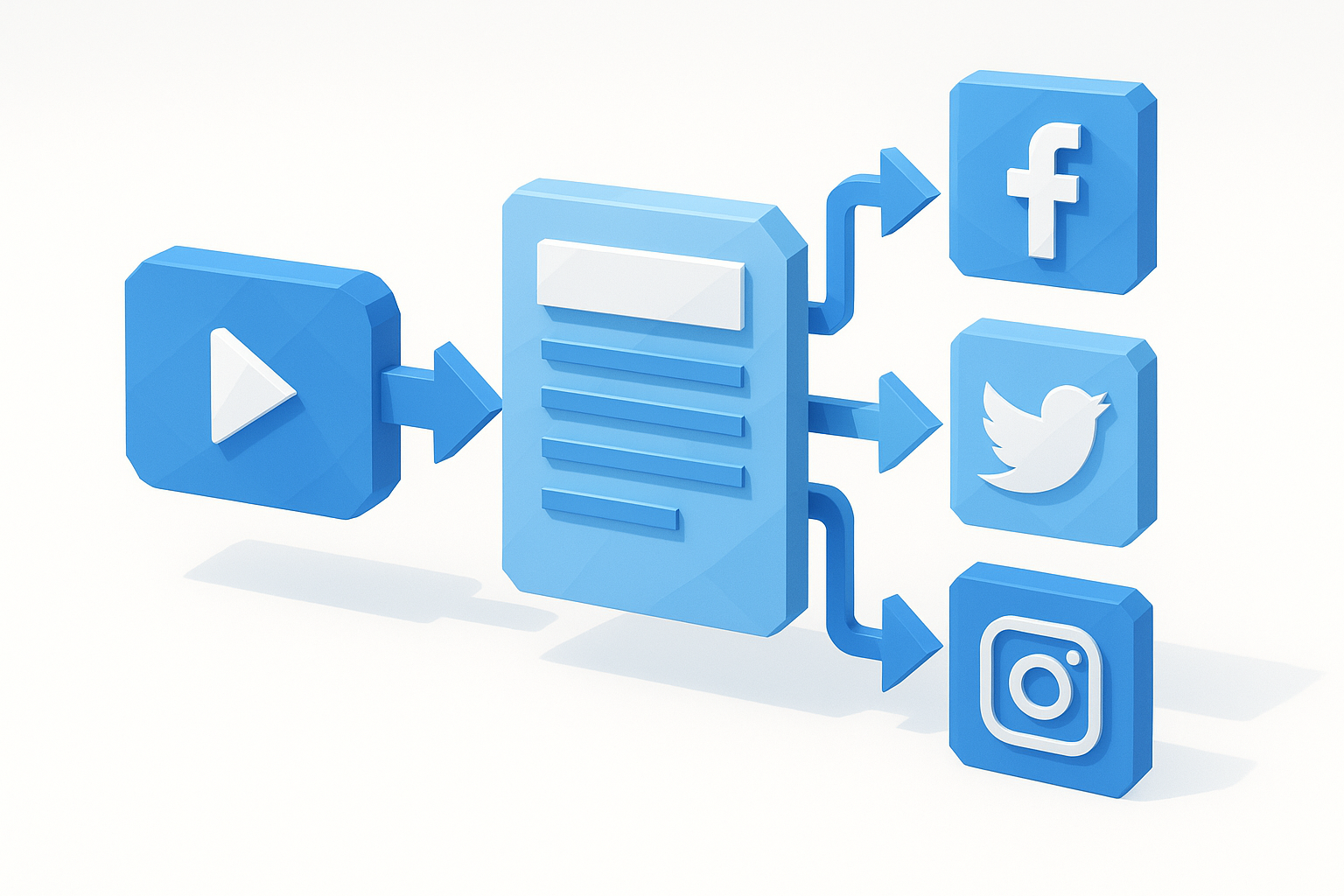
A single viral video already contains hooks, angles, and audience signals that took someone else months to figure out. Instead of letting that research go to waste, you can run it through an automated workflow that extracts those signals and transforms them into five to seven distinct pieces of content across different formats and platforms.
What it automates
This workflow automates the content extraction and reformatting process that typically requires you to watch a video, take notes, rewrite ideas, and resize copy for each platform by hand. The automation handles transcription, theme extraction, and multi-format drafting in one continuous sequence, which is one of the most practical workflow automation examples for creators who are short on time.
Copy-this trigger and actions
Paste a video link as your trigger. Then run these actions in sequence:
- Transcribe: Convert the video audio to a full text transcript
- Extract: Pull the hook, core argument, and supporting points
- Generate: Produce platform-specific variations, including a short-form caption, a longer LinkedIn post, and a script outline
- Store: Save each output to a labeled folder by platform
One source video can fuel an entire week of posts when the extraction step surfaces the right angles.
Suggested tools and setup
AI Flow Chat accepts paste-in links from TikTok, YouTube, and Instagram Reels, transcribes them automatically, and lets you connect the transcript to multiple prompt nodes for each content format on one canvas.
What to measure
Track total posts generated per source video and average engagement rate across repurposed formats compared to original content.
3. Turn source material into content briefs and outlines
Writing a brief from scratch every time you start a new piece slows down content production and introduces inconsistency across your team. This workflow turns any source, a PDF, a website, or a research document, into a structured brief and outline in minutes instead of hours.
What it automates
This workflow automates brief and outline generation by extracting the key themes, audience angles, and supporting points from any reference document you feed it. Instead of reading a source and then manually building a structure, the automation handles both steps in one continuous pass.
It's one of the cleaner workflow automation examples for SEO specialists and blog managers who produce multiple briefs per week and need each one to follow a consistent format without extra cleanup.
Copy-this trigger and actions
Add a source document or URL as your trigger, then run these actions in sequence:
- Extract: Pull core topics, statistics, and key claims from the source
- Structure: Organize extracted points into a logical content hierarchy
- Output: Generate a ready-to-use brief with H2 and H3 suggestions included
A brief produced this way removes the guesswork about what to cover and in what order.
Suggested tools and setup
AI Flow Chat lets you paste a URL or upload a PDF directly onto the canvas and connect it to a prompt node configured for brief generation.
You can save the brief template as a reusable flowchart and run it against any new source with one click, no rebuilding required.
What to measure
Track brief completion time against your previous manual average to confirm the workflow is actually saving hours.
Also measure how often writers request revisions to AI-generated outlines, since fewer revision requests signals that the brief is delivering accurate structure from the start.
4. Generate ad hooks and UGC scripts from competitor ads
Writing ad hooks from scratch puts you at a disadvantage because you're guessing at what works. Competitor ads that are already running and spending money tell you exactly which angles are converting right now, and this workflow lets you extract those patterns and repurpose them for your own campaigns.
What it automates
This workflow automates the process of pulling creative intelligence from competitor ads and turning it into ready-to-use hook variations and UGC scripts. Instead of manually watching ads and taking notes, the automation handles analysis and drafting in a single pass, making it one of the more high-leverage workflow automation examples for performance marketers.
Copy-this trigger and actions
Add a competitor ad link as your trigger, then run these actions in sequence:
- Analyze: Identify the hook structure, emotional trigger, and core claim
- Extract: Pull the format, pacing, and call-to-action pattern
- Generate: Produce three to five hook rewrites and one UGC script variation in your brand voice
The goal is to steal the intention behind the ad, not the copy itself.
Suggested tools and setup
AI Flow Chat includes a Meta and Facebook Ads spy integration that lets you paste ad links directly onto the canvas. Connect the ad source to a UGC script prompt node, and the workflow outputs scripts formatted for creator-style video in one run.
What to measure
Track hook click-through rate on generated ads versus your previous manual baselines, and monitor how many script variations move to production each month.
5. Run creative approval workflows without email threads
Creative approvals that live in email chains are slow, easy to lose, and impossible to track at a glance. When feedback is scattered across reply-all threads, you waste time hunting for the latest version instead of moving work forward. This is one of the most underrated workflow automation examples because fixing it removes a silent productivity drain that most teams accept as normal.
What it automates
This workflow automates the routing and tracking of creative assets through review stages without anyone managing the process manually. When a new asset is ready, the system notifies the right reviewer, collects feedback, and moves the asset to the next stage based on the outcome. You eliminate chasing approvals by email and replace it with a structured, auditable pipeline.
Copy-this trigger and actions
Set your trigger as a new asset added to a shared workspace, then run these actions in sequence:
- Notify: Send an alert to the assigned reviewer with a direct link to the asset
- Collect: Capture feedback through a structured comment field, not a reply chain
- Route: Move the asset to approved, revision needed, or rejected based on reviewer input
- Log: Record timestamps and reviewer names for each stage automatically
A clear audit trail prevents the "I never saw that" problem that kills creative deadlines.
Suggested tools and setup
AI Flow Chat lets you route final content outputs directly from the canvas into a review queue. Connect your content generation node to a shared output folder, then use a connector like Zapier to trigger a Slack notification when a new file lands there.
What to measure
Track average approval cycle time from submission to sign-off. Also measure how often assets require more than one revision round, since a high revision rate points to unclear briefs rather than slow approvers.
6. Route inbound leads and send instant follow-ups
Every minute a lead waits for a response, your chance of converting them drops. Manual lead routing, where someone reads a form submission, decides who should own it, and then writes a follow-up email, introduces delays that cost you deals before the conversation even starts. Automating this sequence removes the human bottleneck from a step that should never require one.
What it automates
This workflow automates lead intake, routing, and initial outreach so that every form submission triggers an immediate, relevant response without anyone touching it manually. It's one of the most revenue-direct workflow automation examples you can build, since faster follow-up is consistently linked to higher conversion rates.
Copy-this trigger and actions
Set your trigger as a new form submission, then run these actions in sequence:
- Score: Apply basic lead scoring based on company size, role, or source
- Route: Assign the lead to the right sales rep or team based on score or territory
- Send: Fire a personalized follow-up email within 60 seconds of submission
- Log: Add the lead and timestamp to your CRM automatically
Speed of follow-up is the single biggest controllable factor in lead conversion rates.
Suggested tools and setup
Connect your form tool to your CRM using Zapier or Make. Add a conditional logic step that routes leads by field value, then trigger a pre-written email sequence from your email platform based on the assigned segment.
What to measure
Track time-to-first-contact as your primary metric and compare lead-to-meeting conversion rates before and after the automation goes live.
7. Build weekly performance reporting that sends itself
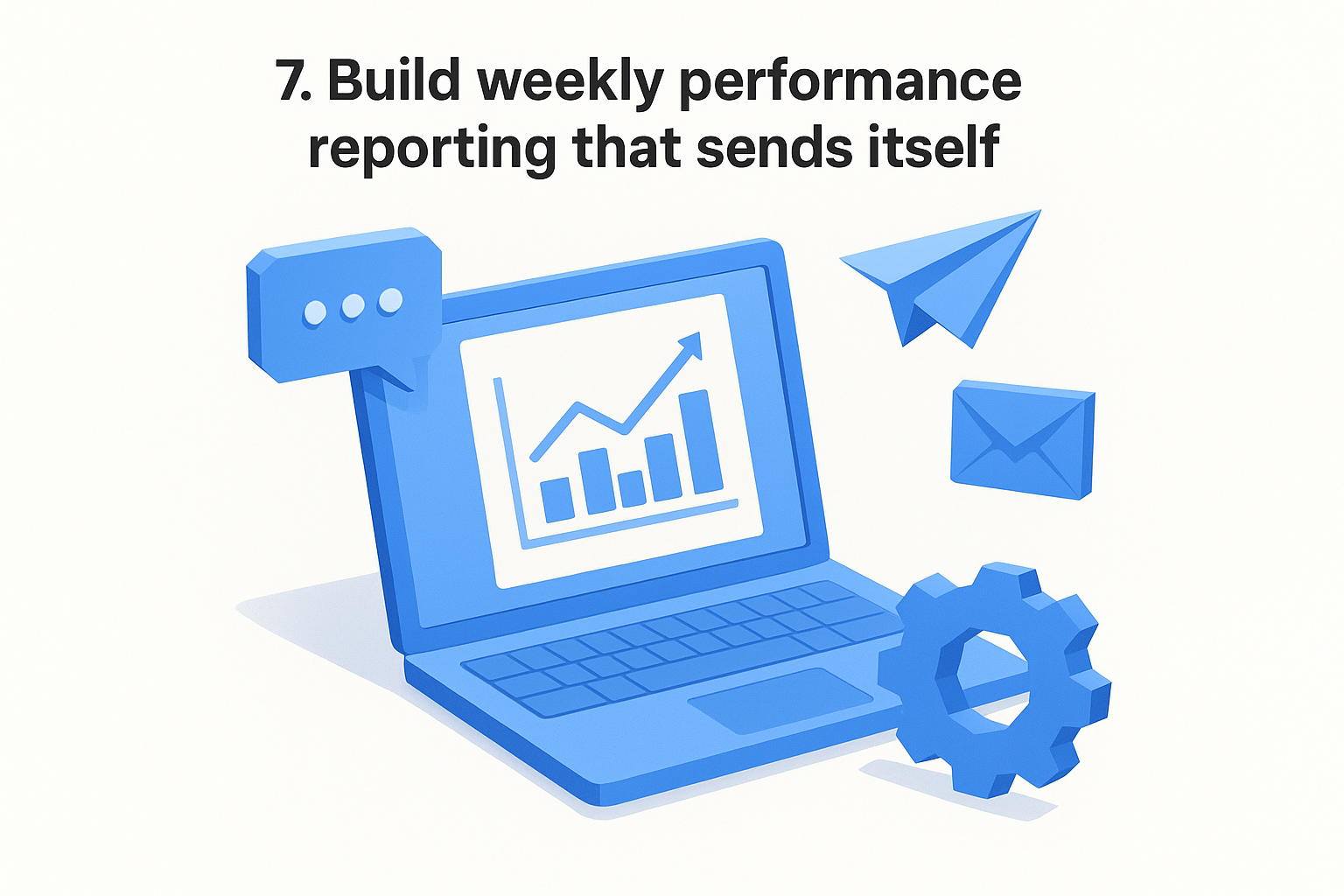
Pulling data from multiple platforms every week, formatting it into a deck, and sending it to stakeholders is one of the most time-consuming tasks that delivers the least creative value. This is one of those workflow automation examples that feels small until you calculate how many hours per month go into manual report assembly that a well-configured automation can handle overnight.
What it automates
This workflow automates the collection, formatting, and delivery of weekly performance data across your marketing channels. Instead of logging into each platform separately and copying numbers into a spreadsheet, the automation pulls the data, compiles it into a readable format, and sends it to your team or clients on a fixed schedule without you touching it.
Copy-this trigger and actions
Set your trigger as a scheduled time every week, then run these actions in sequence:
- Pull: Fetch metrics from your ad platforms, analytics tools, and social dashboards via API
- Compile: Organize the data into a consistent reporting template
- Send: Deliver the report automatically to a Slack channel, email list, or shared folder
A report that arrives before anyone asks for it builds more trust than one that arrives late after a reminder.
Suggested tools and setup
Use Google Looker Studio connected to your data sources for live reporting, then trigger a scheduled email or Slack delivery through Zapier.
What to measure
Track time saved per reporting cycle and whether stakeholders reference the automated reports in meetings, since active usage confirms the format is delivering genuine value.
8. Collect and tag customer feedback automatically
Customer feedback arrives in scattered places: support tickets, review sites, social comments, and post-purchase surveys. When your team reads each submission manually and decides how to categorize it, important patterns stay hidden for weeks. Automating collection and tagging surfaces those patterns in real time so you can act on them before they become bigger problems.
What it automates
This workflow automates feedback collection and categorization across every channel where customers leave comments. Instead of manually reading each submission and applying labels, the automation pulls responses in, runs them through an AI tagging layer, and organizes them by theme, sentiment, or priority without human sorting. It's one of the more underestimated workflow automation examples for marketers who need clean data to inform their next campaign or product message.
Copy-this trigger and actions
Set your trigger as a new feedback submission, then run these actions in sequence:
- Collect: Pull responses from surveys, review platforms, and support inboxes into one place
- Tag: Apply sentiment labels and category tags automatically using an AI classification step
- Route: Send high-priority or negative feedback to the right team member for immediate action
Tagging feedback at the point of collection prevents the backlog of unread responses that buries useful insight.
Suggested tools and setup
Connect your survey tool and review sources to a central spreadsheet or CRM using a connector like Zapier, then run an AI classification step to apply tags on each new row automatically.
What to measure
Track tagging accuracy rate and the average time between feedback submission and team review to confirm the workflow is actually speeding up your response cycle.
9. Maintain a prompt library and brand voice guardrails
Every time someone on your team writes a prompt from scratch, you risk getting outputs that sound different, use the wrong tone, or miss the brand standards you've worked to establish. A prompt library paired with brand voice guardrails locks in consistency across every workflow you run, so your AI outputs sound like they came from the same source regardless of who triggered the run.
What it automates
This workflow automates prompt management and brand voice enforcement across your content operations. Instead of each team member guessing at the right instructions, the system serves pre-approved prompts that already contain your tone rules, formatting standards, and audience context, making it one of the quieter but high-impact workflow automation examples on this list.
Copy-this trigger and actions
Set your trigger as a content generation task being initiated, then run these actions in sequence:
- Retrieve: Pull the relevant saved prompt from your library based on content type
- Inject: Automatically add your brand voice guidelines and formatting rules to the prompt
- Generate: Run the enriched prompt through your preferred AI model
A prompt retrieved from a curated library produces more consistent output than one written on the spot.
Suggested tools and setup
AI Flow Chat includes a built-in reusable prompt library where you save, tag, and share prompts across your team. You can embed brand voice instructions directly into each saved prompt so they apply automatically on every run.
What to measure
Track output revision rate after switching to library-sourced prompts, and measure how often team members reuse existing prompts versus writing new ones from scratch.
Next steps
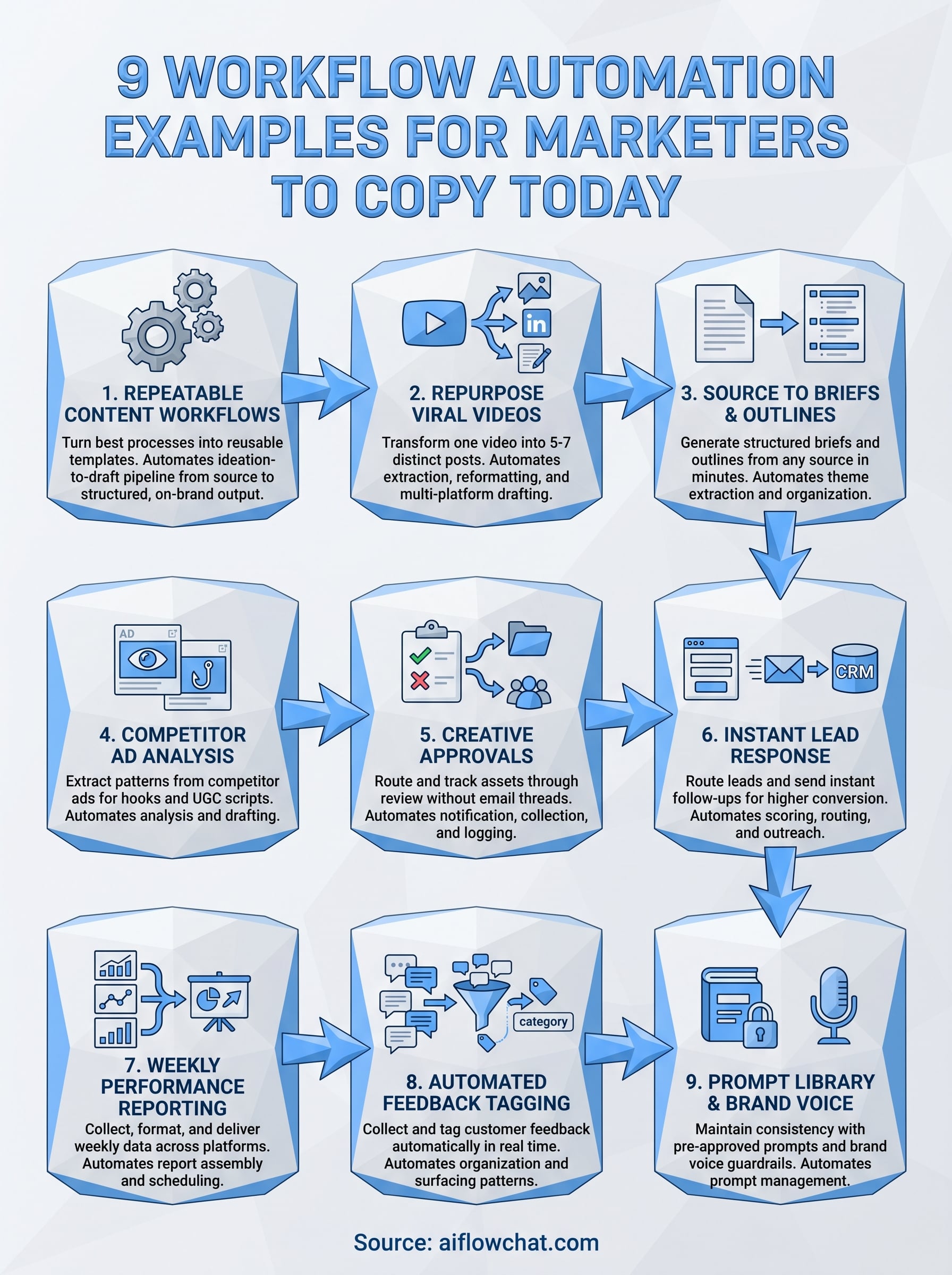
These nine workflow automation examples cover the most common places where marketers lose time to repetitive, manual tasks. Each one is built around a simple logic: define a trigger, chain the right actions, and measure what changes. You do not need to implement all nine at once. Start with the workflow that matches your biggest current bottleneck, get it running, and measure the result before adding the next one.
Once you have a few workflows in place, the compound effect becomes clear. Time you used to spend transcribing videos, assembling reports, or reformatting content shifts toward strategy and execution. That is where your attention actually moves the needle.
If you want to build and run these workflows in one place, try AI Flow Chat and start with a visual canvas that connects your source materials, prompts, and outputs into repeatable flowcharts you can reuse every week.
Continue Reading
Discover more insights and updates from our articles
Choose an AI model for scripts, marketing copy, coding, research, long documents, and quick everyday work using a practical quality, speed, and credit-cost framework.
Compare eight current Poppy AI alternatives for visual research, creator workflows, general AI work, grounded synthesis, automation, and reusable delivery.
A practical method for turning a scattered content process into a clear AI-assisted flowchart with source context, review checks, and a reusable output.