12 Best Workflow Automation Software for No-Code AI in 2026
At AI Flow Chat
Contents
0%Most teams don't need another tool that requires a developer to set up. They need best workflow automation software that actually works out of the box, something a solo marketer or small agency can pick up, connect to their existing stack, and start running in an afternoon. That's exactly where the no-code AI category has landed in 2026: powerful enough to replace custom scripts, simple enough that you never touch a line of code.
The problem is choice. There are dozens of platforms competing for your attention, each claiming to automate everything from content production to client reporting. Some are built for enterprise IT teams. Others look great in a demo but fall apart the moment you try to do something beyond a basic trigger-action sequence. Picking the wrong tool wastes more than money, it burns weeks of setup time and leaves you right back where you started, doing things manually. The difference between a good pick and a bad one often comes down to how well the software handles AI-native workflows, not just simple if-this-then-that logic.
We built AI Flow Chat specifically for creators, marketers, and agencies who need to turn reference materials into finished content at scale, using a visual canvas instead of a linear chat window. Our platform combines multi-model AI access, repeatable flowcharts, and multi-source referencing (think YouTube videos, competitor ads, PDFs, and Notion docs) into one workspace. So when we evaluate workflow automation tools, we're doing it from the perspective of people who actually ship content every day, not from a theoretical feature-comparison spreadsheet.
This guide breaks down 12 workflow automation platforms worth considering in 2026, with a focus on no-code setup, AI capabilities, and real-world fit for marketers and creators. For each tool, you'll get an honest look at what it does well, where it falls short, and who it's actually built for, so you can stop demo-hopping and start automating.
1. AI Flow Chat
AI Flow Chat takes a fundamentally different approach to workflow automation than most tools on this list. Instead of building linear trigger-action sequences, it gives you an infinite visual canvas where you connect data sources, prompts, and AI models directly, so you can see exactly how your inputs produce your outputs before you lock anything in.
How AI Flow Chat works
You start by opening the canvas and dragging in your reference materials. These can be YouTube or TikTok links, PDFs, Notion pages, competitor ads from the Meta Ads Library, or live-scraped websites. Each source becomes a node on the whiteboard. From there, you attach prompts and choose which AI model handles the generation: OpenAI, Claude, or Gemini. The result appears as another node, tethered to the sources that produced it, so you always know where the output came from and why it looks the way it does.
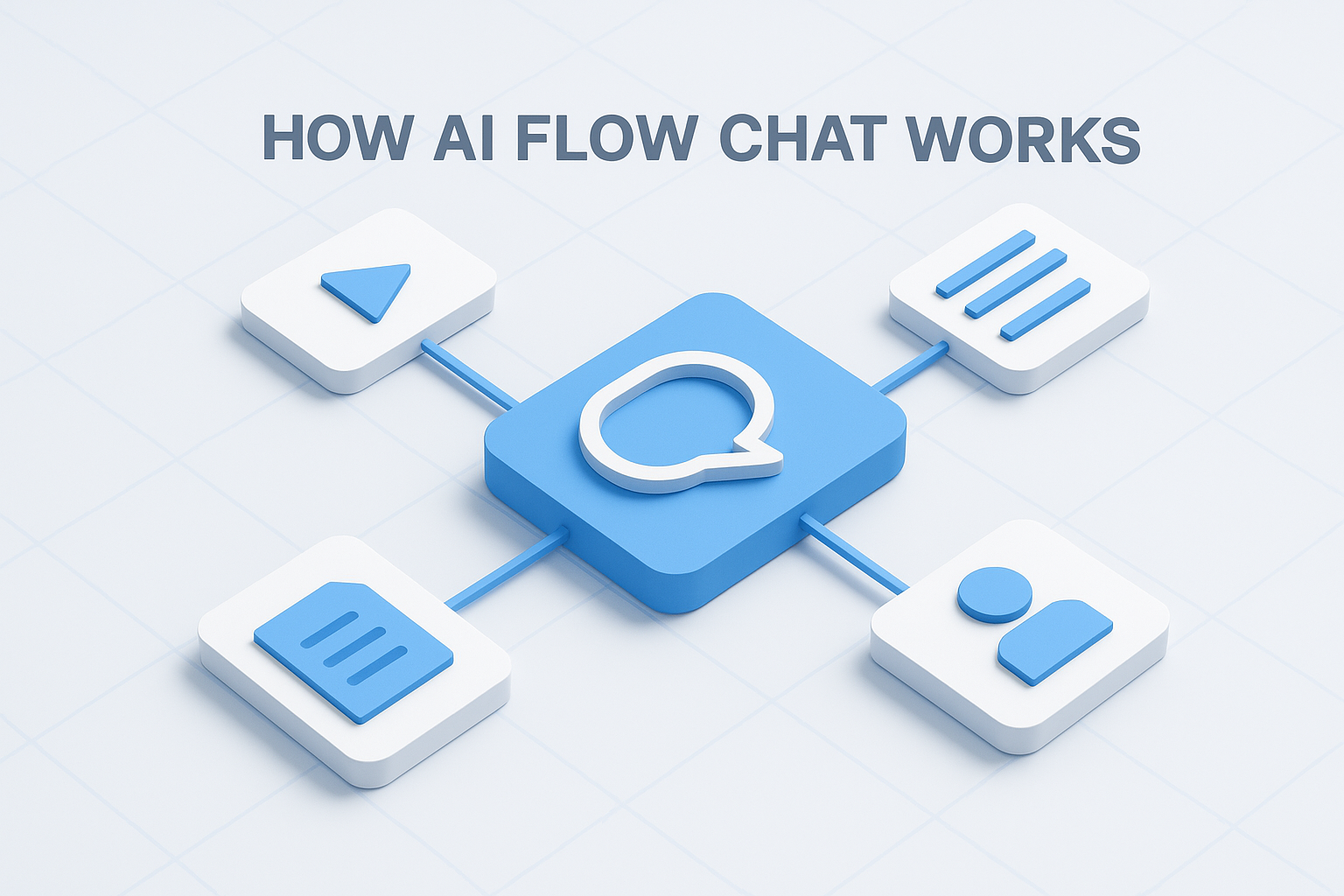
This spatial, reference-first approach significantly reduces hallucinations because the AI is generating output from your specific materials, not from general training data alone.
Workflows you build on the canvas can be saved as repeatable flowcharts and scheduled to run automatically. If you produce a weekly SEO article or daily social content, you set it once and the platform handles the rest.
Standout AI and workflow features
The multi-source referencing system is the most distinctive feature here. Most workflow automation software treats AI as a simple text-generation step inside a larger sequence. AI Flow Chat makes it the center of everything, with every prompt anchored to real reference material rather than floating in a void. You can pull in a viral video, extract its hook structure, and generate a rewritten version in your own voice, all inside the same workspace.
Other standout features include the AI App Builder, which lets you package any workflow into a shareable or embeddable app. Agencies use this to create client-facing tools without handing over access to the full canvas. The reusable prompt library and community gallery let you save what works and deploy it repeatedly without rebuilding from scratch every time.
Who AI Flow Chat fits best
This platform is built for creators, marketers, and small agency teams who need to produce high volumes of content consistently without hiring more people. If you're a solo operator running ads, managing social accounts, and writing SEO content simultaneously, the visual canvas lets you see your entire production system in one place rather than juggling tabs and chat threads.
It's also a strong fit for visual thinkers and anyone who finds standard chat interfaces limiting. The canvas works the way non-linear thinkers actually work: spatially, with context visible at all times.
AI Flow Chat pricing
AI Flow Chat starts at $29 per month on a flexible credit-based model with no annual commitment required. The subscription includes access to OpenAI, Claude, and Gemini under one plan, replacing the need for separate subscriptions to each. Higher-tier plans unlock more credits, scheduled task volume, and app publishing capacity.
2. Zapier
Zapier is one of the most recognized names in the best workflow automation software category, and for good reason. It connects more than 7,000 apps through a straightforward trigger-action interface, making it the default starting point for teams that need to link tools together without writing any code.
How Zapier works
You build automations called "Zaps" by selecting a trigger app and an action app. When something happens in one tool (a form submission, a new spreadsheet row, an incoming email), Zapier fires off one or more actions in connected tools. Each Zap runs in the background automatically, handling repetitive hand-off tasks that would otherwise eat into your working hours. Multi-step Zaps let you chain several actions together, so a single trigger can push data to multiple destinations at once.
Standout AI and workflow features
Zapier added native AI steps and an AI Actions feature that lets you incorporate text generation and data transformation directly inside a Zap, without jumping to a separate platform. You can summarize emails, classify incoming data, or draft responses using GPT models, all within the same sequence. The Zapier Tables and Interfaces features give you lightweight database and form functionality, extending what the platform can handle beyond simple pass-through automation.
Zapier's real strength is breadth: if the app exists, Zapier almost certainly connects to it, which makes it the most practical option when your tech stack is wide and varied.
Who Zapier fits best
Zapier works best for small to mid-size teams and individual operators who need reliable, point-to-point app connections without touching code. If your workflows are straightforward and your priority is connecting a large number of SaaS tools quickly, Zapier is hard to beat. Teams running marketing operations across HubSpot, Slack, Google Sheets, and Gmail will find the integration depth genuinely useful.
Zapier pricing
Zapier offers a free plan covering 100 tasks per month with single-step Zaps. Paid plans start at $19.99 per month (billed annually) for 750 tasks, scaling up based on task volume and feature access. Multi-step Zaps and AI features require a paid plan.
3. Make
Make (formerly Integromat) is a visual workflow builder that sits between Zapier's simplicity and n8n's technical depth. It gives you a drag-and-drop scenario editor where you can watch data flowing between apps in real time, which makes it significantly easier to troubleshoot complex multi-step automations without guessing what broke or digging through opaque logs.
How Make works
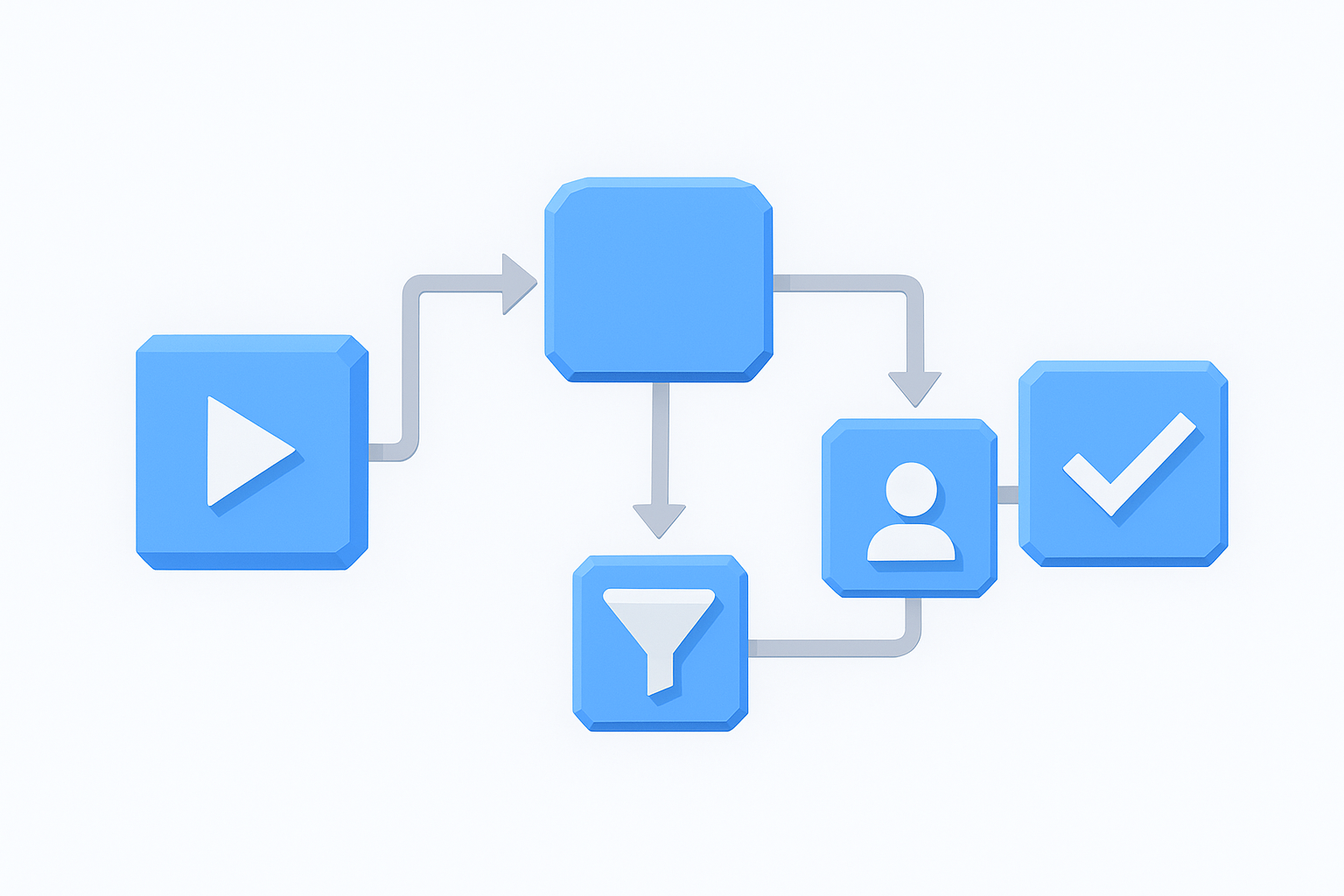
Make organizes automations into "scenarios," which are visual flowcharts that display each step as a connected module on a canvas. You pick a trigger module and chain action modules together, routing data through filters, routers, and iterators to handle branching logic. When you run a scenario, you can watch individual data packets move through each step live, so you always know exactly where something fails and what data was present at that moment.
Standout AI and workflow features
Make supports native HTTP requests and webhooks, which means you can connect it to almost any API even if that service isn't officially listed in its app directory. For AI-specific workflows, you can send data directly to OpenAI or Anthropic APIs inside a scenario, parse the response, and push the output downstream to your CRM, email platform, or content management system without leaving the builder.
Make's visual data-flow approach makes it one of the more transparent options in the best workflow automation software category, since you can inspect exactly what's happening at each step rather than guessing from summary logs.
The scenario history and error-handling tools add meaningful reliability to production workflows. Make stores detailed execution logs so you can replay failed runs and fix specific steps without restarting the entire sequence from the beginning.
Who Make fits best
Make works well for marketers and operations teams who need multi-step workflows with branching logic but aren't ready to write code. If your automations involve conditional routing, where data needs to go one place under one condition and somewhere else under another, Make handles that more naturally than simpler trigger-action tools like Zapier.
Make pricing
Make offers a free plan covering 1,000 operations per month. Paid plans start at $9 per month (billed annually) for 10,000 operations, with pricing scaling based on operation volume and the number of active scenarios you run simultaneously.
4. n8n
n8n is an open-source workflow automation platform that gives technical users full control over how their automations run, where their data lives, and what they connect to. Unlike most tools in the best workflow automation software category, n8n lets you self-host the entire platform on your own infrastructure, which makes it a strong choice for teams with strict data privacy requirements or those who want to avoid per-task pricing that scales unpredictably.
How n8n works
You build automations called "workflows" using a node-based visual editor where each node represents a specific action, transformation, or API call. You connect nodes in sequence to route data through your logic, and n8n executes each step in order when a trigger fires. The interface looks similar to Make's canvas approach, but n8n skews more technical, giving you direct access to JavaScript expressions and custom code nodes at any point in your workflow without switching tools.
Standout AI and workflow features
n8n introduced a dedicated AI agent node that lets you wire up LLM calls with tool-use capabilities, meaning the model can take actions inside a workflow, not just generate text. You can chain multiple AI steps together, pass outputs between them, and attach external tools like search APIs or custom functions. n8n also supports LangChain-based agents natively, which significantly reduces the setup time for teams building more advanced AI-driven sequences.
This combination of visual building and native code access makes n8n one of the most flexible options for technical marketers who want AI inside their automation stack without being locked into a closed platform.
Who n8n fits best
n8n works best for developers, technical operators, and teams that need maximum flexibility and are comfortable writing occasional code. If your workflows involve complex data transformations, custom API integrations, or sensitive data you can't send through a third-party SaaS, self-hosting n8n gives you control that cloud-only tools simply don't offer.
n8n pricing
n8n's cloud plans start at $20 per month for 2,500 workflow executions. The self-hosted version is free under the fair-code license, with an enterprise license available for larger teams needing advanced permissions and support.
5. Microsoft Power Automate
Microsoft Power Automate is the automation layer built directly into the Microsoft 365 ecosystem. If your organization already runs on Teams, SharePoint, Outlook, and Excel, Power Automate connects those tools together without requiring any additional third-party middleware, which makes it one of the most practical choices in the best workflow automation software category for enterprise and mid-market teams embedded in the Microsoft stack.
How Microsoft Power Automate works
Power Automate lets you build automations called "flows" through a guided, no-code interface that walks you through trigger selection, conditions, and actions step by step. You can choose from cloud flows, which run on schedules or app-based triggers, desktop flows for automating repetitive tasks on a local machine via robotic process automation (RPA), or process flows that guide users through multi-step approval sequences. The builder integrates directly with the Microsoft 365 admin environment, so your IT team can manage permissions and governance from the same dashboard they already use.
Standout AI and workflow features
Power Automate includes Copilot-assisted flow building, which lets you describe what you want to automate in plain language and receive a suggested flow structure in return. AI Builder, Microsoft's low-code AI module, adds capabilities like document processing, object detection, and sentiment analysis directly into your flows without requiring a data science background to configure. These features are deeply embedded rather than bolted on, which means they work reliably across the Microsoft connector library.
Power Automate's RPA capability sets it apart from lighter tools on this list, because it can automate legacy desktop applications that don't offer modern APIs, a real advantage for enterprise teams stuck with older software.
Who Microsoft Power Automate fits best
Power Automate is purpose-built for enterprise teams and mid-size organizations that operate primarily within Microsoft 365. If your approval workflows, document management, and team communication all live inside Microsoft tools, this platform removes friction that third-party automation tools typically introduce.
Microsoft Power Automate pricing
Power Automate is included with select Microsoft 365 plans at no additional cost for standard cloud flows. Standalone plans start at $15 per user per month for premium connectors, with RPA and AI Builder capabilities available at higher tiers.
6. Workato
Workato is an enterprise-grade integration and automation platform that positions itself as more than a simple connector. It combines workflow automation, API management, and AI-assisted building into a single environment built for teams that need production-grade reliability across complex, multi-system processes.
How Workato works
Workato organizes automations into "recipes," which are event-driven workflows that trigger when something happens in a connected app and execute one or more actions in response. You build recipes through a guided interface that handles authentication, data mapping, and error handling without requiring code. The platform supports both simple one-step recipes and deeply nested workflows with conditional logic, loops, and parallel branches running simultaneously.
Standout AI and workflow features
Workato includes a native AI layer called Workato Copilot that helps you build recipes from plain-language descriptions, troubleshoot failures, and suggest logic improvements without digging through documentation. Beyond recipe building, the platform offers API platform capabilities that let you publish internal workflows as callable APIs, which means other tools or teams can trigger your automations programmatically without accessing the Workato interface directly.
This combination of automation and API management makes Workato one of the more complete options in the best workflow automation software category for teams that need to expose their workflows to external systems.
The platform also includes real-time monitoring dashboards and audit logs that give operations teams full visibility into what ran, when it ran, and what data passed through each step.
Who Workato fits best
Workato is designed for mid-market and enterprise teams that need to automate across dozens of business systems simultaneously while maintaining governance and security standards. If your organization runs Salesforce, Workday, ServiceNow, or SAP alongside a stack of marketing and ops tools, Workato handles the complexity of connecting them without requiring a dedicated developer per integration.
Workato pricing
Workato does not publish standard pricing publicly. Plans are quoted based on usage and team size, with enterprise agreements typically running into the thousands per month. A free trial is available upon request.
7. Tray.ai
Tray.ai is an enterprise automation platform that combines a visual workflow builder with a native AI layer called Merlin. It targets operations and IT teams that need to automate complex, multi-system processes without relying on professional developers for every integration change.
How Tray.ai works
Tray.ai uses a drag-and-drop canvas interface where you assemble workflows called "workflows" from connector blocks, logic operators, and data transformation steps. You connect each block to define how data moves between systems, and the platform handles the underlying API communication. Conditional branching, loops, and error-handling steps are all available directly on the canvas, so you can build workflows that respond differently depending on what data comes through, without writing custom scripts.
Standout AI and workflow features
The Merlin AI layer sits across the entire platform and gives you the ability to describe workflow logic in plain language, receive a suggested build in return, and then refine it visually. Beyond the build-assist functionality, Merlin supports AI-powered data enrichment and classification steps inside live workflows, meaning your automation can make decisions based on interpreted content rather than just raw field matching.
Tray.ai's Merlin layer represents one of the more integrated approaches to AI in the best workflow automation software category, since it operates at the workflow design level and the execution level simultaneously.
Who Tray.ai fits best
Tray.ai fits mid-market and enterprise operations teams that need to automate across a wide range of business systems, including CRMs, data warehouses, and internal databases, while keeping non-technical users in control of workflow management. If your team runs Salesforce, Snowflake, or HubSpot alongside a stack of proprietary or legacy tools, Tray.ai's broad connector library and flexible data-handling capabilities make it a practical fit.
Tray.ai pricing
Tray.ai does not list standard pricing publicly. Pricing is quoted based on usage volume and team size, with plans structured for growing teams through enterprise organizations. You can request a demo and custom quote directly through their site.
8. UiPath
UiPath is one of the most established robotic process automation (RPA) platforms on the market, built for teams that need to automate repetitive tasks across desktop applications, web interfaces, and enterprise systems. Where most tools in the best workflow automation software category focus on connecting cloud-based APIs, UiPath specializes in automating the kind of work that happens directly on a computer screen, such as clicking buttons, copying data between windows, and filling out forms in legacy software that was never designed for modern integration.
How UiPath works
UiPath uses software robots called "bots" that you configure to replicate the exact steps a human would take inside any application, whether that's a browser, a desktop program, or a mainframe terminal. You build automation sequences using a drag-and-drop activity designer in UiPath Studio, the platform's primary development environment. Each activity represents a specific action, like reading a cell in Excel, clicking a button in an ERP system, or extracting text from a scanned document. You chain activities together into full workflows that run attended (with a human present) or unattended (fully in the background on a schedule).
Standout AI and workflow features
UiPath includes a built-in AI Center where you can deploy and manage machine learning models that feed directly into your automation sequences. The platform's Document Understanding module handles unstructured content like invoices, contracts, and forms, extracting relevant fields automatically without manual data entry. UiPath also offers Autopilot, an AI assistant that helps you build and troubleshoot automations using plain-language descriptions instead of manually wiring each activity together.
UiPath's combination of RPA and document AI makes it one of the strongest options for finance and operations teams that process large volumes of structured paperwork every day.
Who UiPath fits best
UiPath works best for large enterprises and regulated industries like finance, healthcare, and insurance where a significant portion of daily work still runs through legacy desktop software with no modern API access. If your team manually processes hundreds of forms, reports, or system entries each week, UiPath can eliminate most of that effort without requiring a full software migration.
UiPath pricing
UiPath offers a free Community plan for individuals and small teams. Enterprise pricing is custom-quoted based on the number of robots, users, and automation volume, so you'll need to contact their sales team directly for a specific figure.
9. Jira Automation
Jira Automation is Atlassian's built-in automation engine for Jira Software, Jira Service Management, and Jira Work Management. It gives software and operations teams the ability to reduce manual work inside their existing project tracking setup without jumping to a separate tool. If your team already lives in Jira, this is one of the most practical entries in the best workflow automation software category because the setup lives exactly where your work already happens.
How Jira Automation works
Jira Automation runs on a trigger-condition-action framework that responds to events inside your Jira projects, such as issue status changes, sprint completions, or new ticket creation. You build rules through a visual, no-code rule builder that walks you through selecting a trigger, applying optional conditions to narrow down which items the rule applies to, and defining one or more actions to execute. Rules can target a single project or run globally across your entire Jira instance, giving you flexibility to standardize processes at the team level or the organization level.
Standout AI and workflow features
Jira Automation includes smart value and Jinja2-based templating that lets you pull dynamic data from any issue field into your automated actions, like auto-populating descriptions, assigning tickets based on label logic, or generating summaries from issue data. Atlassian has also started integrating Atlassian Intelligence features that let you build automation rules from plain-language descriptions, reducing the time it takes to configure complex multi-condition rules.
Jira Automation's deepest advantage is that it operates on the same data model your team already uses, which means no data mapping, no sync delays, and no integration middleware to maintain.
Who Jira Automation fits best
Jira Automation works best for software development and IT operations teams that manage their entire workflow inside Atlassian products. If your team tracks sprints, bugs, deployments, and support tickets in Jira, this tool eliminates the manual status updates and cross-project notifications that slow engineering and ops work down.
Jira Automation pricing
Jira Automation is included in all Jira plans, including the free tier, which covers up to 100 rule runs per month. Paid plans start at $8.15 per user per month (Standard tier) and include significantly higher automation rule execution limits.
10. Monday.com
Monday.com started as a project management platform and has since built a workflow automation layer directly into its work operating system. If your team already tracks projects, campaigns, or client work inside Monday boards, the automation features let you eliminate the repetitive status updates and hand-offs that slow collaborative work down, without ever leaving the platform to configure a separate tool.
How Monday.com works
Monday.com organizes work into boards, items, and columns, where each row represents a task, project, or record and each column holds a specific piece of data. Automations run on a trigger-condition-action model built directly into the board interface. You pick a trigger (like a status column changing to "Done"), apply optional conditions, and define an action (like notifying a person or moving the item to another board). The rule builder uses plain-language sentence templates so you can read each automation as a full sentence before saving it.
Standout AI and workflow features
Monday.com includes Monday AI, which lets you generate text summaries, auto-fill item fields, and extract action items from meeting notes directly inside your boards. The platform also offers cross-board automations that move or mirror data between separate boards automatically, which is useful when different teams track different stages of the same project. For teams connecting Monday to external tools, native integrations with Slack, Gmail, Salesforce, and HubSpot handle most common hand-offs without a third-party connector.
Monday.com's strongest advantage in the best workflow automation software category is that the automation layer sits on top of a fully functional work management system, so you're not bolting automation onto a spreadsheet replacement.
Who Monday.com fits best
Monday.com works best for marketing, operations, and client services teams that manage ongoing project workflows and need automation to reduce manual coordination work. If your team runs campaign tracking, content calendars, or client onboarding processes through a shared board structure, the built-in automation removes most of the manual update and notification work without requiring a separate integration platform.
Monday.com pricing
Monday.com offers a free plan for up to two seats. Paid plans start at $9 per seat per month (billed annually) on the Basic tier, with automation features unlocking at the Standard tier starting at $12 per seat per month.
11. ClickUp
ClickUp is a project management and productivity platform that has steadily expanded its automation capabilities to the point where it now competes directly in the best workflow automation software category. Rather than being a dedicated automation tool, ClickUp treats automation as one layer inside a broader work management system that also handles tasks, docs, goals, and time tracking.
How ClickUp works
ClickUp organizes everything into Spaces, Folders, Lists, and Tasks, creating a hierarchy that teams can customize to match how they actually work. Automations sit inside this structure and respond to changes within your workspace, such as a task moving to a new status, a due date passing, or a custom field updating. You build rules through a visual automation builder that uses pre-built trigger-action templates or lets you configure conditions manually, all without writing code.
Standout AI and workflow features
ClickUp Brain is the platform's native AI assistant, embedded directly into your workspace rather than tacked on as a separate add-on. It lets you generate task summaries, write subtask descriptions, pull answers from your workspace data, and automate routine documentation without switching tools. ClickUp also supports custom field-based automations that respond to unique data your team tracks, which gives you more control over workflow logic than platforms limited to standard status and date triggers.
ClickUp's strength in this category is that you get automation, AI, and project management under one subscription, which reduces the number of separate tools a small team needs to maintain.
Who ClickUp fits best
ClickUp works best for small to mid-size teams that want to consolidate project management and workflow automation without paying for separate platforms. If you manage content production, product development, or client projects through a central task system, ClickUp's automation layer handles the repetitive coordination work without forcing you to learn a standalone integration tool.
ClickUp pricing
ClickUp offers a free plan with basic automation capped at 100 uses per month. Paid plans start at $7 per user per month (billed annually) on the Unlimited tier, with ClickUp Brain available as an add-on at $7 per member per month on any paid plan.
12. Notion
Notion sits at an interesting position in the best workflow automation software conversation. It started as a flexible note-taking and wiki tool but has grown into a connected workspace that combines databases, documents, project tracking, and increasingly capable automation into one platform. For teams that already live in Notion, the built-in automation layer removes a meaningful amount of manual work without adding another subscription to your stack.
How Notion works
The workspace organizes around databases, pages, and linked views, where each database row represents a task, a content piece, a client, or any other record your team tracks. You connect databases through relation and rollup properties, creating a web of linked information that updates automatically as you add or change records.
Your pages hold freeform content alongside embedded database views, so reference material and working data stay in the same place. This structure makes Notion function less like a rigid project tool and more like a flexible operating system your team shapes around its own processes and terminology.
Standout AI and workflow features
Notion Automations lets you set trigger-based rules that respond to database changes, such as a property updating, a date arriving, or a new page being created. Notion AI sits across your entire workspace and lets you summarize pages, generate content, and pull structured data from freeform notes without switching tools.
Notion's automation layer works best when your workflows live primarily inside Notion itself, since it doesn't offer the deep cross-app connectivity that dedicated integration platforms provide.
Who Notion fits best
Notion fits content teams, solopreneurs, and small agencies that use it as their primary workspace for planning, documentation, and content production. If your editorial calendar, client notes, and SOPs all live inside Notion already, the automation handles routine updates and AI-assisted drafting without requiring a separate tool.
Teams that rely heavily on external apps for CRM, email, or customer support will likely hit the limits of Notion's automation fairly quickly and need to pair it with a dedicated connector platform.
Notion pricing
Notion offers a free plan for individuals. Paid plans start at $12 per seat per month (billed annually) on the Plus tier, with Notion AI available as an add-on at $10 per member per month on any paid plan.
Final take
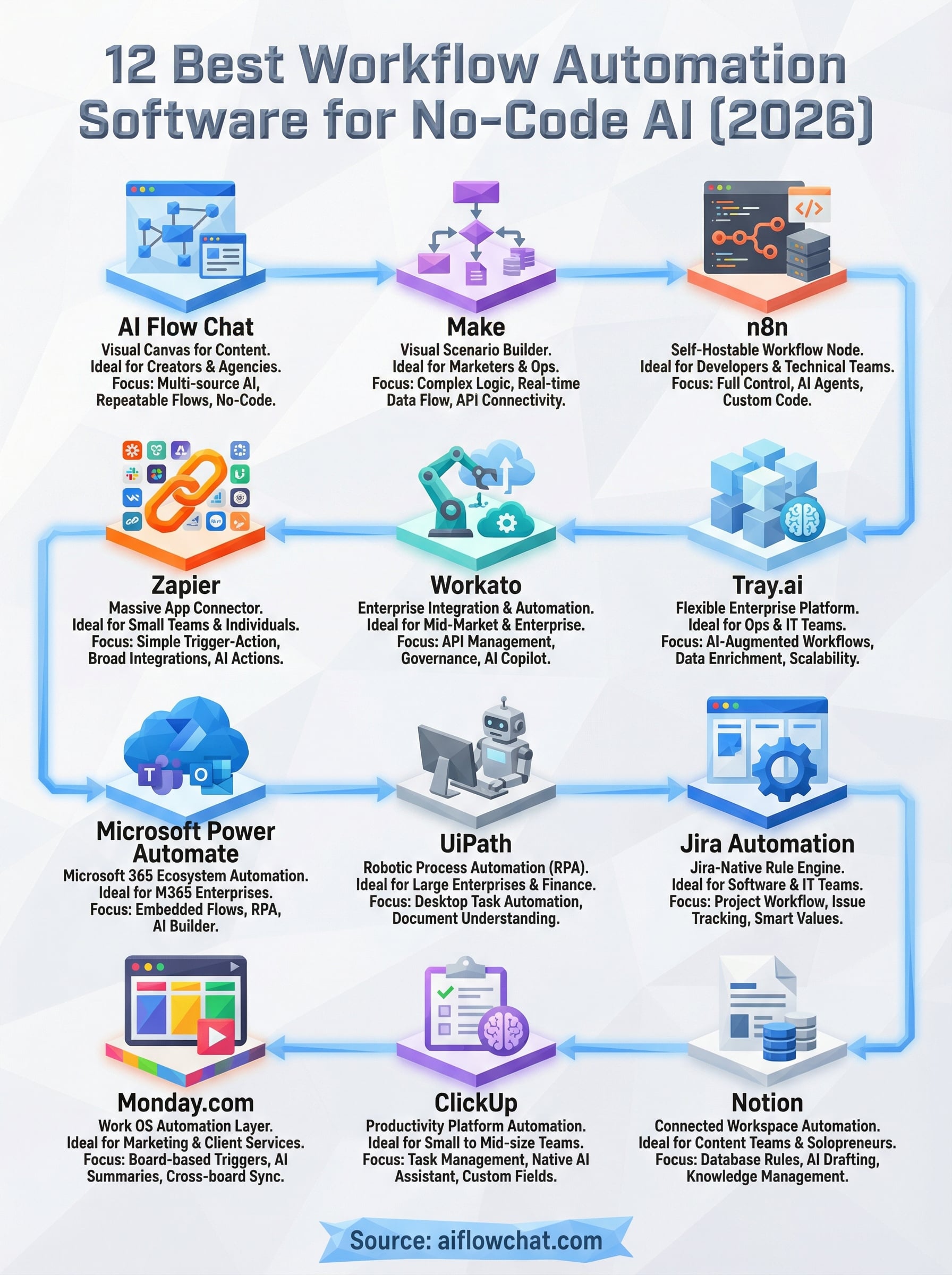
The best workflow automation software for your situation depends on what you're actually automating and who's doing the work. Enterprise teams running legacy systems on Microsoft infrastructure will get more value from Power Automate or UiPath. Developers who want full control over their data are better served by n8n. Teams managing projects inside Monday.com or ClickUp can automate directly inside those platforms without adding another tool.
For creators, marketers, and small agencies that need to produce content at scale, reference real-world materials, and run repeatable AI workflows without touching code, most of the tools on this list fall short. They automate data hand-offs well, but they're not built around the actual work of content production. That's the gap AI Flow Chat fills.
If you're ready to stop rebuilding prompts from scratch and start running visual, reference-driven workflows that actually ship content, try AI Flow Chat and see how the canvas approach changes what's possible.
Continue Reading
Discover more insights and updates from our articles
Choose an AI model for scripts, marketing copy, coding, research, long documents, and quick everyday work using a practical quality, speed, and credit-cost framework.
Compare eight current Poppy AI alternatives for visual research, creator workflows, general AI work, grounded synthesis, automation, and reusable delivery.
A practical method for turning a scattered content process into a clear AI-assisted flowchart with source context, review checks, and a reusable output.