13 Best AI Workflow Automation Tools + Use Cases (2026)
At AI Flow Chat
Contents
0%Most creators and marketers aren't short on ideas, they're short on time. Between drafting social posts, repurposing videos, analyzing competitor ads, and publishing across five platforms, the manual work eats hours that should go toward strategy and growth. That's exactly where ai workflow automation steps in: it connects your tools, triggers actions without manual input, and lets AI handle the repetitive steps so you can focus on the work that actually moves the needle.
But the market for these tools has exploded. Some platforms are built for developers who think in API calls and JSON. Others look pretty on a landing page but fall apart the moment you need to do something beyond a basic chatbot prompt. Finding the right fit depends on what you actually need, whether that's scheduling content pipelines, extracting insights from viral videos, or building repeatable workflows you can hand off to a team.
We built AI Flow Chat as a visual workflow platform for exactly this audience: creators, marketers, and agencies who need more power than a standard chat interface but don't want to learn software engineering to get it. So we know this space well, and we have strong opinions about what matters. In this guide, we break down 13 of the best AI workflow automation tools available in 2026, compare their strengths and trade-offs, and walk through real use cases so you can pick the platform that actually fits how you work.
1. AI Flow Chat
AI Flow Chat is built for creators, marketers, and agency owners who want serious ai workflow automation power without needing to write a single line of code. It combines a visual whiteboard canvas with multi-model AI access and multi-source referencing to help you turn raw inputs, like a competitor's viral video or a PDF brief, into polished, publish-ready content.
What it is and how it works
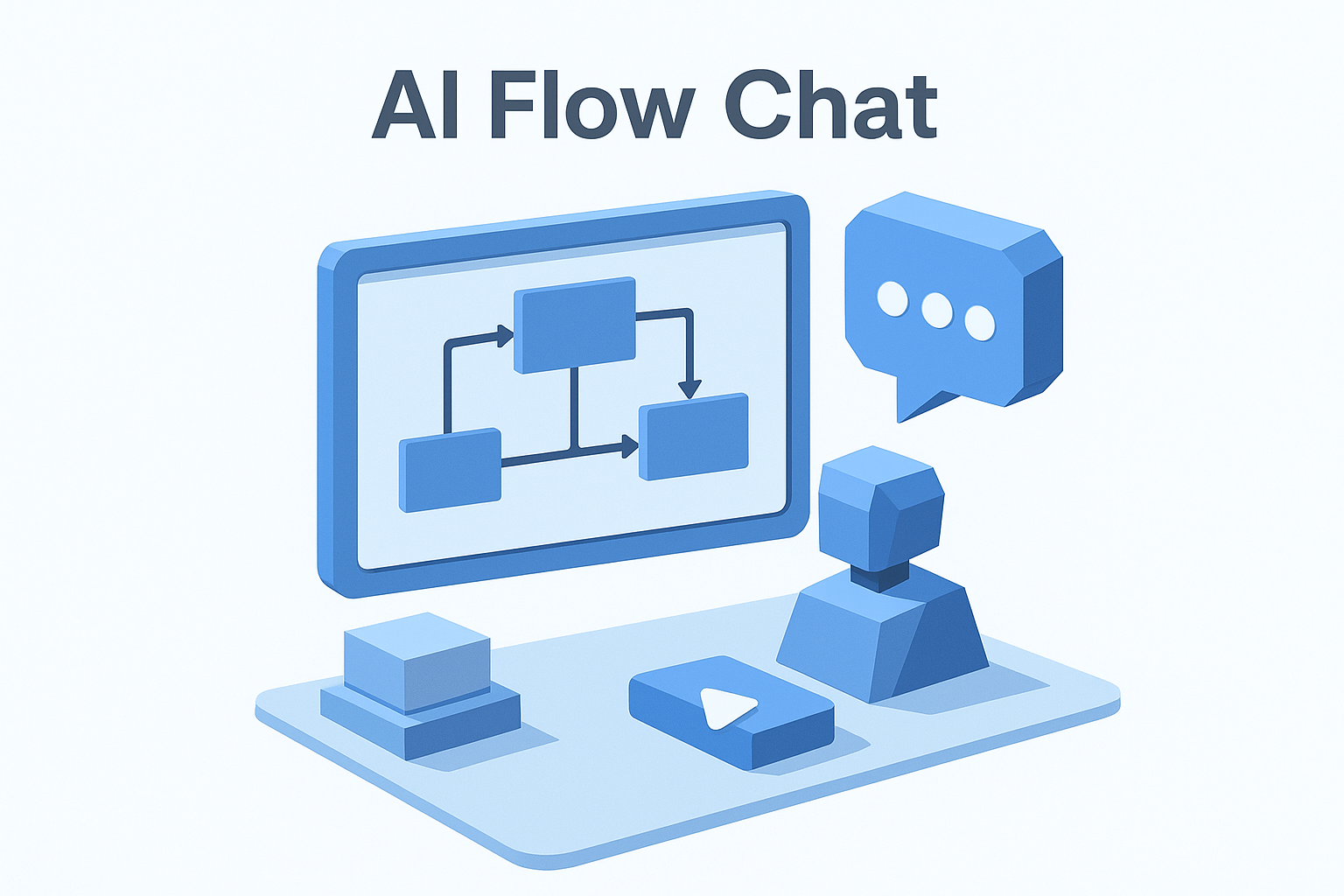
Unlike tools that give you a linear chat window, AI Flow Chat works on an infinite spatial canvas where you drag and drop data sources, prompts, and AI outputs to map out exactly how information flows from input to result. You can pull in YouTube videos, TikToks, Instagram Reels, PDFs, Notion pages, and live websites, then connect them to any combination of OpenAI, Anthropic Claude, or Gemini models, all under one subscription.
The spatial whiteboard approach is specifically designed for non-linear thinkers who lose context inside a standard chat thread.
Outputs stay tethered to your reference materials, which keeps the AI grounded in actual source content rather than generating generic filler. You can also build repeatable flowcharts, schedule tasks to run automatically, and package entire workflows into shareable apps without touching any backend configuration.
Best use cases for creators and marketers
Content repurposing is where AI Flow Chat stands out most. You paste a link to a high-performing video, the platform transcribes and analyzes it, and you use that analysis as the direct source for scripts, captions, or blog drafts in your own voice. This is faster and more accurate than manually watching content and taking notes.
Additional use cases include:
- Competitor ad analysis: Feed URLs from the Meta Ads library into your canvas and extract hooks, angles, and messaging patterns at scale.
- UGC ad cloning: Reference winning ad creatives and generate new variations that match the same structure and tone.
- SEO article scheduling: Build a workflow once and schedule it to produce optimized articles on a recurring basis without any manual trigger.
- Client deliverables: Package your best workflows into branded apps you can embed or share with clients directly.
These use cases make it the right fit if you need to produce high-volume, reference-backed content consistently rather than one-off outputs.
Pricing
AI Flow Chat starts at $29 per month on a flexible, credit-based model with no annual commitment required. That entry price includes access to multiple AI models and core canvas features. The credit-based structure suits creators and marketers who have heavy production months followed by slower periods, so you only pay for what you actually use rather than locking into a rigid tier.
2. Zapier
Zapier is one of the most widely used ai workflow automation platforms on the market, built around a trigger-and-action model that connects thousands of apps without writing any code. If you've ever wanted your CRM to automatically update when a form is submitted, or a Slack message to fire when a new lead arrives, Zapier handles that logic for you.
What it is and how it works
Zapier works by letting you build "Zaps," which are automated workflows that run when a specific trigger event happens in one app. You select a trigger, such as a new row added to a Google Sheet, and then chain one or more actions that follow. Zapier's AI features, added more recently, let you insert AI steps into these chains to summarize, classify, or generate text as part of the flow. The platform connects to over 7,000 apps, which makes it the broadest integration network available.
The sheer app coverage is Zapier's biggest competitive advantage, especially if your stack includes niche tools that other platforms don't support.
Best use cases
Zapier fits best when your priority is connecting existing apps rather than building complex AI content pipelines. Strong use cases include:
- Lead routing: Automatically send new form submissions to your CRM, email tool, and Slack in one flow.
- Content notifications: Trigger a workflow when a new blog post publishes and distribute it across channels.
- AI text classification: Use built-in AI steps to tag or sort incoming data before it lands in your database.
Pricing
Zapier offers a free tier that covers basic Zaps with limited task volume. Paid plans start at $19.99 per month for individuals and scale based on task volume and the number of automated steps per Zap. The cost can climb quickly if you run high-frequency workflows, so monitor your task usage closely before committing to a plan.
3. n8n
n8n is an open-source workflow automation platform that sits between Zapier's simplicity and a fully custom-coded solution. It gives you far more flexibility than most no-code tools, but that flexibility comes with a steeper learning curve, making it a popular choice for technically inclined marketers and developers who want granular control over their ai workflow automation setups.
What it is and how it works
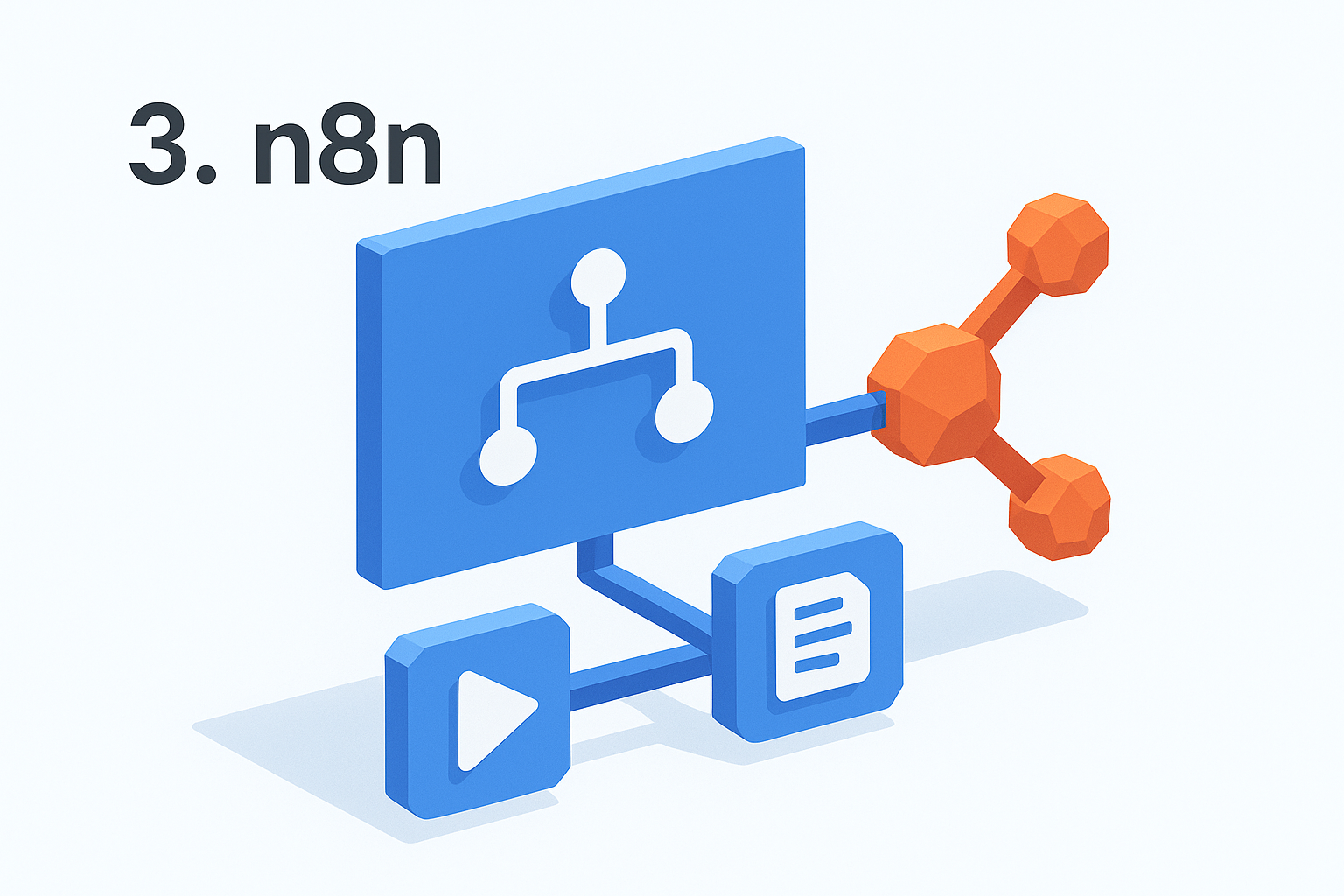
n8n uses a node-based visual editor where each step in your workflow appears as a connected node. You can chain API calls, conditional logic, loops, and AI model integrations into a single flow without writing a full application. It supports self-hosting, which means your data stays on your own servers rather than passing through a third-party cloud, a significant advantage for teams handling sensitive client information or working under strict privacy requirements.
Self-hosting n8n gives you complete data ownership, which makes it one of the few automation tools you can deploy in a fully controlled environment.
The platform also includes native AI nodes that connect directly to OpenAI, Anthropic, and other LLM providers, so you can build flows that generate, classify, or transform content as part of a larger automated process.
Best use cases
n8n works best for users comfortable with logic-heavy setups who need more than basic trigger-and-action chains. Strong use cases include:
- Custom API integrations: Connect tools that don't have native support elsewhere by writing lightweight API requests inside nodes.
- Data transformation pipelines: Pull data from multiple sources, reformat it, and push it to a destination in one flow.
- AI-assisted content processing: Route incoming data through an LLM step to summarize or tag it before it reaches your database.
Pricing
n8n offers a free self-hosted version with no task limits, which is the main draw for developers and technical teams. The cloud-hosted plan starts at $20 per month for individuals and scales based on workflow executions. If you can manage your own server, the self-hosted option makes n8n one of the most cost-effective platforms available.
4. Make
Make (formerly Integromat) is a visual ai workflow automation platform that sits a step above basic trigger-action tools. It gives you a flow-based interface where you can build multi-step automations with branching logic, filters, and data transformations, all without writing code. The visual design makes complex workflows readable at a glance, which is a real advantage when you're managing multiple pipelines.
What it is and how it works
Make builds automations using a scenario editor where each app or action appears as a module connected by lines that show the actual data flow. You can add routers to split a flow into branches, use filters to run steps only when conditions are met, and handle errors with dedicated fallback paths. The platform supports over 1,500 app integrations and connects to AI tools like OpenAI so you can include content generation or text processing steps inside larger automated sequences.
Make's scenario editor gives you a clearer picture of how data actually moves through your workflow than most competing platforms, which makes debugging and iteration much faster.
Best use cases
Make suits users who need more logic control than basic automation tools offer but don't want to manage code or self-hosted servers. Practical use cases include:
- Multi-step content pipelines: Pull data from a form, transform it with an AI step, and push the output to multiple destinations in one scenario.
- E-commerce order processing: Trigger fulfillment actions, update inventory sheets, and send customer notifications from a single automated flow.
- Data enrichment: Collect records from one tool, enrich them through an API call, and load the cleaned data into your CRM automatically.
Pricing
Make offers a free plan that covers 1,000 operations per month, which works well for light testing. Paid plans start at $9 per month for 10,000 operations and scale based on volume and feature needs, making it one of the more affordable options for teams running moderately complex workflows.
5. Gumloop
Gumloop is a no-code ai workflow automation platform built specifically around AI-first pipelines rather than general app connectivity. Where tools like Zapier or Make treat AI as an add-on step inside a broader automation, Gumloop treats AI processing as the core function, making it a strong option if your workflows revolve around generating, transforming, or routing AI-generated content.
What it is and how it works
Gumloop uses a visual node-based builder where you connect inputs, AI processing steps, and outputs in a drag-and-drop canvas. Each node handles a specific function: scraping a webpage, calling an LLM, parsing text, or writing to a spreadsheet. You wire them together to create multi-step AI pipelines that run automatically without any backend configuration. The platform also lets you publish finished workflows as standalone tools that other people can use directly from a URL, which is useful if you want to share or sell access to something you've built.
The node-based visual approach makes it easy to see where data enters, how the AI processes it, and exactly where the output lands before you run anything.
Best use cases
Gumloop fits best when your primary need is chaining AI tasks together rather than syncing dozens of existing business apps. Practical use cases include:
- Web scraping pipelines: Pull content from a list of URLs, pass it through an LLM for summarization, and export the results to a Google Sheet automatically.
- AI research workflows: Feed a topic or keyword into a pipeline that searches, collects, and synthesizes information without manual steps.
- Content generation at scale: Build a pipeline that takes a list of inputs and produces structured AI outputs for each row in one automated run.
Pricing
Gumloop offers a free plan with limited monthly credits to help you test workflows before committing. Paid plans scale based on usage volume and unlock higher execution limits and premium features. Check their site directly for current tier pricing since credit allowances are updated periodically.
6. Relay.app
Relay.app is a collaborative ai workflow automation platform that blends traditional trigger-action automation with a human-in-the-loop design. Where most automation tools aim to remove people from the process entirely, Relay builds in checkpoints where the right person reviews, approves, or adds context before a workflow continues.
What it is and how it works
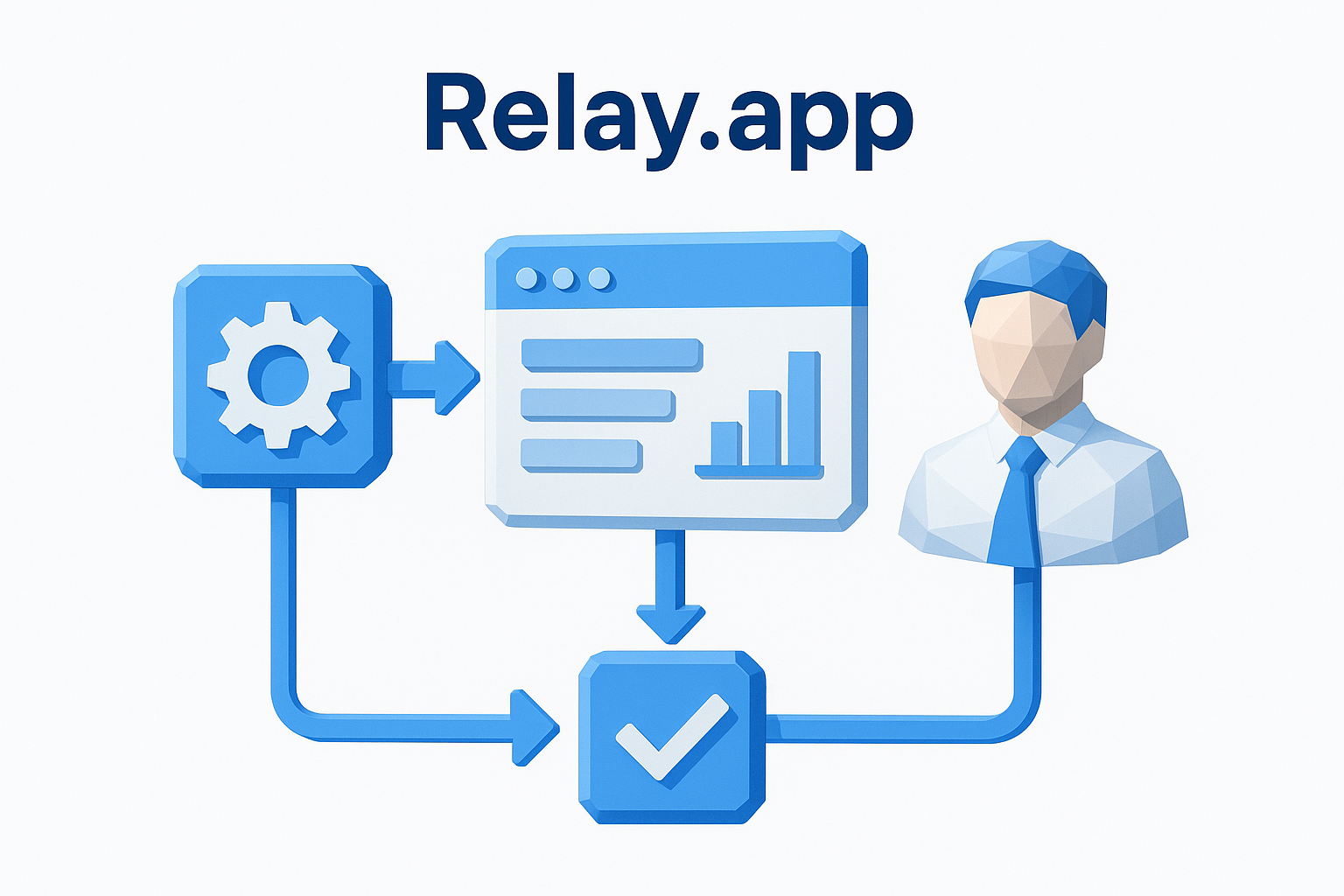
The platform uses a visual workflow builder where you connect triggers, automated steps, and human interaction points in a single flow. Relay is built around the idea that not every step should run without oversight, so you can insert approval gates, collaborative inputs, and manual review steps alongside fully automated actions. It connects to common business tools like Gmail, Slack, HubSpot, and Notion, and uses AI steps to handle tasks like drafting emails, summarizing data, or classifying records as part of a larger workflow sequence.
Relay's human-in-the-loop model fits workflows where full automation introduces real risk, or where a human decision genuinely changes what happens next.
Best use cases
This tool works well when your workflows mix automated processing with team coordination or client-facing approvals. Strong use cases include:
- Client onboarding: Trigger a sequence that auto-populates a CRM record, sends a welcome email, and pauses for a team member to review before the next step fires.
- Content approval flows: Route AI-drafted content to an editor for review before it publishes automatically.
- Sales handoffs: Automate lead qualification steps and add a human checkpoint before a rep receives the handoff notification.
Pricing
Relay.app offers a free plan for individuals that covers basic workflow building and a limited number of runs per month. Paid plans start at $9 per user per month and scale based on team size and run volume. The per-user pricing makes it more cost-effective for small teams than for solo operators running high-volume pipelines.
7. Pipedream
Pipedream is a developer-focused ai workflow automation platform that bridges the gap between no-code tools and fully custom-built integrations. It targets technical marketers, developers, and power users who want the flexibility of code without building infrastructure from scratch.
What it is and how it works
Pipedream uses an event-driven workflow model where you connect triggers and steps in a builder that supports both pre-built components and custom Node.js, Python, or Go code. Each workflow runs in a serverless environment, so you don't manage any hosting or scaling yourself. You can pull from over 1,000 app integrations, write custom logic inside any step, and chain AI model calls alongside data transformation or routing actions. This hybrid approach gives you far more precision than purely visual tools when your workflow requires logic that a drag-and-drop editor can't express cleanly.
Pipedream's ability to mix pre-built connectors with raw code in the same workflow is what separates it from both no-code platforms and fully custom solutions.
Best use cases
Pipedream fits best when your workflows need custom logic that standard automation builders can't handle without workarounds. Strong use cases include:
- AI API chaining: Call multiple LLM endpoints in sequence, pass outputs between steps, and format the final result for a downstream app.
- Webhook processing: Receive incoming data from any source, run custom parsing logic, and route it to the right destination automatically.
- Scheduled data pulls: Trigger a workflow on a set interval to fetch, process, and store data without any manual input.
Pricing
Pipedream offers a free tier that includes 10,000 free invocations per month, which gives you meaningful room to test and build before spending anything. Paid plans start at $29 per month and scale based on compute time and invocation volume. For technical users who need code-level flexibility without managing servers, the value per dollar is strong compared to enterprise alternatives.
8. Microsoft Power Automate
Microsoft Power Automate is an enterprise-grade ai workflow automation platform built directly into the Microsoft 365 ecosystem. If your organization already runs on Teams, SharePoint, Outlook, or Dynamics 365, Power Automate is the most natural way to connect those tools and add AI-powered automation without pulling data outside your existing infrastructure.
What it is and how it works
Power Automate uses a visual flow builder where you select triggers and actions from a large library of connectors, many of which map directly to Microsoft's own product suite. Beyond basic trigger-action logic, it includes AI Builder, a built-in module that lets you add machine learning steps to your flows, such as extracting data from documents, processing forms, classifying text, and running prediction models without writing code. Flows run in the cloud by default, but the platform also supports desktop automation through Power Automate Desktop, which lets you record and replay actions across legacy software that doesn't expose an API.
The combination of cloud flows and desktop automation in a single platform makes Power Automate one of the few tools that bridges modern SaaS apps and older on-premise systems.
Best use cases
Power Automate fits best inside organizations already invested in the Microsoft stack. Strong use cases include:
- Document processing: Automatically extract fields from invoices or contracts using AI Builder and route them to the right team for approval.
- SharePoint automation: Trigger flows when files are added, updated, or moved to keep teams informed without manual notifications.
- HR and IT workflows: Automate employee onboarding tasks across Microsoft tools so no step gets missed during setup.
Pricing
Power Automate is included at a basic level with most Microsoft 365 business subscriptions. Standalone paid plans start at $15 per user per month for premium connectors and higher run volumes. AI Builder features require additional credits, which you can purchase separately or through a Power Platform license bundle.
9. Workato
Workato is an enterprise integration and ai workflow automation platform that sits at the high end of the market in terms of both capability and pricing. It targets operations, IT, and RevOps teams at mid-size and enterprise companies who need to connect complex app stacks and enforce governance across every automated process.
What it is and how it works
Workato builds automations using "recipes," which are visual workflows that connect triggers, actions, and conditional logic across your entire app ecosystem. The platform supports over 1,200 pre-built connectors for popular enterprise tools including Salesforce, Workday, ServiceNow, and Slack, and it layers AI capabilities on top through a feature set called Workato AI that lets you add natural language processing, content generation, and data classification steps directly inside recipes. Every workflow runs with enterprise-grade security controls, including role-based access, audit logs, and compliance settings that most lighter tools don't offer.
Workato's governance and compliance layer is what separates it from mid-market tools when you're running automations that touch financial, HR, or customer data at scale.
Best use cases
Workato fits large teams and organizations where automation needs to span multiple departments and systems simultaneously. Strong use cases include:
- Quote-to-cash automation: Connect your CRM, CPQ tool, and ERP so deals move through the pipeline without manual handoffs between systems.
- Employee lifecycle management: Trigger onboarding and offboarding sequences that update HR systems, provision software access, and notify the right teams automatically.
- Cross-functional data sync: Keep records consistent across sales, finance, and support tools without building custom point-to-point integrations for each connection.
Pricing
Workato does not publish flat-rate pricing publicly. Plans are quoted based on your specific use case, the number of recipes you need, and your organization's size. Most published estimates place entry-level contracts in the $10,000 or more per year range, which puts it firmly outside the budget for solo creators or small teams but makes it competitive for enterprises comparing it against custom development costs.
10. Tray.ai
Tray.ai is an enterprise ai workflow automation platform designed for operations and technical teams that need to build sophisticated, multi-step integrations across complex app stacks. It positions itself between mid-market tools like Make and heavyweight platforms like Workato, offering strong flexibility without requiring a full development team to maintain every workflow.
What it is and how it works
Tray.ai uses a visual low-code builder where you connect triggers, data transformations, and actions across your app ecosystem in a drag-and-drop interface. The platform is built around a universal connector model, meaning you can integrate with virtually any app that exposes an API, including tools that don't have pre-built connectors in other automation platforms. Tray layers AI capabilities on top through its Merlin AI engine, which lets you add natural language processing, data enrichment, and decision-making steps directly inside your workflows without writing custom machine learning code.
Tray's universal connector approach gives you integration flexibility that pre-built connector libraries simply can't match when your stack includes niche or proprietary tools.
Best use cases
Tray fits best when your automation needs span multiple teams and require both technical precision and non-technical accessibility. Strong use cases include:
- Revenue operations: Sync data between your CRM, marketing automation tool, and data warehouse so every team works from the same source of truth without manual exports.
- Customer data routing: Capture incoming data from multiple sources, apply transformation logic, and push enriched records to the right destination automatically.
- AI-assisted workflows: Insert Merlin AI steps to classify or summarize incoming data before it routes to downstream systems.
Pricing
Tray.ai does not list standard pricing tiers publicly. Plans are quoted based on your team size, integration volume, and specific use case requirements. Most accounts targeting serious enterprise workloads fall into a custom contract model, so you'll need to contact their sales team directly for a number that reflects your actual workflow needs.
11. UiPath
UiPath is an enterprise robotic process automation platform that has expanded significantly into ai workflow automation over the past few years. It sits in a different category than most tools on this list because its original strength is automating tasks inside desktop applications and legacy software systems, not just connecting modern SaaS apps through APIs.
What it is and how it works
UiPath automates work by deploying software robots that interact with applications the same way a human would, clicking buttons, reading screens, entering data, and navigating interfaces that don't expose any API for direct integration. On top of that core RPA layer, UiPath now includes AI and machine learning capabilities through its AI Center and Document Understanding modules, which let you process unstructured documents, extract fields from scanned forms, and add intelligent decision-making steps to your automation flows. The platform supports both attended bots, which run alongside a human, and unattended bots that execute in the background without any manual trigger.
UiPath's ability to automate legacy desktop software makes it one of the few platforms that can reach processes other automation tools simply cannot touch.
Best use cases
UiPath fits best inside large enterprises running processes that involve older software or manual data entry across multiple systems. Strong use cases include:
- Invoice processing: Extract data from scanned PDFs and enter it into your ERP without a human touching the file.
- Compliance reporting: Pull data from multiple internal systems on a schedule and compile it into a structured report automatically.
- IT help desk automation: Route incoming support tickets, check system status, and execute standard fixes through bots before escalating to a human agent.
Pricing
UiPath offers a free community edition for individual developers and small teams testing the platform. Enterprise pricing is custom-quoted based on the number of robots, users, and automation complexity you need, so you'll need to contact their sales team for an accurate figure.
12. Vellum AI
Vellum AI targets product teams and developers who are building LLM-powered applications and need more than a basic prompt interface. It sits in the ai workflow automation space but focuses specifically on the full lifecycle of AI features: designing, testing, evaluating, and deploying them reliably before they reach a live product.
What it is and how it works
Vellum provides a prompt engineering workbench where you can create, test, and version your prompts before they ever touch a production environment. The platform supports multi-model comparisons, letting you run the same prompt across different LLMs side by side to measure which model delivers the most accurate or cost-effective output for your specific use case.
This testing-first approach makes Vellum fundamentally different from tools that treat prompt quality as something you figure out after deployment.
Beyond prompting, Vellum includes a workflow builder for chaining LLM calls, retrieval-augmented generation steps, and conditional logic into repeatable sequences. You can connect workflows to external data sources and deploy them as API endpoints that your product or internal tooling calls directly.
Best use cases
Vellum fits best when your team is shipping AI-powered product features rather than just automating internal business processes. The structured evaluation layer makes it particularly strong for use cases where output quality directly affects users. Practical applications include:
- Prompt regression testing: Catch quality drops from model updates or prompt changes before they reach your users.
- RAG pipeline development: Build and iterate on retrieval-augmented generation workflows with structured evaluation built in.
- Multi-model cost optimization: Test quality and cost trade-offs across providers before committing to one model for production.
Pricing
Vellum offers a free plan that covers core prompt engineering and testing features with usage limits. Paid plans scale based on LLM call volume and team size, so you should check their site directly for current tier details as the structure is updated periodically.
13. Stack AI
Stack AI is a no-code platform for building and deploying AI-powered applications and pipelines without writing backend code. It targets enterprise teams and developers who want to ship production-ready AI tools quickly, focusing more on application building than traditional app-to-app ai workflow automation.
What it is and how it works
Stack AI uses a visual workflow builder where you connect input nodes, LLM processing steps, retrieval-augmented generation components, and output actions into a deployable pipeline. You can pull from external data sources including documents, databases, and APIs, then chain model calls and logic steps into a sequence that runs as a live application your team or users interact with directly. The platform supports multiple LLM providers and lets you configure each node independently so you're not locked into a single model for every step in your pipeline.
Stack AI's strength is turning a workflow you've built into a live, shareable app without needing a separate deployment pipeline or engineering support.
Best use cases
Stack AI works best for teams that need to package AI workflows into internal tools or customer-facing applications rather than just automate background data transfers. Practical use cases include:
- Document Q&A tools: Build a pipeline that ingests your company knowledge base and lets employees query it through a simple chat interface.
- AI form processing: Collect structured inputs from users, run them through an LLM step, and return formatted outputs automatically.
- Customer support assistants: Deploy a retrieval-augmented assistant trained on your product documentation as a standalone app.
Pricing
Stack AI offers a free plan that gives you access to core workflow building and limited deployment runs so you can test pipelines before committing. Paid plans scale based on the number of runs, data sources, and team seats you need. Check their site directly for current pricing since tier limits are updated periodically.
How to pick the right tool fast
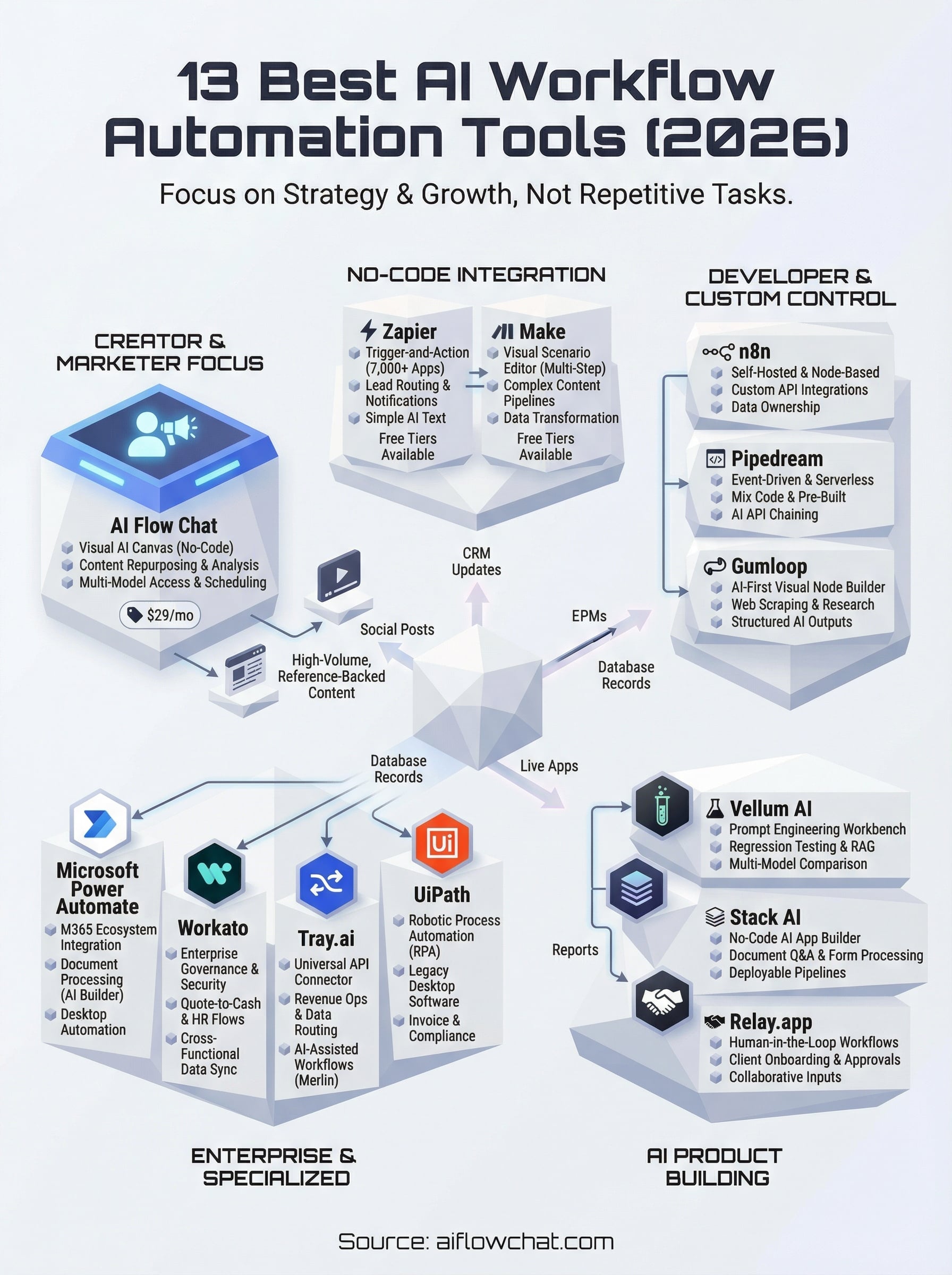
The fastest way to narrow your options is to match the tool's core design to your actual workflow, not its feature list. If you're an enterprise team on Microsoft 365, Power Automate is the obvious starting point. If you need code-level control, Pipedream or n8n makes more sense than a visual-only platform. If you're a developer shipping AI features into a product, Vellum or Stack AI fit better than a general automation tool.
For creators, marketers, and agencies who need to produce high-volume, reference-backed content and want a visual approach to ai workflow automation without touching code or managing servers, AI Flow Chat is built specifically for that job. You get multi-model access, social media link analysis, repeatable flowcharts, and scheduled pipelines all under one subscription starting at $29 per month. Start building your first AI workflow on AI Flow Chat and see how fast the canvas approach changes how you work.
Continue Reading
Discover more insights and updates from our articles
Choose an AI model for scripts, marketing copy, coding, research, long documents, and quick everyday work using a practical quality, speed, and credit-cost framework.
Compare eight current Poppy AI alternatives for visual research, creator workflows, general AI work, grounded synthesis, automation, and reusable delivery.
A practical method for turning a scattered content process into a clear AI-assisted flowchart with source context, review checks, and a reusable output.