9 Workflow Automation Benefits That Make Work Faster (2026)
At AI Flow Chat
Contents
0%You're copying the same prompt into ChatGPT for the fifth time this week. You're manually pulling hooks from competitor videos, reformatting content for three platforms, and updating your Notion docs by hand. Each task takes minutes, but stacked together, they eat hours. The workflow automation benefits you keep hearing about aren't abstract, they're the difference between spending your day creating and spending it on repetitive busywork.
Automation has moved well past simple if-this-then-that triggers. In 2026, tools like AI Flow Chat let creators and marketers build visual, repeatable flowcharts that handle multi-step content workflows, from extracting insights out of viral videos to generating platform-ready drafts, without writing a single line of code. That means the grunt work runs on autopilot while you focus on strategy and creative decisions that actually move the needle.
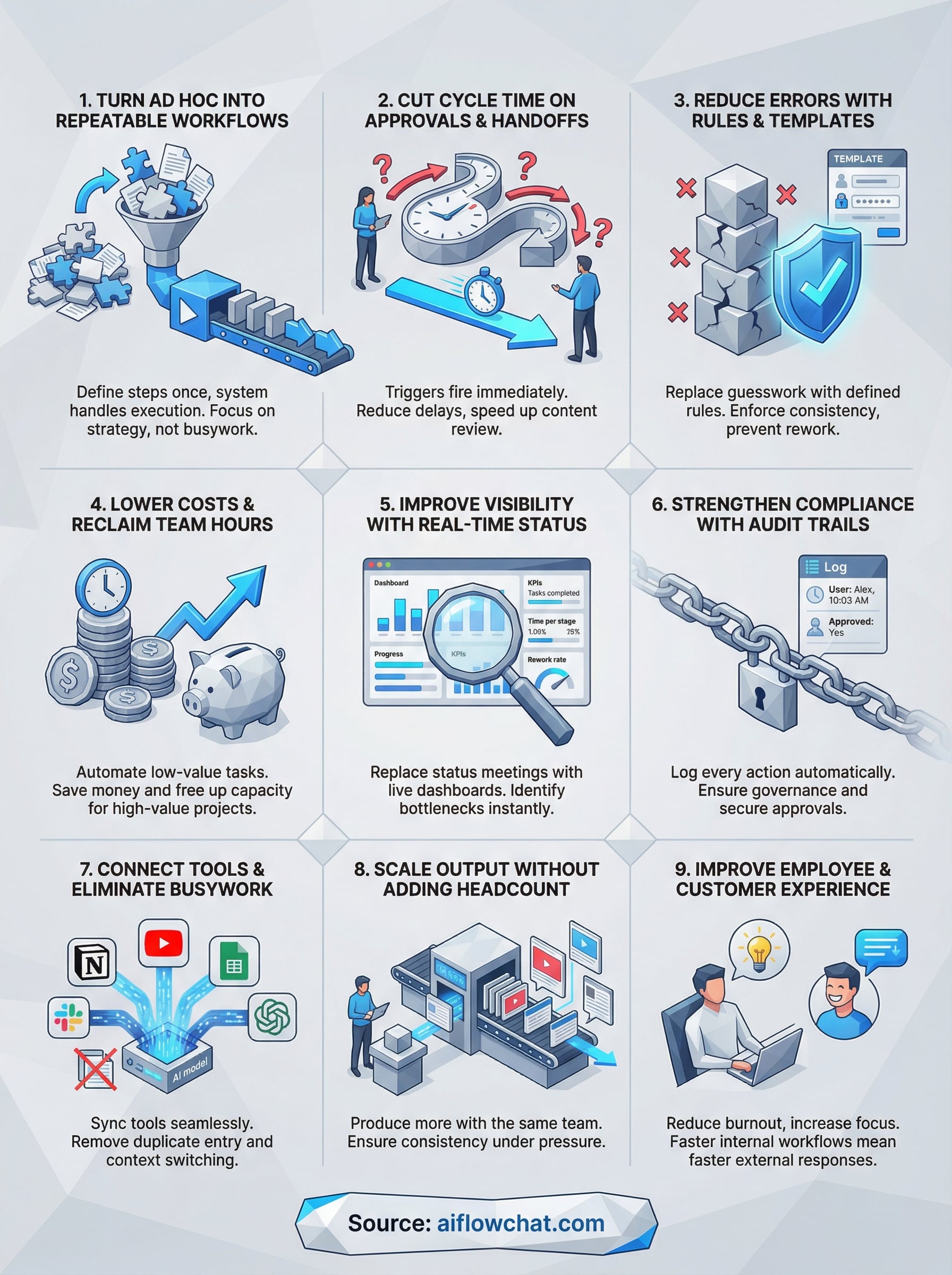
This article breaks down nine specific benefits of workflow automation, covering everything from time savings and cost reduction to improved content consistency and easier scaling. Whether you're a solo creator trying to post more without burning out or an agency owner looking to justify the investment in automation tooling, you'll walk away with a clear picture of what automation actually delivers, and where it fits into your workflow right now.
1. Turn ad hoc work into repeatable workflows
Ad hoc work is a silent productivity killer. You know the pattern: someone needs a content summary, so you pull the video link, transcribe it manually, paste it into a doc, format it, and send it back. Next week, you do the exact same thing from scratch. Without a defined process, every request becomes its own one-off project, and your best working hours disappear into tasks that should run automatically.
What this benefit means in day-to-day operations
Turning ad hoc work into repeatable workflows means you define the steps once, and the system handles execution every time after. Instead of relying on memory or individual judgment, you build a documented sequence that produces consistent results. This is one of the most underrated workflow automation benefits because it compounds: every hour you invest building the workflow pays back every single time it runs.
Where it shows up most for creators and marketers
For creators and marketers, repeatable workflows show up in content repurposing, competitor research, and ad copy generation. Pulling hooks from viral TikToks and reformatting them for Instagram, LinkedIn, and email is a textbook example. Without automation, you perform that entire sequence manually every time. With a structured workflow, you drop in the source link and the system delivers a ready-to-use draft.
The tasks you repeat most often are the best candidates to automate first, because that is where the compounding time savings hit hardest.
What changes when you use a visual AI canvas like AI Flow Chat
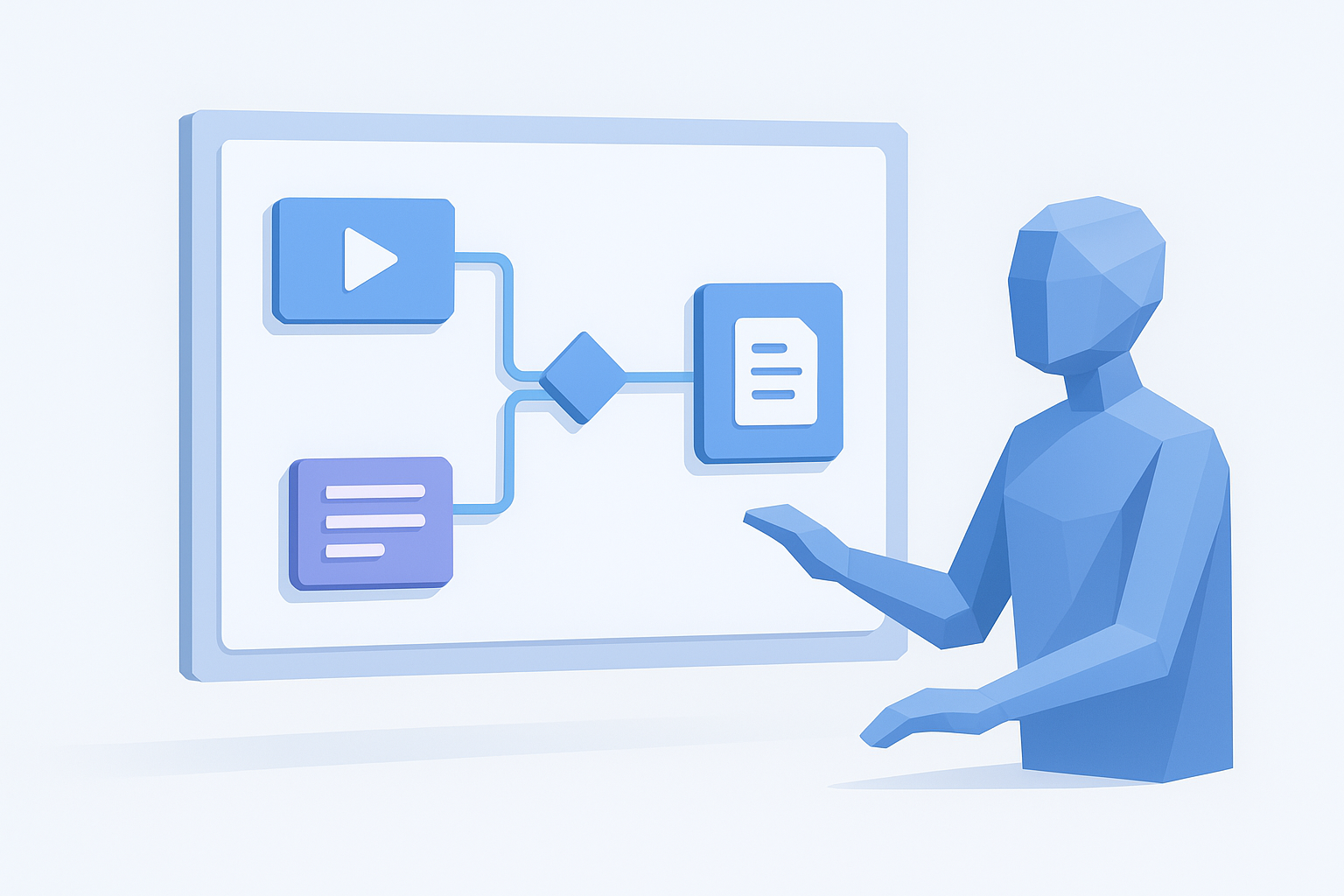
AI Flow Chat lets you drag and drop data sources, prompts, and outputs onto an infinite canvas and connect them visually. You can see exactly how a YouTube link feeds into a transcription node, which feeds into a hook-extraction prompt, which feeds into a final draft. That visual structure makes it faster to build, debug, and improve workflows compared to typing the same sequence into a linear chat interface over and over.
How to measure it with before-and-after baselines
Start by logging the time you spend on a recurring task before you automate it. Record every step, the total minutes, and the number of context switches required. After you build the workflow, run the same task and measure it again. Most users see a 50 to 80 percent drop in execution time on tasks automated with a structured flowchart, which makes the ROI straightforward to calculate and defend.
2. Cut cycle time on approvals and handoffs
When content moves between people, delays pile up fast. Someone sends a draft, waits for feedback, follows up twice, gets partial notes, revises, and repeats. That back-and-forth cycle drains hours that should go toward actual output.
How automation removes follow-ups and bottlenecks
Automation routes tasks to the right person at the right time without anyone sending a manual nudge. Triggers fire the moment a step completes, so the next step starts immediately. You eliminate the lag that lives between people checking their inboxes.
The handoff gap, the time between one person finishing and the next person starting, is where most cycle time gets lost.
High-impact workflows to automate first
Start with the workflows you touch most often. Content review cycles and asset sign-offs are high-frequency enough that even a 30-minute reduction per cycle compounds significantly across a week or a month.
Guardrails to keep approvals fast without losing control
Speed and quality do not have to conflict. Set clear approval criteria and time limits at each stage so reviewers know exactly what they are checking. Building explicit deadlines into each step keeps the process moving without skipping necessary oversight.
Metrics to track cycle time and throughput
Track average time from submission to approval and the number of revision rounds per workflow. Reducing both signals the automation is working. One of the clearest workflow automation benefits is watching your baseline cycle time drop by 40 percent or more within the first 30 days.
3. Reduce errors with rules, validation, and templates
Manual work introduces errors the moment human judgment and memory become the only safeguards. Over time, steps get skipped, formats drift, and the same rework cycles eat into time you should be spending on higher-value tasks. Automation solves this by replacing guesswork with rules.
Why manual processes drift and break
Without a defined structure, every person executes the same task slightly differently. One person copies a template from last month, another starts from scratch, and a third skips a step because they got interrupted. Those small inconsistencies accumulate into quality problems that are expensive to catch and fix late.
The root cause of most content errors is not carelessness; it is the absence of a system that makes the right step the only available step.
What to automate to prevent rework
Automate the steps where errors most commonly appear: formatting, source linking, and output structure. In content workflows, that means using templates with locked fields and AI prompts that reference specific source material instead of letting the model generate freely. Tethering outputs to provided references, as AI Flow Chat does, cuts hallucination-driven rework significantly.
How to design validations that catch issues early
Build checkpoints at each stage of your workflow rather than reviewing only the final output. Flag missing inputs, incorrect formats, or out-of-range values before they move downstream. Catching an error at step two costs far less than fixing it after delivery.
Quality metrics to track and report
Track error rate per workflow run and the average number of revision rounds before sign-off. Declining numbers on both confirm your validations are holding. These are among the most direct workflow automation benefits you can present to a client or stakeholder to show real operational improvement.
4. Lower operating costs and reclaim team hours
One of the most concrete workflow automation benefits is the direct reduction in operating costs. When repetitive tasks run automatically, you stop paying for hours spent on work that a system can handle. That difference shows up in your budget and in your team's capacity to take on higher-value projects.
Where automation saves money in the real world
Content teams waste significant budget on manual transcription, reformatting, and duplicate data entry. Automating these steps cuts the time spent on low-value execution, which directly reduces labor costs whether you're paying yourself, a freelancer, or a full-time employee.
The cheapest task to complete is the one that runs itself.
How to estimate labor savings without guesswork
Start by logging the hourly rate of whoever handles the task and multiply it by the average weekly time spent. Then estimate how much of that time automation removes. Even a conservative 60 percent reduction on a two-hour daily task adds up to dozens of recoverable hours each month.
How to avoid shifting work instead of removing it
Automation fails to save money when you redirect the freed time toward low-priority tasks rather than eliminating work entirely. Before building a workflow, confirm you're removing a step from the process entirely, not just moving it to a different person or tool.
ROI metrics to track over 30, 60, and 90 days
Track cost per output and total team hours spent on automated versus manual tasks at 30, 60, and 90-day intervals. Consistent improvement across all three checkpoints confirms the automation is generating real returns rather than just an initial efficiency boost.
5. Improve visibility with real-time status and analytics
When work lives in email threads and direct messages, nobody knows what's actually happening. Automation brings your entire workflow into the open, replacing status-check meetings with real-time data you can act on the moment it surfaces.
Why "work in inboxes" kills transparency
Inbox-based workflows bury progress updates inside private threads that only the sender and recipient can see. Critical tasks stall silently, and by the time you notice a delay, the damage is already done. Your team ends up spending time chasing status updates instead of moving work forward.
Shared workflow systems replace that guesswork with a single source of truth everyone can reference at any point in the process.
What good workflow reporting looks like
Good reporting shows you the status of every task at a glance without requiring you to ask anyone. It tracks completion rates, time per stage, and output volume so you always know where things stand.
One of the clearest workflow automation benefits is replacing status meetings with a live dashboard that answers those questions automatically.
How automation surfaces bottlenecks automatically
Automated workflows log timestamps at every step, which means slowdowns appear as data, not as vague feelings that something is off. You can identify exactly which stage is causing delays and fix it directly.
Dashboards and KPIs that actually help decisions
Focus on three core metrics to start:
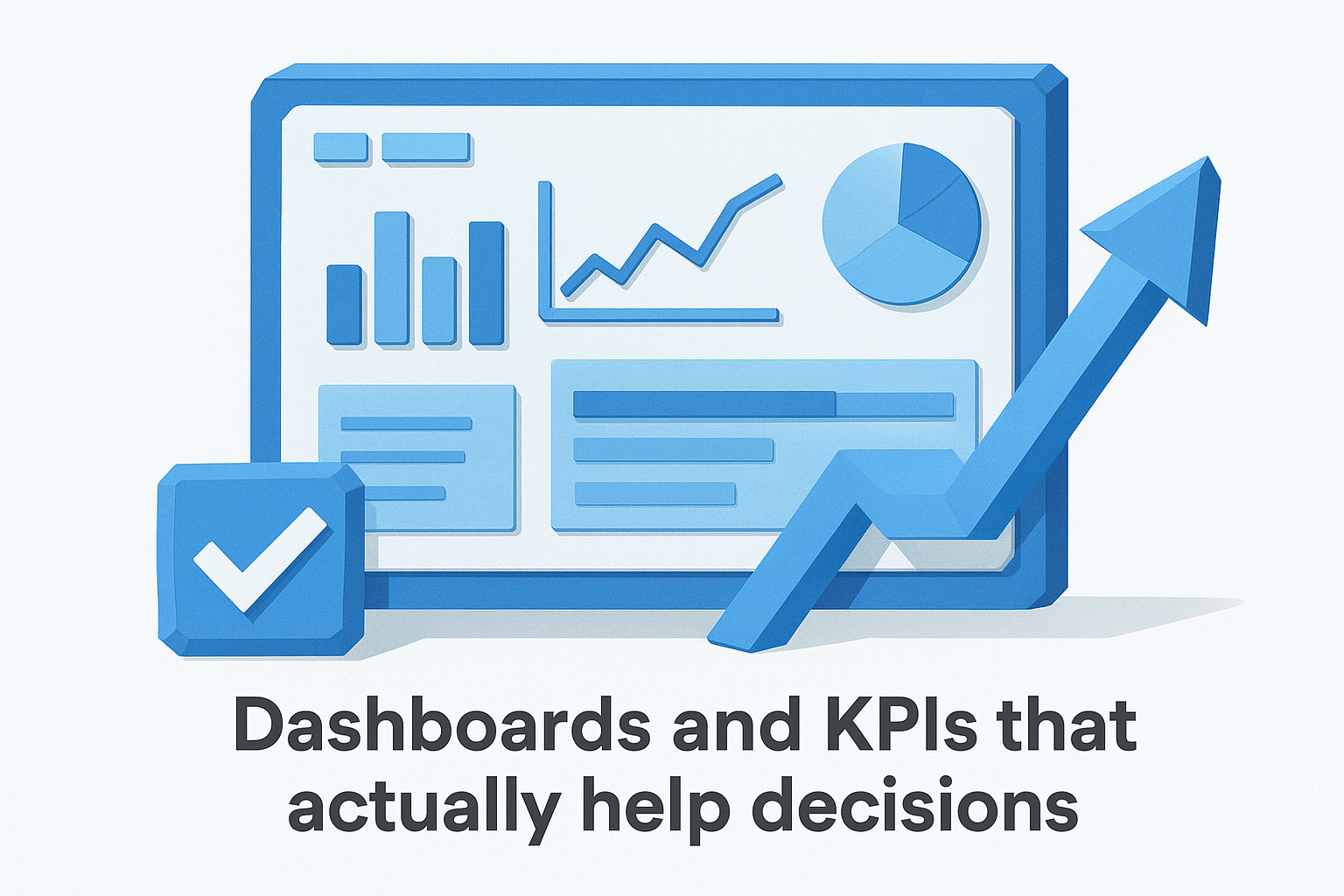
- Tasks completed per week
- Average time per stage
- Rework rate per workflow
These numbers give you a factual basis for improvement decisions rather than relying on gut feelings or anecdotal reports from the team.
6. Strengthen compliance with audit trails and controls
Compliance is not just a concern for large enterprises. Any team producing content or handling client data needs a clear record of who did what and when. Manual workflows make that record nearly impossible to maintain, but automation builds it automatically with every step that runs.
What automation improves for governance and audits
Automated workflows log every action, timestamp, and decision point without anyone needing to document it manually. When an auditor or client asks for a history of approvals on a deliverable, you pull the log instead of scrambling through email threads.
One of the most underrated workflow automation benefits is that compliance becomes a byproduct of doing the work, not a separate task you have to remember.
Common compliance risks automation can prevent
Manual hand-offs create gaps where unapproved content gets published or sensitive data moves without authorization. Automation closes those gaps by requiring specific approvals before a task advances to the next stage, removing the possibility of skipping a required step.
How to build approvals, logging, and retention into workflows
Design your workflows so that each approval is a hard gate, not a soft suggestion. Every stage should capture the reviewer's identity and the timestamp before the task moves forward. Set data retention rules at the workflow level so records are stored for the period your process requires.
Signals that show compliance is working
Track the percentage of tasks completed with full audit logs and the number of unapproved steps flagged per month. Declining flags and complete logs confirm your controls are holding.
7. Connect tools and data to eliminate busywork
Every time you copy data from one tool into another, you lose time and introduce risk. Disconnected tools force your team to act as human middleware, manually moving information that a well-configured integration handles in seconds. Connecting your stack is one of the most direct workflow automation benefits you can capture today.
How integrations remove duplicate entry and context switching
Duplicate data entry happens when the same information lives in multiple places with no automatic sync between them. Each manual transfer is a chance to introduce an error and a drain on your attention. Integrations eliminate the transfer entirely by keeping your tools in sync automatically.
The moment you stop copying data between tools is the moment that task stops costing you time.
What to connect first in a typical marketing stack
Start with the connections that involve your highest-frequency tasks. Linking your content reference sources directly to your AI workflow tool, the way AI Flow Chat handles YouTube, Notion, and website inputs, removes the copy-paste step from research entirely and keeps your outputs grounded in real source material.
How to handle data ownership and source-of-truth issues
Before you build integrations, designate one system as the authoritative source for each data type. Letting two tools own the same data creates conflicts that automated syncs will not resolve cleanly. Establish the rule first, then build the connection.
Integration health metrics to monitor
Track sync failure rate and the number of manual overrides your team performs each week. Rising overrides signal that an integration is breaking down and needs attention before it becomes a reliability problem.
8. Scale output without adding headcount
Growing your output usually triggers one instinct: hire more people. Automation breaks that assumption. The right workflows let you produce two or three times more content without proportionally increasing your payroll or your own working hours. This is one of the most compelling workflow automation benefits for solo creators and lean teams operating with fixed budgets.
Why automation scales better than checklists
Checklists rely on someone remembering to follow them. Automated workflows run the same sequence every time, regardless of how busy, distracted, or short-staffed your team is. Consistency at scale is built into the system rather than dependent on individual discipline.
Where scaling breaks without standard workflows
Volume exposes weak processes fast. When you try to double your content output without standardized workflows, errors multiply, handoffs get missed, and quality drops. The bottleneck is not effort, it is the absence of a repeatable system that holds up under pressure.
Scaling without standard workflows does not multiply your output; it multiplies your problems.
How to design workflows that survive team growth
Build each workflow around clear inputs, defined steps, and expected outputs so that anyone on your team can run it without needing to ask questions first. Document the logic inside the workflow itself rather than in a separate file that gets ignored the moment things get busy.
Capacity and utilization metrics to track
Track output volume per workflow run and the number of manual interventions required each week. Fewer interventions alongside higher volume confirms your workflows are scaling cleanly without creating new bottlenecks downstream.
9. Improve employee and customer experience at once
Automation does not just speed things up internally. When your team stops wrestling with repetitive tasks, they focus on work that actually requires their judgment, and that shift improves both the quality of their work and the speed of every customer-facing output.
How automation reduces burnout and increases focus time
Repetitive manual work drains attention faster than complex creative work because it demands effort without offering any meaningful challenge. When you automate the low-value steps, your team recovers hours they can direct toward strategy, creative decisions, and relationship-building.
One of the most overlooked workflow automation benefits is that it protects your team's mental bandwidth, not just their calendar.
How faster internal workflows improve customer response
Faster internal handoffs translate directly into faster external responses. When a content request moves through an automated workflow instead of sitting in someone's inbox, your client or audience gets the output sooner, and your reputation for reliability improves without anyone working longer hours.
How to automate without making the experience feel robotic
Automation handles the mechanical steps, but human review and judgment should anchor every customer-facing output. Build your workflows so that the final stage always involves a real decision by a real person. That structure keeps your output fast without stripping out the context and care that make it worth reading.
Experience metrics to track across teams
Track employee-reported focus time and average customer response time on a monthly basis. Consistent improvement on both confirms your automation is creating real value on both sides of the interaction.
Where to start this week
You do not need to automate everything at once to capture real workflow automation benefits. Pick the single task you repeat most often this week, log every step it requires, and build one repeatable workflow around it. That focused start gives you a working proof of concept and a concrete baseline to measure against.
From there, add integrations that remove your highest-frequency copy-paste work and set up templates that enforce consistent output quality on your most common deliverables. Each workflow you finish compounds into the next one, and within 30 days you will have a system that runs a meaningful portion of your content production on autopilot.
If you want a canvas that connects your reference sources, AI models, and output steps in one visual workspace, try AI Flow Chat and build your first automated flowchart today. Your time is better spent on creative decisions, not on tasks a system can handle for you.
Continue Reading
Discover more insights and updates from our articles
Choose an AI model for scripts, marketing copy, coding, research, long documents, and quick everyday work using a practical quality, speed, and credit-cost framework.
Compare eight current Poppy AI alternatives for visual research, creator workflows, general AI work, grounded synthesis, automation, and reusable delivery.
A practical method for turning a scattered content process into a clear AI-assisted flowchart with source context, review checks, and a reusable output.