12 No-Code Workflow Automation Tools That Use AI Well Today
At AI Flow Chat
Contents
0%Most creators and marketers hit the same wall: you know AI can save you hours, but stitching together prompts, tools, and steps manually defeats the purpose. That's where no-code workflow automation comes in, platforms that let you build repeatable, AI-powered processes without writing a single line of code. The concept isn't new, but the tools doing it well with AI have changed significantly over the past year.
The problem is choosing the right one. Some platforms are built for developers pretending to be no-code. Others slap an "AI" label on a basic Zapier alternative and call it a day. What actually matters is whether the tool lets you connect real data sources to AI models, repeat that process reliably, and produce outputs you'd actually use, whether that's content, reports, or automated client deliverables.
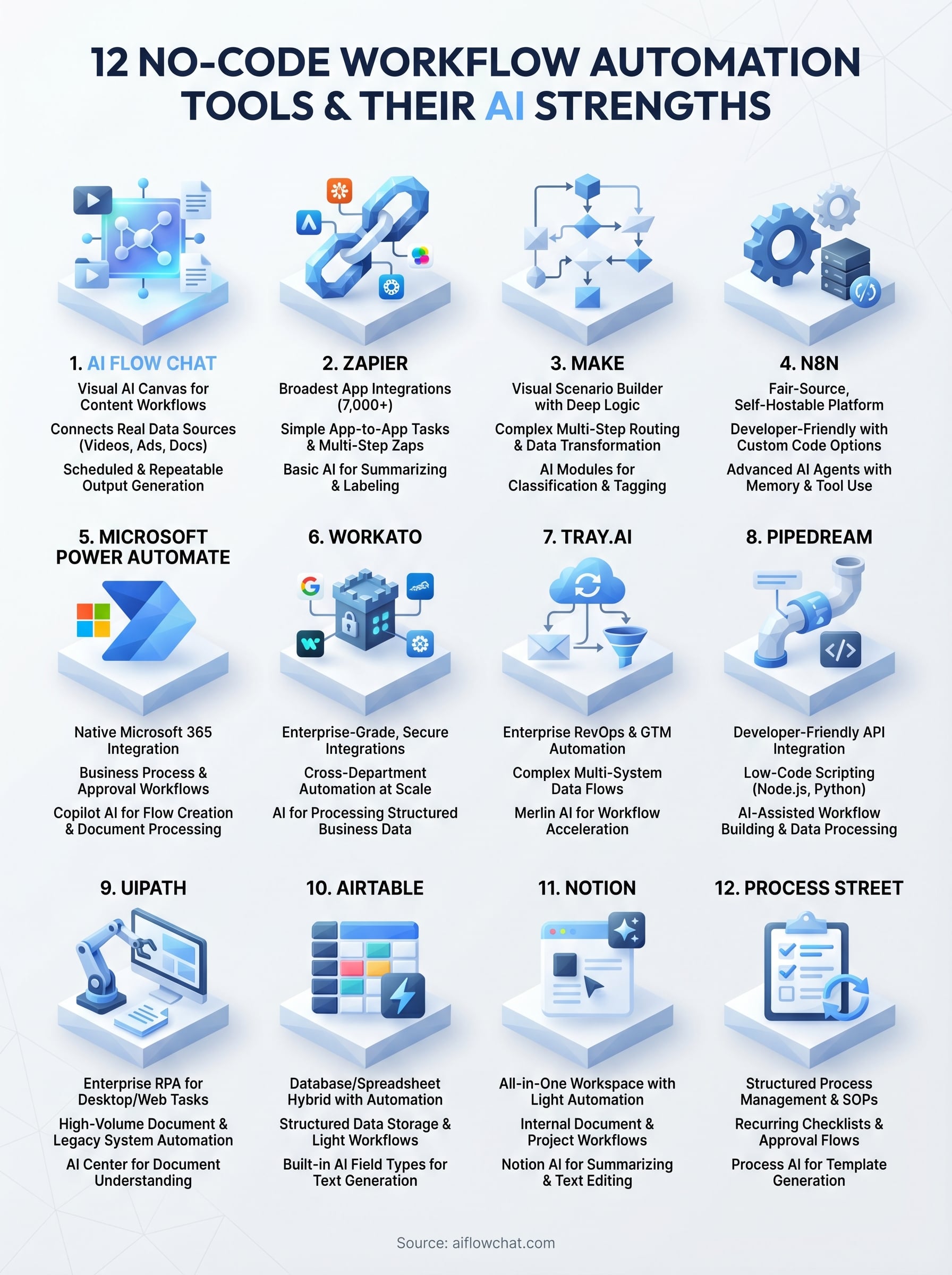
We built AI Flow Chat around this exact idea: a visual canvas where creators and marketers build AI workflows by dragging in sources like videos, ads, docs, and websites, then connecting them to prompts that run on demand or on a schedule. So we have strong opinions about what makes a no-code automation tool genuinely useful versus just good at demos. This guide covers 12 platforms that handle AI-driven automation well right now, including ours, with an honest look at what each does best and where each one falls short.
1. AI Flow Chat
AI Flow Chat is a visual AI canvas built specifically for creators, marketers, and agencies who want to build repeatable content workflows without writing code. Unlike most no-code workflow automation platforms that focus on connecting apps, AI Flow Chat centers on connecting sources of reference to AI models, so your outputs are grounded in real data rather than guesswork.
What you can automate with it
You can automate content repurposing, ad analysis, and social media drafting at scale. Paste a YouTube link, a TikTok, an Instagram Reel, or a competitor Meta Ad, and AI Flow Chat pulls the transcript and context automatically. From there, you connect that content to a prompt, pick a model, and the platform generates a structured output. You can also schedule these workflows to run on a recurring basis, so weekly blog posts or social content batches happen without you triggering them manually each time.
How its AI features work
The canvas lets you drag and drop data sources, including YouTube videos, PDFs, Notion pages, live websites, and Facebook Ads, then wire them to prompt nodes that feed into OpenAI, Anthropic Claude, or Google Gemini. You don't choose one model for everything; you can switch models mid-workflow depending on the task. Outputs stay tethered to the reference material you provide, which cuts hallucination compared to starting from a blank prompt. The AI App Builder feature lets you package any workflow into a shareable or embeddable tool that someone else can use without seeing the underlying logic.
Grounding AI outputs in real reference material rather than open-ended prompts is one of the most reliable ways to get consistent, usable results at scale.
Where it fits and where it doesn't
AI Flow Chat fits content-heavy workflows where your inputs are videos, documents, ads, or web pages and your outputs are written content or structured analysis. It works well for solo operators, small teams, and agencies producing high volumes of social content, ad copy, or SEO articles. It does not replace tools like Zapier or Make for app-to-app integrations, things like syncing a CRM with a spreadsheet or triggering email sequences based on form fills. If your core automation need is connecting software tools rather than processing content sources, a different platform on this list will serve you better.
Pricing
Plans start at $29 per month on a flexible credit-based model with no annual commitment required. That entry tier consolidates access to OpenAI, Claude, and Gemini under one subscription, replacing separate AI subscriptions that can easily run $60 or more per month combined.
2. Zapier
Zapier is the most widely recognized name in no-code workflow automation, and it earned that reputation through sheer breadth. It connects over 7,000 apps through a trigger-and-action model that lets you build multi-step automations without writing code. Coverage is its biggest strength; depth is where it starts to show limits.
What you can automate with it
Zapier handles app-to-app integrations reliably across a wide range of business tasks. Common use cases include:
- Routing form submissions directly to a CRM
- Sending Slack alerts when a deal stage changes
- Syncing data between project management tools and spreadsheets
- Triggering email sequences from new contacts or purchases
Multi-step Zaps let you chain several actions so one trigger kicks off a full sequence without any manual intervention.
How its AI features work
Zapier added AI Actions and Zapier Agents to let you include AI steps inside a Zap for processing, summarizing, or classifying data mid-flow. You can also describe a Zap in plain language and have it build the automation for you rather than configuring each step manually. It works well for light tasks like summarizing emails or labeling form responses, but the AI layer wasn't designed for deep content generation tied to reference sources like videos or competitor ads.
Zapier's AI adds useful processing steps inside integration flows, but it wasn't built to make AI the core of what you're producing.
Where it fits and where it doesn't
Zapier fits teams that need reliable connections between software tools with minimal setup time. If your goal is linking apps your team already uses, nothing else on this list beats it on breadth.
Where it struggles is with content-driven AI workflows, like feeding competitor ads, videos, or PDFs into a model to generate structured outputs at scale. For that kind of work, you need a platform built around content sources rather than app triggers.
Pricing
The free plan covers 100 tasks per month with single-step Zaps only. Paid plans start at $19.99 per month for 750 tasks, and costs scale up quickly as your automation volume grows.
3. Make
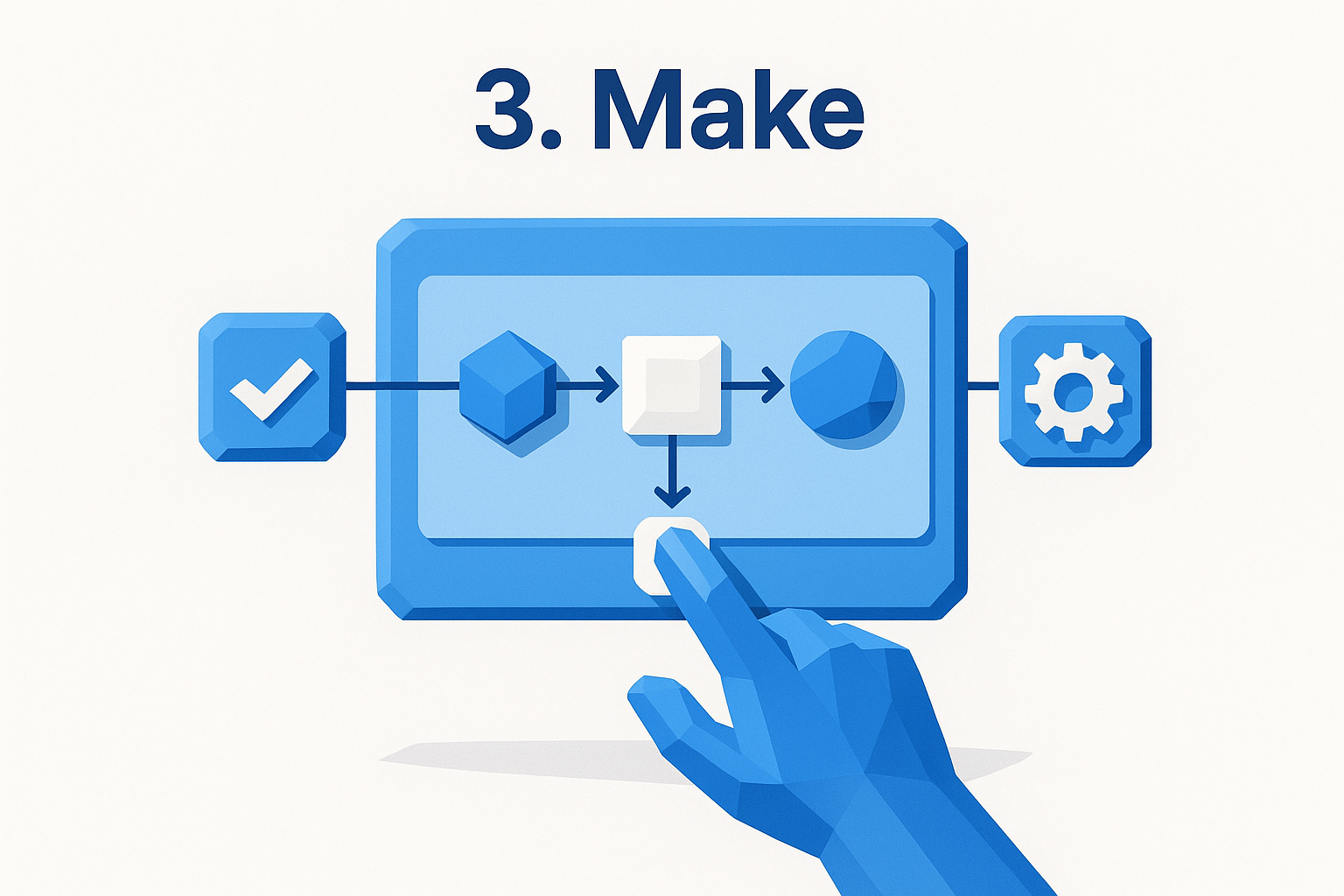
Make (formerly Integromat) is a visual scenario builder for no-code workflow automation that goes deeper than Zapier on logic and routing without requiring you to write code. It uses a node-based canvas where you connect modules in a flow, giving you a clearer picture of what happens at each step.
What you can automate with it
The platform handles complex multi-step workflows across hundreds of app integrations, with stronger logic controls than most no-code tools at this price point. Common use cases include:
- Routing form submissions through filters before pushing to a CRM
- Syncing data between Google Sheets, Airtable, and Slack
- Triggering conditional sequences based on data values or error states
- Transforming and reformatting data between incompatible tools
How its AI features work
Make includes AI modules that let you call OpenAI, Anthropic, or other model APIs directly inside a scenario. You can pass data through a prompt step, get a structured response back, then route that response into another app or action. It works well for classifying, summarizing, or tagging content as part of a larger data pipeline.
The AI integration is functional but requires you to bring your own API keys and configure the prompts manually, which adds setup time compared to platforms where AI is the primary interface.
Make gives you strong control over how AI fits into a workflow, but you are responsible for structuring the prompts and managing the logic around them.
Where it fits and where it doesn't
This tool fits teams that need precise control over data routing between apps and are comfortable spending time configuring scenarios. It is a strong choice for operations-heavy workflows where conditional branching matters.
Where it falls short is in content-generation use cases. Feeding video links or competitor ads into a model to produce structured written outputs is not what Make was built for.
Pricing
Make's free plan includes 1,000 operations per month. Paid plans start at $9 per month for 10,000 operations, making it one of the more affordable options for high-volume app integration work.
4. n8n
n8n is a fair-source, self-hostable workflow automation platform that sits between pure no-code tools like Make and developer-first frameworks. It uses a visual node-based editor to let you build complex automations, but unlike most platforms on this list, it also lets you run the entire thing on your own infrastructure if data control is a priority.
What you can automate with it
The platform covers a wide range of integration and data processing workflows across hundreds of built-in app connectors. You can build automations that:
- Pull data from APIs and push it into databases or spreadsheets
- Trigger multi-step sequences based on webhooks or scheduled events
- Transform, filter, and route data between incompatible tools
- Run custom JavaScript inside nodes when built-in options do not cover your case
How its AI features work
n8n added dedicated AI agent nodes that let you build LangChain-style AI pipelines directly inside your workflows. You can connect to OpenAI, Anthropic, or other models, pass data through a prompt, and route the output to the next step in your flow. The platform supports memory, tool use, and multi-step reasoning inside a single agent node, which puts it ahead of most visual tools for agentic automation tasks.
n8n's AI agent capabilities go deeper than most no-code workflow automation tools, but getting them to work reliably still requires patience with configuration.
Where it fits and where it doesn't
This tool fits technical users and developers who want visual building speed but still need the flexibility to handle edge cases with code. If you are comfortable with APIs and data structures, it gives you more control than almost any other platform at this price. If you are a non-technical creator who wants fast setup with minimal configuration, the learning curve here will slow you down considerably.
Pricing
You can self-host n8n for free with no execution caps on the community edition. The cloud-hosted version starts at $24 per month for 2,500 workflow executions, with higher tiers available for larger teams.
5. Microsoft Power Automate
Microsoft Power Automate is a no-code workflow automation platform built directly into the Microsoft 365 ecosystem. If your team already runs on Outlook, Teams, SharePoint, or Dynamics 365, it gives you native automation without adding another subscription to manage.
What you can automate with it
The platform handles a wide range of business process automations across Microsoft and third-party apps. Common use cases include:
- Automatically filing email attachments into SharePoint folders
- Triggering approval workflows when a form or document is submitted
- Syncing data between Dynamics 365 and Excel
- Sending Teams notifications based on CRM changes or calendar events
How its AI features work
Power Automate integrates with Copilot, Microsoft's AI layer, so you can describe a flow in plain language and have it built for you rather than configuring each step manually. You can also add AI Builder actions inside flows to extract text from documents, classify images, or process forms using pre-trained models.
These AI features work best when your data already lives in Microsoft's stack. Pulling in context from external sources like social media or competitor ads requires additional setup that quickly adds friction.
Power Automate's AI capabilities are strongest when you stay inside the Microsoft ecosystem; the moment you step outside it, the experience gets noticeably rougher.
Where it fits and where it doesn't
This tool fits organizations already committed to Microsoft 365 where IT manages licenses and governance matters. It handles approval workflows, document routing, and internal notifications reliably. Where it struggles is with content-heavy workflows built around videos, PDFs, or third-party ad sources, and the interface feels heavy for solo creators who do not need enterprise-level controls.
Pricing
Power Automate comes included in most Microsoft 365 business plans. Standalone plans start at $15 per user per month, with premium connectors and AI Builder credits available at higher tiers.
6. Workato
Workato is an enterprise-grade integration and automation platform built for mid-size to large organizations that need reliable, secure connections between complex stacks of business software. It sits well above consumer-grade tools in both capability and price, and it targets IT teams and business operations professionals rather than individual creators or marketers.
What you can automate with it
The platform handles cross-department workflow automation at scale, with pre-built connectors for hundreds of enterprise applications. Teams use it to:
- Sync data between Salesforce, SAP, and Workday in real time
- Route HR onboarding workflows across multiple systems automatically
- Trigger finance and procurement processes based on approval conditions
- Connect customer support platforms to internal data pipelines
How its AI features work
Workato includes Copilot, an AI assistant that lets you describe a workflow in plain language and generates a recipe, which is Workato's term for a workflow, as a starting point. You can also use AI by Workato actions inside recipes to summarize text, extract structured data from documents, or classify content as part of a larger automation.
Workato's AI features are genuinely useful for accelerating recipe setup, but they work best when your team already understands the platform's underlying logic.
These capabilities focus on processing structured business data rather than generating creative content, so they serve operations and IT use cases better than content production needs.
Where it fits and where it doesn't
Workato fits enterprise operations teams managing complex, high-volume integrations across major business systems where security and governance controls matter. It is one of the stronger platforms for no-code workflow automation at the enterprise level. It is not a fit for solo creators, small agencies, or anyone building content-driven AI workflows around videos or social media sources.
Pricing
Workato does not publish flat pricing publicly. Plans are quote-based, and entry-level contracts typically run into the thousands of dollars per year, making it a poor fit for individuals or small teams.
7. Tray.ai
Tray.ai is an enterprise integration platform that positions itself as a no-code workflow automation solution for operations and RevOps teams dealing with complex, multi-system environments. It uses a visual workflow builder called the Universal Automation Cloud, which lets non-technical users connect apps and build logic-heavy processes without writing code, while still giving technical users access to deeper customization when they need it.
What you can automate with it
Tray.ai focuses on revenue operations and go-to-market automation across sales, marketing, and customer success stacks. Teams use it to:
- Sync leads between Salesforce, HubSpot, and Marketo without manual data entry
- Trigger account-based routing rules when a new deal reaches a specific stage
- Automate customer onboarding sequences across CRM and support platforms
- Build data enrichment workflows that pull from multiple sources and push to a single record
How its AI features work
Tray.ai includes Merlin AI, its built-in AI layer that lets you describe a workflow in natural language and generate automation logic from that description. You can also use Merlin inside flows to summarize data, classify records, or extract structured information from unstructured inputs. The AI features focus on accelerating workflow setup and processing business data rather than generating content from reference sources.
Tray.ai's AI is genuinely useful for speeding up complex integration builds, but it works best when your inputs are structured business records rather than raw content sources like videos or ad libraries.
Where it fits and where it doesn't
This platform fits RevOps and marketing operations teams that manage high-volume data flows between enterprise sales and marketing tools. It handles conditional logic and data routing reliably at scale. Solo creators and small agencies will find it overkill for content workflows, and the pricing reflects its clear enterprise focus throughout.
Pricing
Tray.ai pricing is quote-based and not published publicly. Expect contracts to land in the mid-to-high thousands per year, consistent with other enterprise integration platforms on this list.
8. Pipedream
Pipedream is a developer-friendly integration platform that sits at the intersection of no-code workflow automation and lightweight scripting. It gives you a visual workflow editor backed by the option to drop into Node.js, Python, or Go when a pre-built component does not cover your exact need, making it a practical middle-ground option between pure no-code tools and full developer frameworks.
What you can automate with it
Pipedream focuses on API-driven integrations and event-triggered workflows across hundreds of connected apps. You can build automations that react to webhooks, HTTP requests, or scheduled timers, push and pull data between tools like Slack, GitHub, and Google Sheets, and transform or filter data mid-flow before passing it to the next step.
How its AI features work
The platform includes AI-assisted workflow building that lets you describe what you want to automate in plain language and generates a starting workflow from that description. You can also add steps that call OpenAI or other model APIs to process, classify, or summarize data inline as part of a larger integration flow.
Pipedream's AI features work well for data processing tasks inside integration flows, but generating content from reference sources like videos or competitor ads is outside what the platform was built for.
Where it fits and where it doesn't
This platform fits developers and technical operators who want fast API integration with the flexibility to handle edge cases through code. If you are comfortable working with API responses and data structures, the control here is useful. Content-focused creators and marketers will hit its limits quickly, since most meaningful customization still requires at least some scripting knowledge beyond clicking through a visual editor.
Pricing
Pipedream's free tier covers limited daily workflow invocations for testing and light use. Paid plans start at $29 per month, scaling upward based on execution volume and team access features.
9. UiPath
UiPath is an enterprise Robotic Process Automation (RPA) platform that expanded into broader workflow automation by adding a visual, low-code interface on top of its robot-based architecture. Most teams use it to automate repetitive desktop and web tasks that traditional integration tools cannot reach because there is no API available.
What you can automate with it
UiPath targets high-volume, rule-based processes that involve interacting with desktop applications, legacy software, or web interfaces directly. Teams use it to automate tasks that other platforms simply cannot handle through standard connectors:
- Extract data from PDF documents or legacy systems that lack modern APIs
- Automate invoice processing, data entry, and report generation across internal tools
- Trigger browser-based workflows that click, fill forms, and capture outputs automatically
How its AI features work
UiPath includes AI Center and Document Understanding modules that layer machine learning into your automation workflows. You can train models to extract specific fields from unstructured documents, classify incoming files, or validate data before it passes to the next step. The platform also introduced Autopilot, an AI assistant that helps you build automation logic by describing what you want rather than configuring every action manually.
UiPath's AI features work best when you need to process large volumes of documents or forms, not when you need to generate content from reference sources.
Where it fits and where it doesn't
This platform fits enterprise operations teams handling high-volume document processing, legacy system integration, or back-office task automation where no-code workflow automation through standard app connectors is not an option. Creators and marketers building content workflows around videos, ads, or social media sources will find UiPath is not designed for that kind of work.
Pricing
UiPath offers a free community edition for individuals and small teams. Enterprise pricing is quote-based, and full production deployments typically run into thousands of dollars per year depending on the number of robots and users involved.
10. Airtable
Airtable sits somewhere between a spreadsheet and a relational database, making it useful for teams that need structured data storage alongside light workflow automation. It is not a pure automation platform, but its built-in automations and AI features have made it a practical option for teams that already live inside Airtable bases and want to cut down on manual work without switching tools.
What you can automate with it
Airtable's automations trigger based on record changes, conditions, or scheduled times, letting you build workflows that move data between views, send notifications, or update records automatically. You can:
- Send Slack or email alerts when a record status changes
- Create or update records across linked tables automatically
- Trigger external webhooks when conditions inside a base are met
How its AI features work
Airtable added AI field types and AI actions that let you generate text, summarize records, or classify data directly inside your base without leaving the platform. You feed a prompt tied to specific fields, and the AI fills in the output column based on the data in that row. The system connects to OpenAI models under the hood and focuses on batch-processing structured records rather than analyzing external sources like videos or documents.
Airtable's AI works well when your data is already structured inside a base, but it has no mechanism for pulling in reference content from outside sources like competitor ads or video links.
Where it fits and where it doesn't
This platform fits teams that use Airtable as a project management or content calendar tool and want simple no-code workflow automation layered on top of existing data. The automation builder is approachable and does not require technical knowledge to get started.
Where it falls short is for teams whose core need is processing external content sources through AI models at scale. Video links, competitor ads, and social media content are not inputs Airtable was built to handle.
Pricing
Airtable's free plan covers up to five editors with limited automations. Paid plans start at $20 per seat per month, with AI features available on the Team and Business tiers only.
11. Notion
Notion started as a note-taking and document management tool and gradually added databases, project tracking, and automation features that make it a useful option for teams whose work already lives inside Notion pages. It is not a dedicated automation platform, but for content teams and operators managing structured workflows inside a single workspace, it covers enough ground to reduce manual overhead without adding another subscription.
What you can automate with it
Notion's built-in automations trigger based on property changes or database conditions, letting you update records, send notifications, or move pages between views automatically. You can set a task to shift to a new status when a date passes, create new database entries from templates on a schedule, and trigger Slack or email notifications when a specific field changes value inside a database.
How its AI features work
Notion AI lets you generate text, summarize pages, translate content, and fill database properties using AI directly inside any page or database without leaving the workspace. You can highlight a block, ask Notion AI to rewrite or expand it, or use AI autofill to populate structured fields across a database based on a prompt you configure once. The AI layer connects to external models under the hood but keeps everything inside the Notion interface so you never need to switch tools to process a document.
Notion AI works well for processing content that already lives in your workspace, but it has no way to pull in external sources like video links or competitor ads.
Where it fits and where it doesn't
This tool fits teams that use Notion as their primary workspace and want light no-code workflow automation layered on top of existing pages and databases without switching platforms. It does not fit teams whose automation needs center on connecting multiple external apps or processing content from social media sources.
Pricing
Notion's free plan includes basic AI usage with limited responses. Paid plans start at $12 per seat per month, with full Notion AI access included in the Plus plan and above.
12. Process Street
Process Street is a structured workflow management platform built around checklists, forms, and recurring process documentation. Where most platforms on this list focus on connecting apps or generating content, Process Street focuses on helping teams standardize how work gets done, making it a strong fit for operations-heavy teams that run the same processes repeatedly.
What you can automate with it
Process Street lets you build template-based workflows that launch automatically based on triggers, schedule recurring checklists, and route tasks to the right team members based on conditional logic. Teams use it to manage:
- Employee onboarding and offboarding sequences with assigned steps
- Client intake and approval workflows tied to form submissions
- Recurring compliance checklists that run on a fixed schedule
- Standard operating procedures that require sign-off at each stage
How its AI features work
Process Street added Process AI, which lets you generate a full workflow template by describing the process you want to document in plain language. The platform builds out the checklist structure, adds suggested steps, and fills in conditional logic based on your description. You can also use AI to auto-fill form fields or summarize completed workflow runs for reporting purposes.
Process Street's AI is genuinely useful for getting a new SOP off the ground fast, but it is not designed to process external content sources or generate written outputs from reference material.
Where it fits and where it doesn't
This tool fits operations and HR teams running repetitive, structured processes where consistency and accountability matter. It handles no-code workflow automation for documented procedures well, but it is not a content creation or app-integration platform. If your core need is generating outputs from videos, ads, or documents, Process Street is the wrong category of tool entirely.
Pricing
Process Street offers a free plan with limited workflows. Paid plans start at around $100 per month for small teams, with pricing scaling based on team size and advanced features.
Next steps
Every platform on this list handles no-code workflow automation differently, and the right choice comes down to what you are actually automating. If your work centers on connecting apps, routing data between business tools, or managing structured processes, Zapier, Make, or Process Street will likely cover most of what you need. If your goal is generating high-quality content outputs from videos, competitor ads, documents, and social media sources at scale, those tools will hit their limits fast.
Content creators, marketers, and agencies who need to turn reference material into repeatable, AI-powered outputs are the specific use case AI Flow Chat was built for. You can build visual workflows that pull from real sources, run on a schedule, and produce usable results without starting from a blank prompt every time. If that matches what you are trying to do, try AI Flow Chat and see how it fits your actual workflow.
Continue Reading
Discover more insights and updates from our articles
Choose an AI model for scripts, marketing copy, coding, research, long documents, and quick everyday work using a practical quality, speed, and credit-cost framework.
Compare eight current Poppy AI alternatives for visual research, creator workflows, general AI work, grounded synthesis, automation, and reusable delivery.
A practical method for turning a scattered content process into a clear AI-assisted flowchart with source context, review checks, and a reusable output.