What Is Workflow Automation? How It Works + Tools & Examples
At AI Flow Chat
Contents
0%Every creator and marketer has a version of the same problem: tasks that eat hours but don't require much thinking. Posting content across platforms, formatting drafts, pulling data from spreadsheets, sending follow-up emails, these are the repetitive workflows that slow you down. Workflow automation is the practice of using software to handle these rule-based tasks without manual effort, so you can redirect your time toward work that actually moves the needle.
But the term gets thrown around loosely, and it's worth understanding what it actually means before you buy into a tool or build a system. How does automation decide what to do and when? What kinds of tasks are good candidates? And where does AI fit into the picture, especially when platforms like AI Flow Chat let you build repeatable AI flowcharts that chain together content sources, prompts, and outputs visually, without writing a single line of code?
This article breaks down the definition, mechanics, real-world examples, and tools behind workflow automation so you can figure out exactly where it fits into your process.
Why workflow automation matters
Understanding what is workflow automation is straightforward once you see it in action, but the more important question is why it deserves your attention right now. The average knowledge worker spends a significant portion of their week on tasks that follow a predictable pattern: collect this, format that, send it to the right person, then repeat tomorrow. That predictable pattern is exactly what automation replaces, and the payoff compounds quickly once you identify the right processes to hand off to a system.
When you stop manually handling tasks that a system can execute in seconds, you reclaim time that goes directly into higher-value work.
The cost of doing it manually
Every minute you spend on a repeatable task is a minute you're not spending on strategy, creative output, or building relationships with your audience. Manual handoffs between tools, like copying data from a form submission into a spreadsheet and then pasting that into an outreach email, introduce both delays and errors at every step. Research from Microsoft on workplace productivity shows that frequent context-switching between fragmented tools reduces output quality and increases time to completion. Automating those handoffs cuts both problems simultaneously.
Creators and marketers feel this pressure more than most. If you're managing content across three platforms, running a newsletter, and tracking ad performance without systems in place, you're not running a content operation. You're running a data entry operation. The distinction matters because one scales and one doesn't, and workflow automation is what separates them.
Why scale and consistency depend on it
Growing your output without proportionally growing your workload requires systems, not just extra hours. Automated workflows execute the same process every single time, which means content goes out on schedule, leads get followed up with immediately, and your reports update without anyone needing to touch them. That level of consistency is genuinely difficult to sustain manually once your volume climbs past a certain point.
Errors drop sharply when a rule-based system handles each step instead of a person copying and pasting between tabs at the end of a long day. Fewer errors mean less time correcting mistakes and stronger trust in your data. For solo operators or agencies managing multiple clients, that reliability is not a bonus feature. It's what keeps everything functioning when your attention is pulled in multiple directions at once.
How workflow automation works
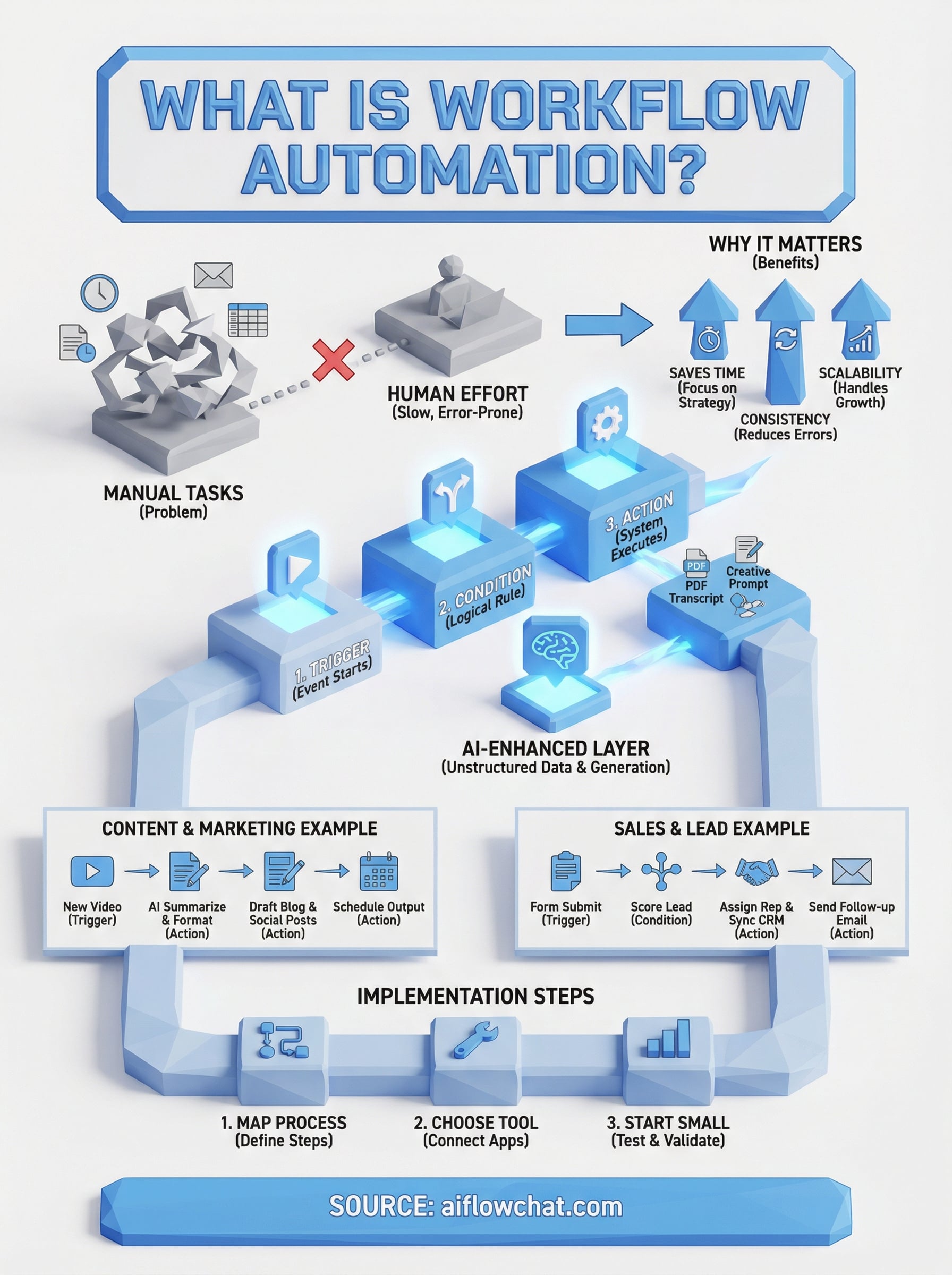
At its core, workflow automation runs on if-this-then-that logic. A trigger event starts the process, like a form submission, a file upload, or a scheduled time, and the system then executes a defined sequence of actions without waiting for anyone to act. Understanding what is workflow automation at this mechanical level helps you identify which of your own tasks fit the pattern and which still require human judgment.
Triggers, actions, and conditions
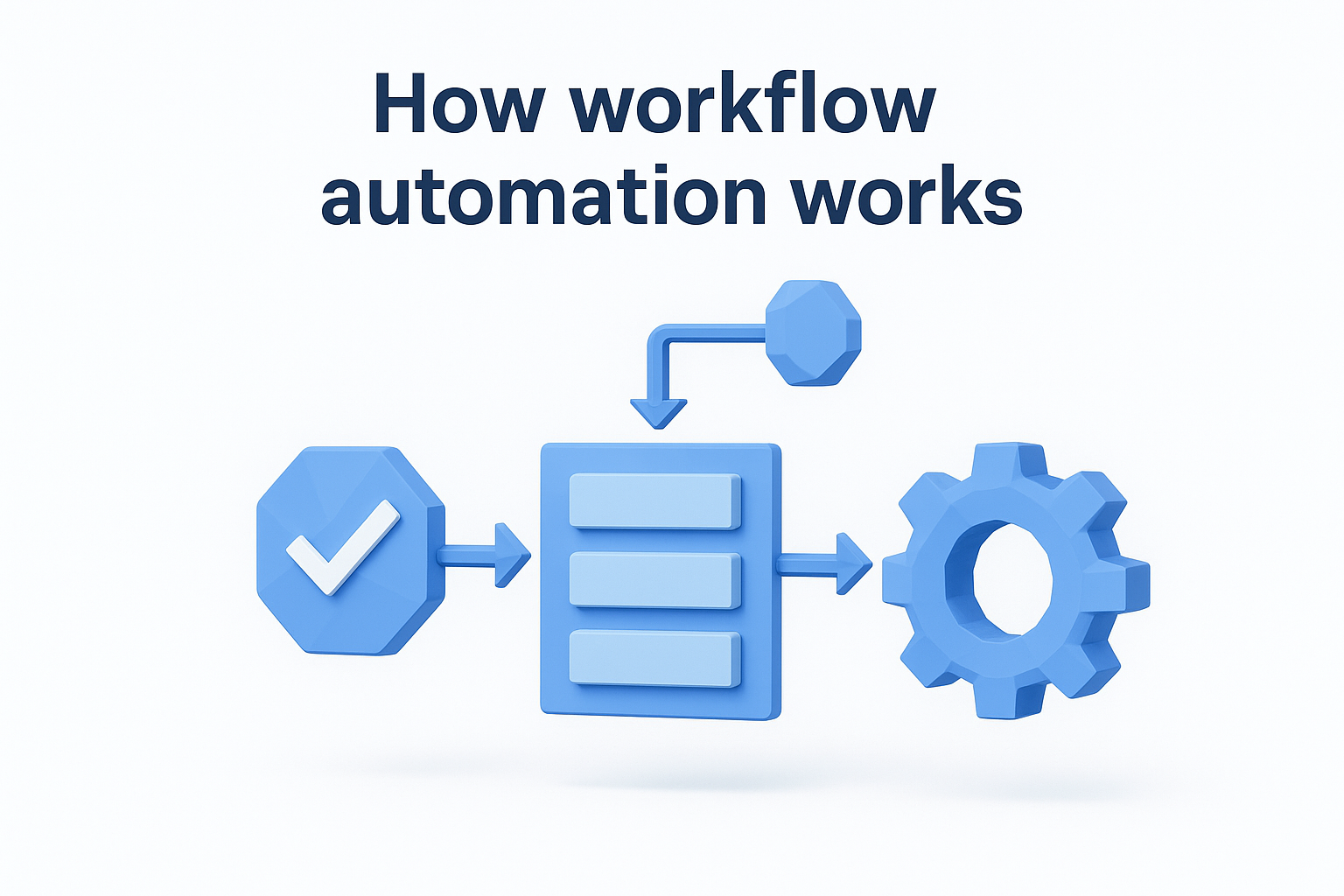
Every automated workflow has three building blocks: a trigger, one or more actions, and optional conditions that control the path. The trigger is the starting event. The actions are the steps the system completes in response. Conditions let you add logic branching, such as only sending a follow-up email if a contact hasn't responded within 48 hours.
Most of the complexity in automation comes not from the technology itself, but from mapping your existing process clearly enough to translate it into rules.
Where AI fits into the picture
Traditional automation handles structured, predictable data well, but it breaks down when the input varies or requires interpretation. That's where AI layers in. AI-enhanced workflows can read unstructured content, like a video transcript or a PDF, interpret it, and generate an output based on that context.
Rather than simply moving data from Point A to Point B, the system understands what the data means and acts accordingly. This is why visual AI platforms handle both the routing logic and the generative step inside one workspace, giving you a complete content workflow without switching tools.
Workflow automation vs BPA and RPA
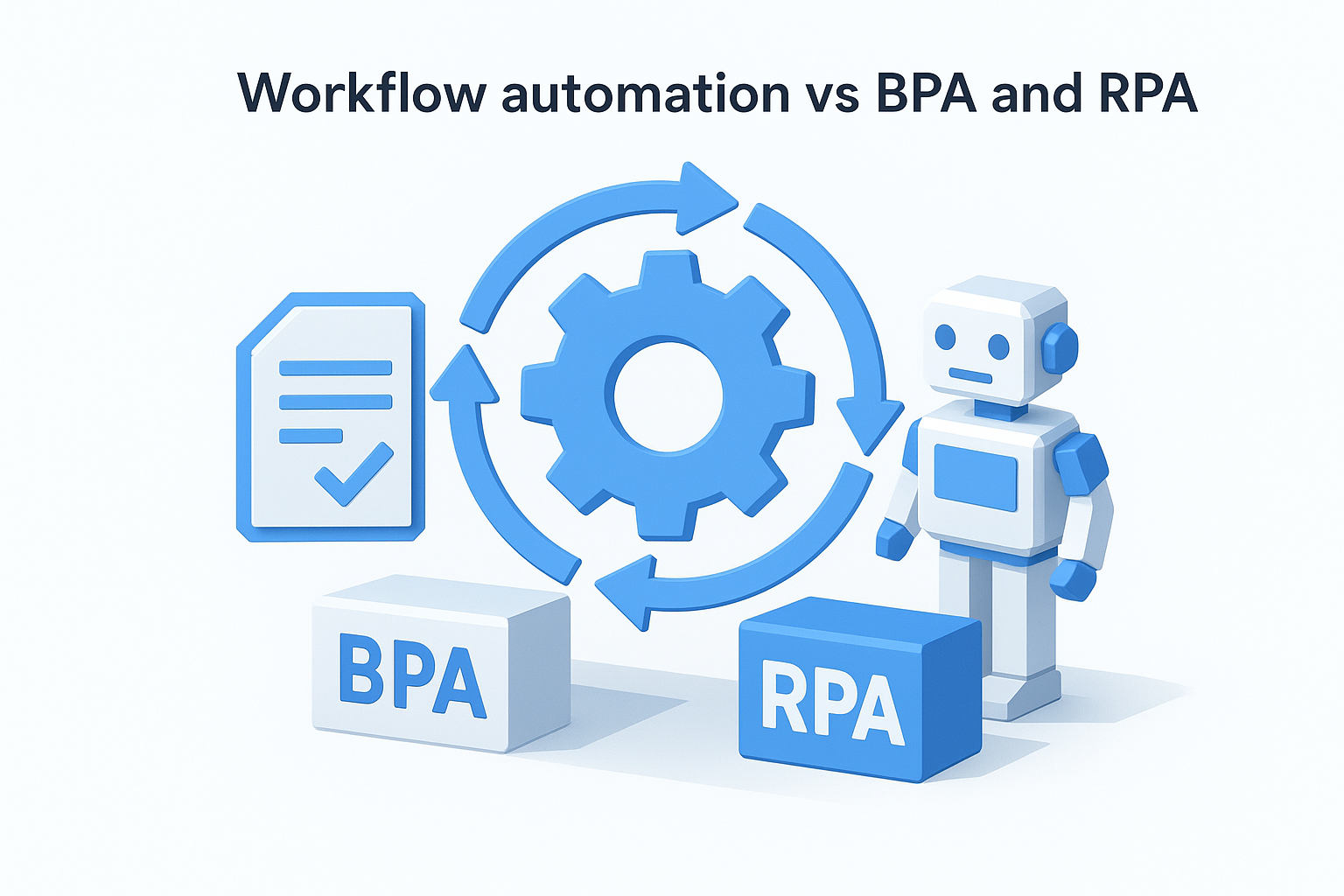
When you dig into workflow automation tools, you'll quickly run into two related terms: Business Process Automation (BPA) and Robotic Process Automation (RPA). These three concepts overlap, but they operate at different scopes and with different mechanisms. Knowing the distinction helps you choose the right approach for your specific situation rather than overbuild or underinvest.
What BPA covers
Business Process Automation refers to automating entire end-to-end processes across an organization, including approvals, compliance workflows, and multi-department handoffs. It operates at a strategic level, often requiring dedicated software and IT involvement to configure. BPA is typically the umbrella under which workflow automation sits, meaning workflow automation handles individual task sequences while BPA coordinates larger operational systems.
Workflow automation is a practical subset of BPA that most teams can implement without enterprise-level infrastructure.
Where RPA fits
Robotic Process Automation takes a different approach entirely. Instead of redesigning a process, RPA deploys software bots that mimic human actions inside existing applications, clicking buttons, copying data, and filling forms exactly as a person would. This makes RPA useful when you're working with legacy software that has no API or integration layer.
The key difference from standard workflow automation is that RPA operates on top of interfaces rather than connecting systems at the data level. If you're asking what is workflow automation in the context of modern content and marketing tools, it's generally more flexible than RPA and easier to set up, since it relies on direct integrations between platforms rather than screen-level mimicry. For most creators and small teams, workflow automation and BPA-light approaches cover the vast majority of use cases without the overhead of a full RPA deployment.
Workflow automation examples in real teams
Seeing what is workflow automation in practice makes the concept click faster than any abstract definition. Real teams use automation to handle the predictable, repeatable steps that sit between their high-value work, and the examples below show exactly where those opportunities tend to appear.
Content and marketing teams
Content teams often spend more time moving assets between platforms than actually creating. A typical automated workflow might pull a new YouTube transcript, run it through an AI prompt to extract key takeaways, format those into a newsletter draft, and drop the output into a shared document, all triggered the moment a new video goes live.
Social media scheduling, repurposing blog posts into short-form captions, and delivering weekly performance digests to clients all follow the same rule-based pattern. Each step is predictable, which means each step is a candidate for removing from your manual to-do list entirely.
Once you map your content production steps clearly, you'll find that a large portion of them require no creative decision-making at all.
Sales and lead management
Sales teams use workflow automation to eliminate the gap between a lead's action and the team's response. When a prospect submits a contact form, an automated sequence can score the lead, assign it to the right rep, send a confirmation email, and log everything into a CRM without anyone touching a keyboard.
Follow-up sequences, contract reminders, and proposal tracking all run on the same trigger-action logic. That consistency keeps the pipeline moving on schedule regardless of how much manual attention the team can realistically give on any given day.
How to implement workflow automation step by step
Knowing what is workflow automation is useful, but putting it into practice is where the real value shows up. Before you touch any tool, you need a clear picture of the process you want to automate, because a poorly defined manual workflow becomes a poorly defined automated one. Skipping the mapping step is the single most common reason automation projects underperform or break down quickly.
Map your current process first
Start by writing out every step in the workflow you want to automate, including who does it, what triggers it, and what happens when something goes wrong. Look for the steps that run the same way every time with no variation, those are your best starting candidates. Steps that require judgment or creative input should stay in your hands for now.
To document a workflow clearly, capture:
- The trigger event that starts the process
- Each action that follows, in order
- The tools or platforms involved at each step
- Any conditions that change the path
The cleaner your process map, the faster and more reliably your automation runs once it's live.
Choose a tool and start small
Pick a platform that connects natively to the tools you already use rather than forcing you to rebuild around new software. Once you've selected it, build the smallest possible version of your workflow first, a single trigger and one or two actions, and test it against real data before expanding. Catching errors early in a simple flow is far easier than debugging a complex chain after the fact.
Run the workflow in parallel with your manual process for a short period to verify the output matches what you'd produce yourself. Once the results are consistent, phase out the manual steps and let the system take over fully.
Where to start
Now that you understand what is workflow automation and how it fits across content, marketing, and operations, the practical move is to identify one repeatable process in your own work and map it out before touching any tool. Pick something small and high-frequency, like repurposing a video transcript into social captions or routing a new lead to your CRM, and build your first automated workflow around that single process. Getting one flow running reliably builds the pattern recognition you need to spot automation opportunities across the rest of your work.
For content creators and marketers who want both the AI generation layer and the workflow logic inside one visual workspace, AI Flow Chat lets you build repeatable AI flowcharts without writing a single line of code. Drag in your sources, connect your prompts, and run the same high-output content process on demand whenever you need it. Start with one workflow, validate the output, and scale from there.
Continue Reading
Discover more insights and updates from our articles
Choose an AI model for scripts, marketing copy, coding, research, long documents, and quick everyday work using a practical quality, speed, and credit-cost framework.
Compare eight current Poppy AI alternatives for visual research, creator workflows, general AI work, grounded synthesis, automation, and reusable delivery.
A practical method for turning a scattered content process into a clear AI-assisted flowchart with source context, review checks, and a reusable output.