Anthropic Prompting Guide: Claude Best Practices for Teams
At AI Flow Chat
Contents
0%Most teams using Claude are leaving performance on the table. They paste in a rough prompt, get a mediocre output, tweak a word or two, and repeat, never realizing that Anthropic has published detailed documentation on exactly how to get better results. A solid anthropic prompting guide isn't just nice to have; it's the difference between outputs you scrap and outputs you actually ship.
Anthropic's Claude models respond to structure, context, and specificity in ways that differ from OpenAI or Gemini. Knowing those differences matters if your team relies on Claude for content production, ad copy, or workflow automation. The prompting techniques that work well in GPT-4 don't always translate, and generic "prompt engineering" advice rarely accounts for Claude's unique behavior around system prompts, XML tags, and role-based instructions.
This guide breaks down Anthropic's official best practices and shows you how to apply them in real team workflows, from structuring system prompts to feeding Claude rich context from multiple sources. We built AI Flow Chat specifically for this kind of work: our visual canvas lets you drag in reference materials like viral videos, competitor ads, PDFs, and web pages, then connect them directly to Claude (alongside OpenAI and Gemini) inside repeatable flowcharts. So as you read through each technique below, know that you can put it into practice immediately without juggling separate tools or tabs.
Here's what we'll cover, and how to make Claude actually perform the way Anthropic designed it to.
What the Anthropic prompting guide covers
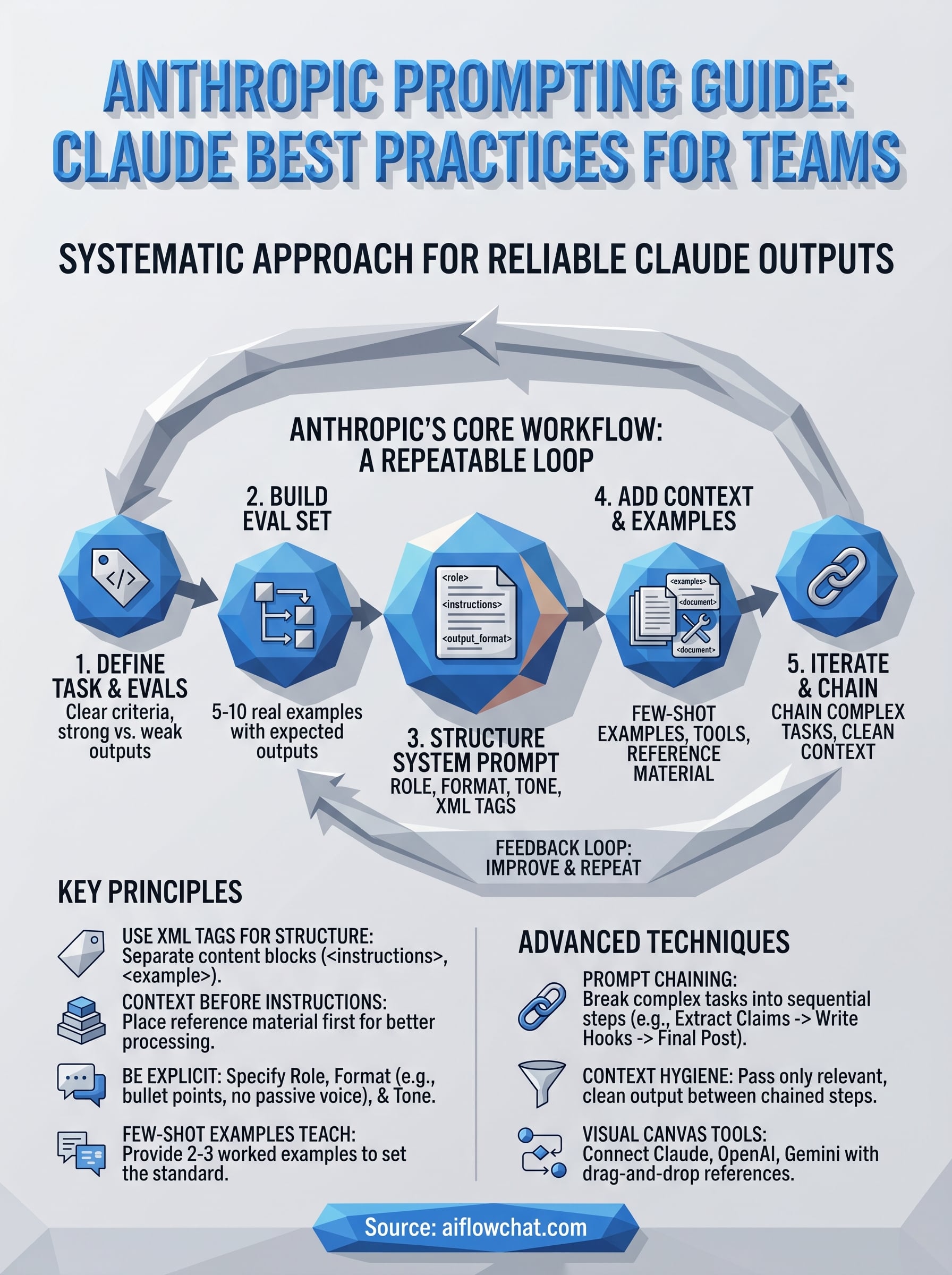
Anthropic's official documentation treats prompt engineering as a repeatable engineering process, not a collection of one-off tips. The anthropic prompting guide is structured like a software development cycle: you define what good output looks like, build tests to measure it, write and structure the prompt, add relevant context, and iterate based on results. That loop is the whole framework, and understanding it before you write a single token saves your team significant rework time.
Skipping the evaluation step is the single most common reason teams get inconsistent Claude outputs across different team members and use cases.
The guide organizes prompt development into five interconnected areas: defining success criteria, building evaluations, writing a structured system prompt, adding context and examples the right way, and iterating through prompt chaining and context hygiene. Each area depends on the previous one, which is why this guide follows that exact order. Jumping straight to prompt writing without success criteria is like writing code without knowing what the function is supposed to return.
The core workflow Anthropic recommends
Anthropic frames the entire prompting process around a tight feedback loop between task definition and measurable evaluation. Before you write a prompt, you need to know what a correct output looks like and have at least a handful of test cases that represent real inputs. Here is the sequence the guide walks through:
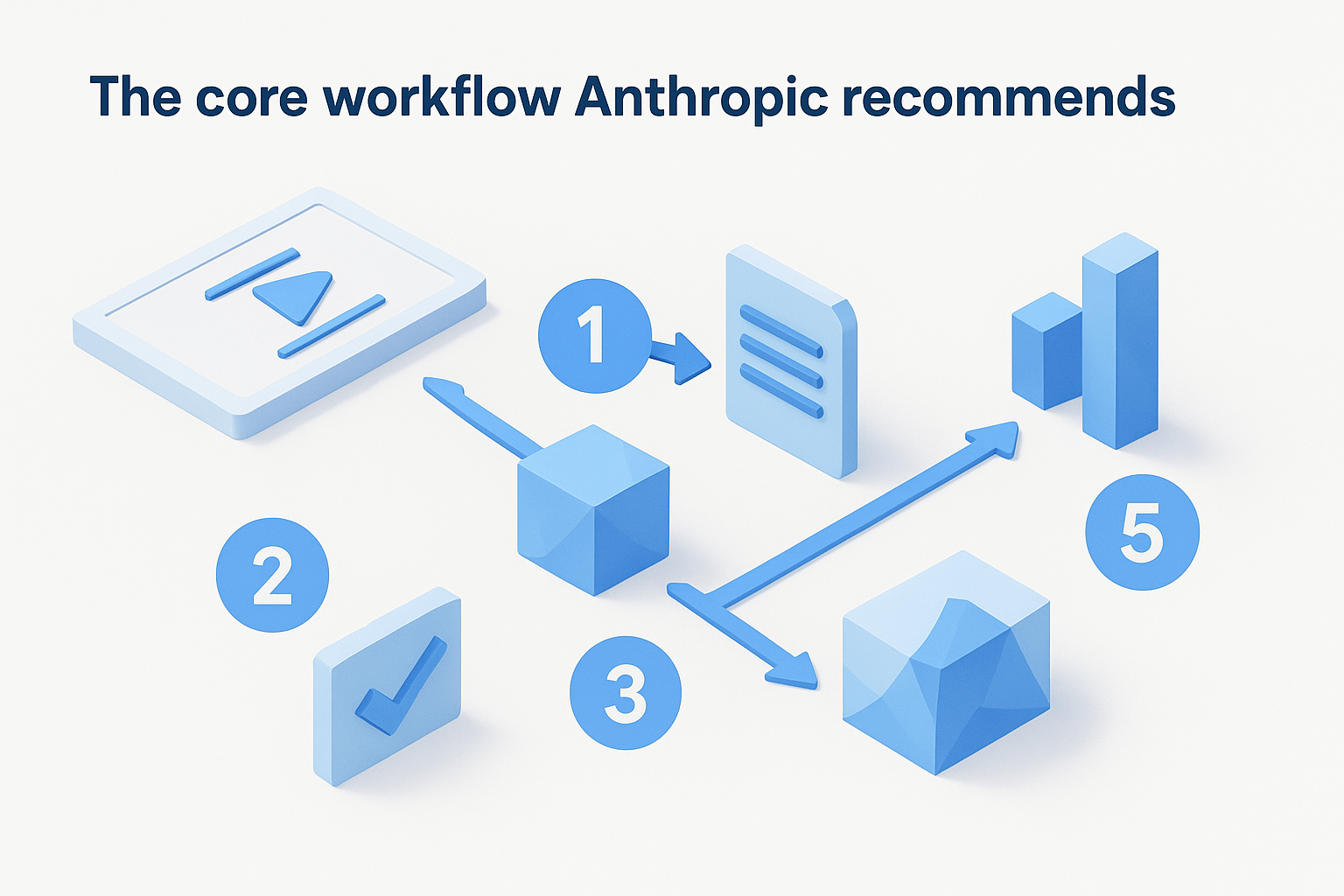
- Define the task clearly and write out what a strong output looks like versus a weak one
- Build a small eval set: five to ten real input examples with expected or ideal outputs
- Write a first-draft system prompt that includes a role, explicit instructions, and a specified output format
- Layer in context: examples, reference documents, XML-tagged inputs, or tool definitions
- Run your evals, identify where Claude falls short, and make targeted changes to the prompt rather than random ones
This workflow keeps teams out of the endless "tweak and hope" cycle. When you know exactly which eval cases are failing, you know exactly what to fix.
What makes Claude different from other models
Claude responds much better to explicit structure inside the prompt than other major models. Anthropic specifically recommends using XML tags to separate distinct sections of your input. Tags like <instructions>, <document>, and <example> tell Claude precisely what each block of text is for, which reduces ambiguity and improves output consistency.
Context placement is another area where Claude behaves differently. Anthropic's documentation notes that placing long reference documents or background material before the instructions, rather than after them, leads to stronger outputs. Claude processes the full context window, but where you position key information shapes how heavily it factors into the response.
One more Claude-specific behavior your team needs to account for: Claude defaults to cautious, hedged outputs when instructions are vague. If you do not specify a tone, length, or format in the system prompt, you will get responses that are technically accurate but often too careful to be useful in production. Explicit formatting and tone instructions are not optional finishing touches; they are foundational to reliable output quality.
Step 1. Define success criteria and build evals
Before you write a single word of a system prompt, you need to decide what a successful output looks like. The anthropic prompting guide treats this as the foundation of the entire process: without a clear definition of "good," you cannot tell whether your prompt is working or whether your changes are actually helping. Teams that skip this step end up optimizing for gut feel rather than measurable results.
Write your success criteria before you write your prompt, not after you see the first output.
What good output actually looks like
Your success criteria should answer three questions: Is the output accurate? Does it follow the format you specified? And does it match the tone your team or client expects? Write the answers down in plain language before you touch the prompt. For a social media post task, your criteria might be: under 280 characters, no hedging language, references the hook from the source video, ends with a clear call to action.
Here is a simple template to capture your criteria:
Task: [describe the task in one sentence]
Correct output looks like: [describe or paste a strong example]
Wrong output looks like: [describe or paste a weak example]
Success conditions:
  - [condition 1]
  - [condition 2]
  - [condition 3]
How to build a simple eval set
Once you have criteria, build a small eval set before you start iterating. Five to ten real input examples are enough to catch most common prompt failures, and they give you a consistent benchmark every time you change something. Pull examples from actual production inputs, not invented ones, because real inputs surface edge cases that synthetic inputs consistently miss.
For each eval example, write the expected output or describe what a passing response requires. You do not need a scoring algorithm at this stage. A simple pass/fail judgment against your criteria works for most team use cases and takes less than an hour to set up properly.
Step 2. Write a clear system prompt and structure it
Once your eval set exists, you can write your first system prompt with purpose. The anthropic prompting guide recommends building system prompts around four core components: a defined role for Claude, clear task instructions, a specified output format, and any constraints or tone requirements. Leaving any of these out invites Claude to fill the gap with its own defaults, which are usually too cautious or too general for production use.
Use XML tags to separate sections
XML tags are the single most impactful structural tool available inside Claude prompts. When you wrap distinct content blocks in labeled tags, Claude treats each section as a separate, identifiable input rather than a continuous wall of text. This removes ambiguity and makes your prompt easier to maintain as it grows.
Use consistent tag names across all your prompts so your team can scan, update, and reuse them quickly.
Here is a reusable system prompt template using XML structure:
<role>
You are an expert social media strategist who writes punchy, direct posts for B2B SaaS brands.
</role>

<instructions>
Analyze the transcript provided and write one LinkedIn post.
Follow the output format exactly.
Do not use hedging language or passive voice.
</instructions>

<output_format>
- Hook line: one sentence, under 15 words
- Body: 2 to 3 short paragraphs, no more than 60 words total
- CTA: one sentence with a specific action
</output_format>

<constraints>
Tone: direct, confident, no corporate speak
Length: under 250 characters per section
</constraints>
Specify role, format, and tone explicitly
A role definition does more than set personality. Giving Claude a specific expert identity anchors its word choice, confidence level, and depth of response in ways that vague instructions cannot. Write the role as a one-sentence description that names both the expertise and the context, such as "You are a performance marketer who writes direct-response ad copy for e-commerce brands."
Your output format instructions should describe structure, not just length. Instead of writing "keep it short," write "two sentences maximum, no bullet points, end with a question." The more specific your format block, the fewer surprises you get across different team members running the same prompt.
Step 3. Add examples, tools, and context the right way
The anthropic prompting guide dedicates significant attention to how you layer examples, tool definitions, and reference material into your prompts. Getting this right is not about adding more content; it's about adding the right context in the right order. Claude uses every piece of information you provide, so disorganized or irrelevant context degrades output quality just as much as missing context does.
Use few-shot examples to set the bar
Few-shot examples are the fastest way to close the gap between what you described and what Claude actually produces. Paste two to three worked examples directly into your system prompt or user turn, each showing a real input paired with the exact output you want. Label each one inside XML tags so Claude reads them as demonstrations rather than live tasks to complete.
Your examples teach Claude the standard you expect better than any amount of written instruction alone.
Here is a few-shot structure you can drop into any content workflow:
<examples>
  <example>
    <input>Transcript: "Our checkout rate jumped 40% after we simplified the form."</input>
    <output>Hook: One form change drove a 40% checkout jump. Here is what they removed.</output>
  </example>
  <example>
    <input>Transcript: "We cut support tickets by half using an in-app tooltip."</input>
    <output>Hook: Half the support tickets, one tooltip. This is how they did it.</output>
  </example>
</examples>
Feed context before instructions and trim the rest
Claude performs better when reference material appears before your instructions, not after them. Place documents, transcripts, or scraped web content inside labeled tags at the top of the prompt, then follow with your instructions block. This ordering matches how Claude processes its context window and reduces the chance it underweights your source material when generating a response.
Only include context that is directly relevant to the current task. Padding your prompt with loosely related documents adds tokens without adding signal. Before attaching anything, ask yourself whether removing it would change the output. If the answer is no, cut it and keep the prompt lean.
Step 4. Iterate with prompt chaining and context hygiene
Once your prompt structure is solid, iteration becomes the engine of improvement. The anthropic prompting guide treats prompt chaining and context hygiene as the two levers teams pull when a single prompt cannot do the entire job reliably. Chaining breaks complex tasks into smaller, sequential steps where each Claude output feeds the next prompt. Context hygiene keeps each step focused by only passing forward what that specific step actually needs.
Break complex tasks into a chain of focused prompts
Prompt chaining works best when a task has multiple distinct stages that each require different instructions or levels of reasoning. Extracting key claims from a transcript is a different cognitive task than writing a LinkedIn post based on those claims. Combining both into one prompt forces Claude to context-switch mid-response, which tends to produce outputs that are mediocre at both jobs.
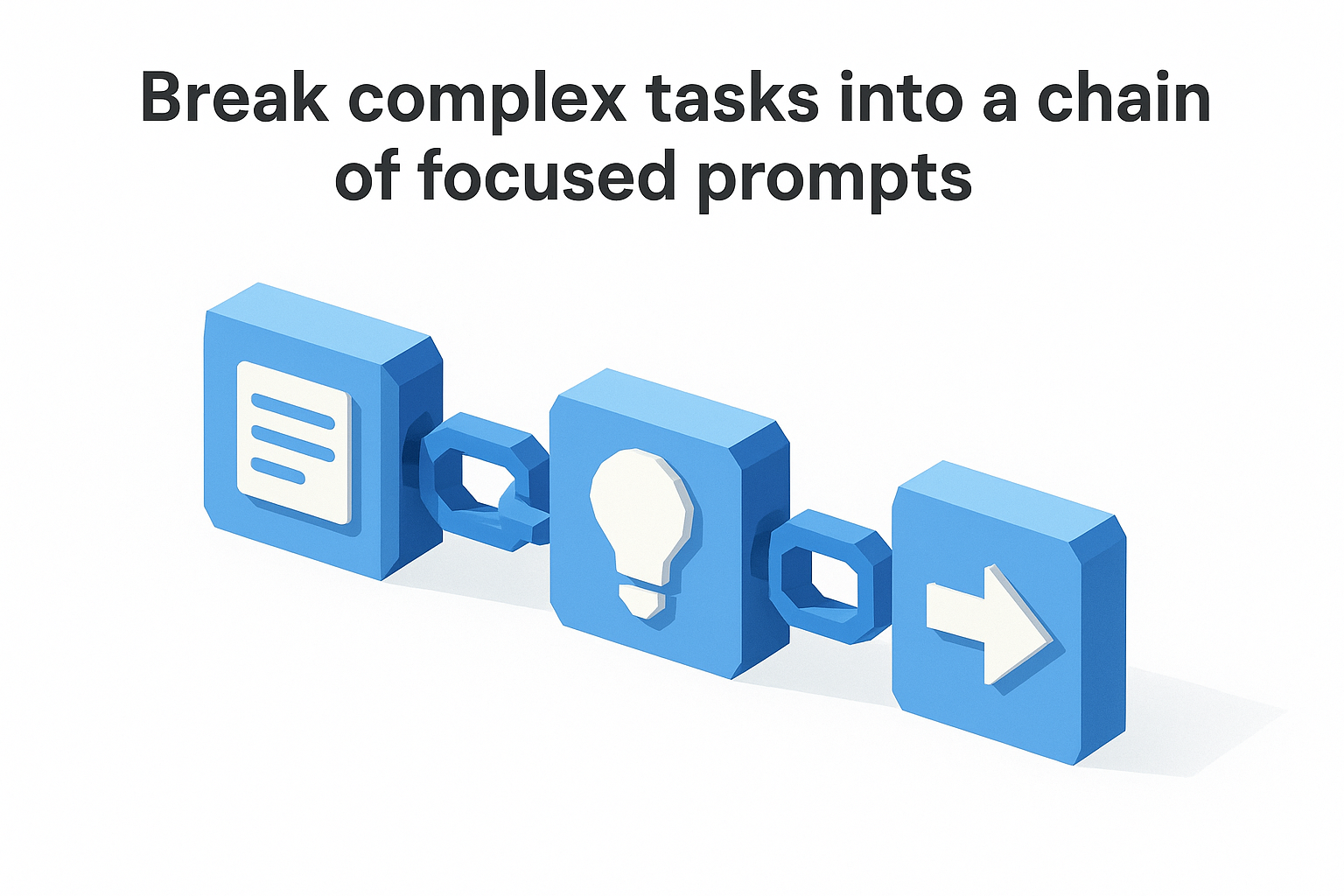
One focused task per prompt beats one bloated prompt trying to do everything at once.
A simple three-step chain for content creation looks like this:
Step 1 prompt: Extract the three strongest claims from the transcript below.
Input: <transcript>...</transcript>
Output: Three bullet points with exact quotes

Step 2 prompt: Using the claims provided, write a LinkedIn hook for each one.
Input: <claims>...</claims>
Output: Three hook options, each under 15 words

Step 3 prompt: Select the strongest hook and write the full post body.
Input: <hooks>...</hooks>
Output: Full post following the format in the system prompt
Keep context clean between steps
Passing the full conversation history into every step of a chain adds noise that degrades output quality over time. Instead, extract only the relevant output from the previous step and pass that as a clearly labeled input into the next prompt. Strip summaries, metadata, or off-topic reasoning before passing anything forward.
Auditing your prompts on a regular schedule matters just as much as cleaning up individual chains. Instructions that made sense three months ago often contradict new requirements you have added since, and Claude will attempt to follow conflicting instructions rather than flag the conflict to you.
Wrap-up and next steps
The anthropic prompting guide gives your team a repeatable system, not just a list of tips. Start with clear success criteria, build your eval set, structure your system prompt with XML tags, layer in examples and relevant context, then chain prompts for complex tasks. Each step builds on the last, so skipping any one of them makes the rest less reliable.
Putting these techniques into practice is faster when your tools match your workflow. AI Flow Chat lets you connect Claude, OpenAI, and Gemini directly to your reference materials on a visual canvas, so you can build and test prompt chains without switching between tabs or managing separate subscriptions. Drag in a YouTube video, a competitor ad, or a PDF, link it to your structured prompt, and run it inside a repeatable flowchart. That setup turns everything covered in this guide into a workflow you can actually ship with.
Continue Reading
Discover more insights and updates from our articles
Choose an AI model for scripts, marketing copy, coding, research, long documents, and quick everyday work using a practical quality, speed, and credit-cost framework.
Compare eight current Poppy AI alternatives for visual research, creator workflows, general AI work, grounded synthesis, automation, and reusable delivery.
A practical method for turning a scattered content process into a clear AI-assisted flowchart with source context, review checks, and a reusable output.