Anthropic Prompt Engineering Guide: Techniques For Claude
At AI Flow Chat
Contents
0%Anthropic's Claude models are some of the most capable AI systems available right now. But capability alone doesn't get you better outputs, how you write your prompts does. That's exactly what the Anthropic prompt engineering guide covers: a set of documented techniques for structuring your instructions so Claude actually delivers what you need, whether that's a blog post, an ad script, or a detailed analysis.
The problem is, most people still treat prompting like a Google search. They type a vague sentence, hit enter, and hope for the best. Then they wonder why the output sounds generic or misses the mark entirely. Effective prompt engineering is a skill, and Anthropic has published specific methods, from role assignments to chain-of-thought reasoning, that make a measurable difference in output quality.
This guide breaks down those techniques into practical steps you can start using immediately. We'll cover Anthropic's core principles, walk through their recommended prompting patterns, and show you how to apply them across real content workflows. If you use AI Flow Chat, you'll recognize how these techniques map directly to our visual canvas, where you can reference source materials, chain prompts together in flowcharts, and switch between Claude and other models without leaving your workspace. But even if you're prompting Claude directly through the API or console, everything here applies.
Let's get into it.
What Anthropic means by prompt engineering
Anthropic defines prompt engineering as the practice of structuring your inputs to a model to consistently get the outputs you want. It's not about finding magic words or tricks. According to Anthropic's documentation, prompt engineering covers everything from how you word your instructions to how you order information in your messages, and even how you format the request itself. The anthropic prompt engineering guide treats prompting as a learnable craft with repeatable patterns, not a guessing game.
What prompt engineering actually covers
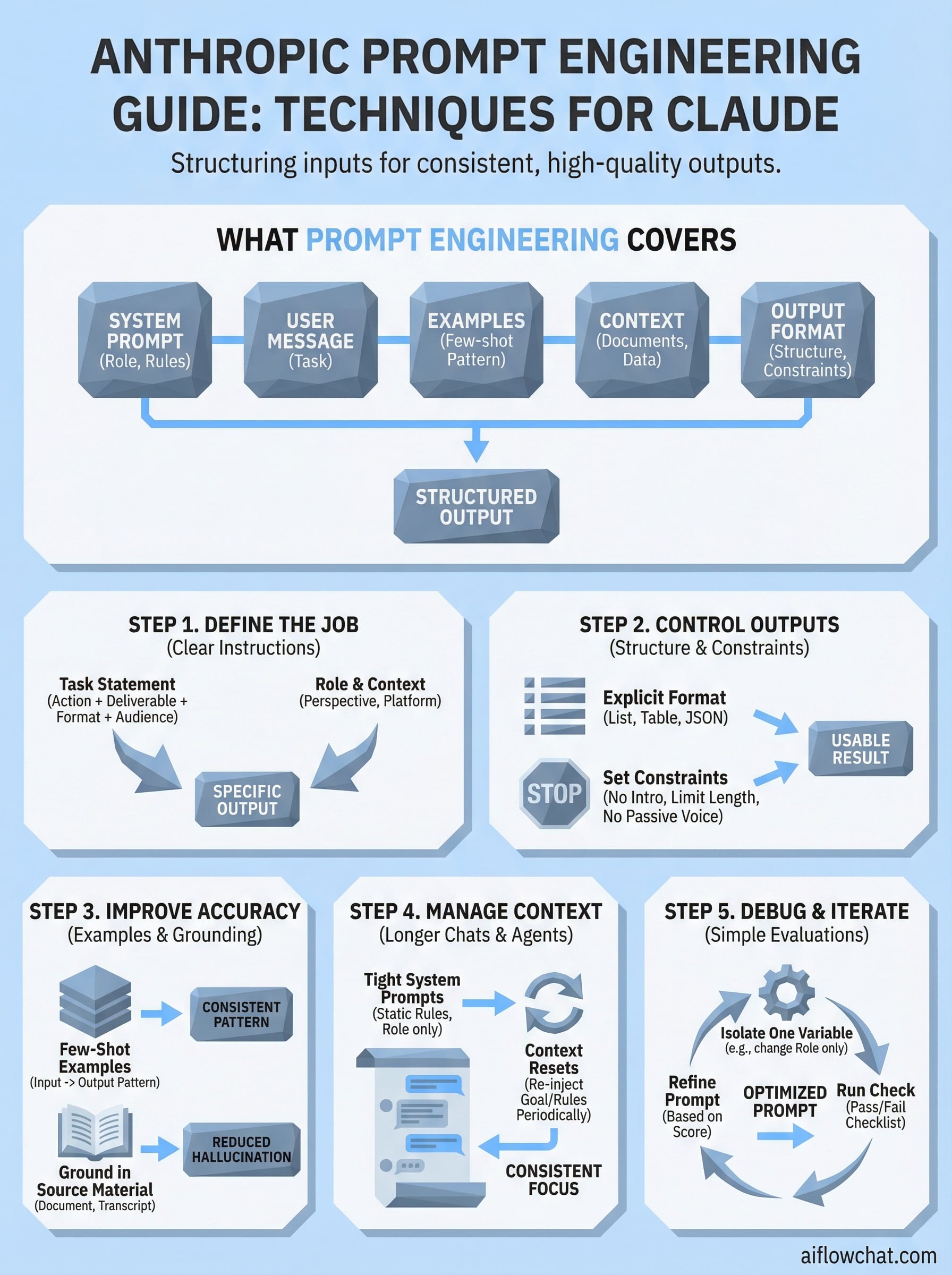
Most people assume prompt engineering means writing better sentences. Anthropic takes a broader view. A prompt includes your system prompt, your user message, any examples you provide, and the context you attach, whether that's a document, a conversation history, or structured data. Each component affects the model's behavior, and changing any one of them changes your output. Claude responds differently based on where instructions appear and how they're formatted, which means the structure of your prompt matters just as much as the words inside it.
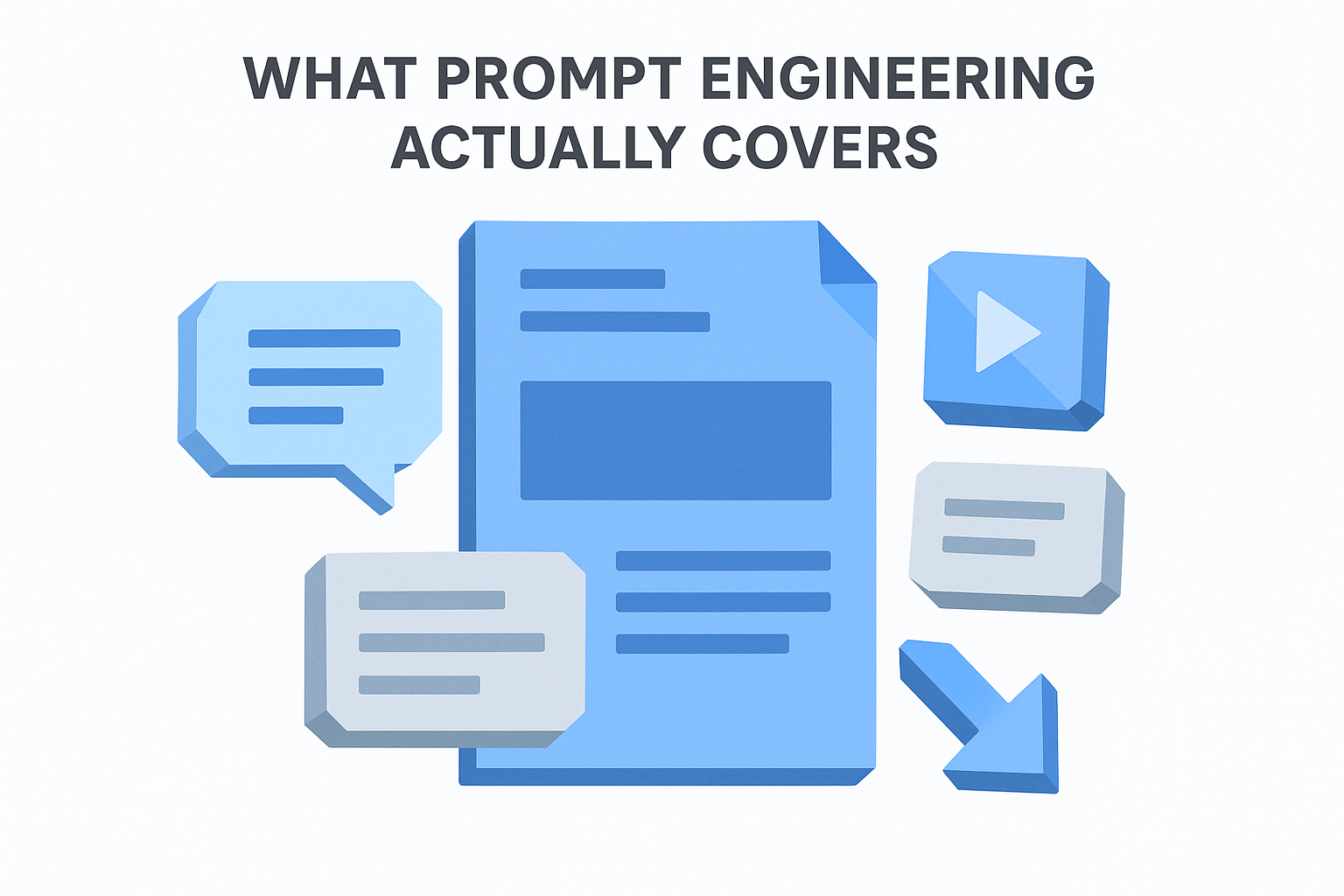
Anthropic describes the system prompt as the most powerful place to set Claude's behavior, because it establishes the rules before any user input arrives.
Here's a breakdown of the components Anthropic considers part of a complete prompt:
| Component | What it does |
|---|---|
| System prompt | Sets Claude's role, rules, and overall behavior |
| User message | Provides the specific task or question |
| Examples (few-shot) | Shows Claude the pattern you want it to follow |
| Context or documents | Grounds Claude's response in specific source material |
| Output format instructions | Tells Claude exactly how to structure its response |
How Anthropic separates prompting from programming
Prompting and traditional programming solve problems in fundamentally different ways. In programming, you write explicit logic that a computer executes step by step. In prompting, you describe what you want and let the model infer how to get there. Anthropic's position is that good prompt engineering narrows the gap between your intent and the model's interpretation, giving Claude less room to guess and more direction to follow. This is why vague prompts produce inconsistent outputs: the model fills in ambiguity with its own assumptions, which rarely match what you actually need.
Your goal as a prompt engineer is to reduce that ambiguity at every level. The more precisely you define the task, the constraints, and the expected output format, the more predictably Claude performs. That's the core idea running through all of Anthropic's documentation, and it's the foundation for each technique covered in the steps below.
Step 1. Define the job with clear instructions
The single biggest improvement most people can make to their prompts is being specific about what they want Claude to do. Vague instructions produce vague outputs. The anthropic prompt engineering guide consistently emphasizes that Claude performs best when your prompt names the task explicitly, identifies who the output is for, and sets clear expectations for what "done" looks like before any generation begins.
Start with a task statement
Your opening line should name the action and the deliverable in one clear sentence. Instead of "write something about email marketing," tell Claude exactly what you need: "Write a 5-bullet summary of the key benefits of email marketing for small e-commerce brands." That one change removes ambiguity about format, length, audience, and purpose all at once.
The more specific your task statement, the less Claude has to infer, and the closer your first output lands to what you actually need.
Here's a reusable template you can adapt for almost any task:
Task: [Action verb] + [deliverable] + [length or format] + [audience or context]

Example:
"Write a 3-sentence product description for a minimalist leather wallet
targeting men aged 25-40 who shop on Shopify."
Add role and context
Assigning Claude a role shapes the perspective and tone it brings to the task. A line like "You are an experienced direct-response copywriter" at the start of your system prompt signals how Claude should frame its language, what it should prioritize, and what level of sophistication to aim for. Without that frame, Claude defaults to a neutral, general-purpose voice that rarely matches your actual needs.
Pairing a role with relevant context, such as the target platform, the content format, or the intended action, pushes Claude further toward outputs that fit your workflow without heavy editing after the fact.
Step 2. Control outputs with structure and constraints
Once Claude understands the task, your next move is to tell it exactly how to deliver the result. The anthropic prompt engineering guide emphasizes that output format instructions are one of the most overlooked parts of a prompt, yet they have an outsized effect on usability. If you don't specify structure, Claude will choose one for you, and it won't always match your workflow.
Tell Claude what format to use
Naming the format upfront removes one of the biggest sources of inconsistency in AI outputs. Whether you need a numbered list, a table, a JSON object, or plain paragraphs, stating the format directly in your system prompt or task description locks Claude into that structure from the start.
Anthropic recommends placing format instructions in your system prompt when you need them to apply consistently across every response in a session.
Here's a template you can drop into any prompt to lock in structure:
Output format:
- Respond in [format: bullet list / table / JSON / plain text]
- Limit response to [X words / X sentences / X items]
- Do not include [headers / explanations / preamble]
Set constraints to cut noise
Constraints tell Claude what to leave out, not just what to include. Without them, Claude often adds context, disclaimers, or filler that bloats the output and slows your editing time. Adding a short constraint block to your prompt keeps responses tight and directly usable.
Common constraints worth adding to your prompts:
- "Do not add an introduction or conclusion"
- "Avoid explaining your reasoning unless asked"
- "Write at a 7th-grade reading level"
- "Do not use passive voice"
Each constraint you add is one less editing decision you have to make after generation. Small prompt additions like these compound quickly, especially when you're running high-volume content workflows and every extra minute of cleanup costs you real time.
Step 3. Improve accuracy with examples and grounding
Two techniques in the anthropic prompt engineering guide consistently produce the biggest accuracy gains: giving Claude examples of what good output looks like, and attaching the source material you want it to work from. Both reduce the model's reliance on assumptions, and using them together almost always gets you a more useful first draft than any amount of rewriting your instructions alone.
Use few-shot examples to set the pattern
Few-shot prompting means including one or more examples of the exact output format and tone you want directly inside your prompt. Claude reads those examples as a pattern and mirrors them. This works especially well for content that needs a specific voice, a fixed structure, or a repeatable format across multiple outputs.
A single well-chosen example often does more work than three paragraphs of instructions trying to describe the same thing.
Here's a template you can use to add few-shot examples to any prompt:
Here are examples of the output format I want:

Example 1:
Input: [your sample input]
Output: [your ideal output]

Example 2:
Input: [your sample input]
Output: [your ideal output]

Now apply the same pattern to: [your actual task]
Ground Claude in your actual source material
Grounding means attaching the specific document, transcript, or reference text you want Claude to work from, rather than asking it to rely on general knowledge. When you paste in a YouTube transcript, a competitor ad script, or a product spec sheet, Claude anchors its response to that material instead of filling gaps with invented details.

Grounded prompts dramatically reduce hallucination because the model pulls from what you gave it. If a claim isn't in your source, Claude has no reason to add it. For research summaries, ad rewrites, or content based on specific data, grounding is non-negotiable.
Step 4. Manage context for longer chats and agents
As conversations get longer or you move into agent-based workflows, context management becomes one of the most important levers in your prompt engineering toolkit. Claude has a context window limit, and when that window fills up with irrelevant conversation history, earlier instructions get pushed out and output quality drops. The anthropic prompt engineering guide treats context as a resource you actively manage, not something that happens in the background.
Keep system prompts tight and static
Your system prompt should contain only the rules, role, and constraints that apply to every single response in the session. Anything task-specific belongs in the user message, not the system prompt. Keeping your system prompt lean means it stays in active context longer without consuming tokens you need for actual content.
A bloated system prompt crowds out the conversation history Claude needs to stay consistent across a long session.
Here's a template for a focused system prompt built around Claude's behavior in a content workflow:
You are a content strategist writing for [brand name].
Tone: direct, conversational, no filler.
Audience: [target audience].
Format all responses as [format].
Do not add disclaimers or preamble.
Handle long conversations with context resets
When a conversation runs long, Claude starts to lose track of earlier instructions unless you reintroduce them. The fix is simple: paste a condensed summary of the task and constraints back into the conversation at key intervals. Think of it as a checkpoint that refreshes Claude's working memory without restarting the session.
For agent workflows, inject a context block at the start of each new task node so Claude re-anchors to the current objective. A one or two sentence reminder of the role, the goal, and the output format is enough to keep multi-step agents consistent from start to finish.
Step 5. Debug and iterate with simple evaluations
Most people skip this step entirely. They get a bad output, rewrite the prompt from scratch, and repeat the same cycle without understanding what actually caused the problem. The anthropic prompt engineering guide recommends a more systematic approach: treat your prompts like small experiments where you change one variable at a time and measure what shifts.
Isolate the variable that broke your output
When a prompt underperforms, your first job is to find the source of the failure. Run the same task with one element changed, whether that's the role assignment, the output format instruction, or the example you provided. If you change multiple things at once, you won't know which fix worked.
Changing one thing per iteration is the fastest way to understand why Claude produced what it did, and how to prevent it from happening again.
Common failure points worth checking one at a time:
- System prompt missing a role or tone instruction
- Output format not specified, so Claude chose its own
- No examples provided for a pattern-heavy task
- Source material missing, causing Claude to rely on general knowledge
- Constraints absent, leading to padded or off-topic responses
Build a simple scoring check
You don't need a complex evaluation framework to improve your prompts consistently. Run each revised prompt against a short checklist that matches your actual success criteria. Score it pass or fail on each item, then keep the version that clears the most checks.
Here's a reusable evaluation template:
Prompt evaluation checklist:
[ ] Output matches the requested format
[ ] Tone matches the intended audience
[ ] No filler, disclaimers, or preamble
[ ] All required elements are present
[ ] Response stays within the requested length
Track which prompt version scored highest and make that your baseline for the next iteration.
Where to go next
The anthropic prompt engineering guide gives you a solid framework to work from, but reading about techniques is only half the job. Applying them inside a real workflow is where the actual improvement happens. Start with Step 1 and rewrite one prompt you already use regularly. Add a clear task statement, a role, and an output format instruction. Run it and compare the result to what you were getting before. That single change will show you immediately how much structure matters.
From there, layer in grounding, examples, and constraints as your use cases demand. Each technique builds on the previous one, so you don't need to implement everything at once. Progress compounds quickly when you iterate methodically rather than rewriting randomly. If you want a workspace that lets you chain these prompts together visually, reference real source material, and switch between Claude and other models in one place, check out AI Flow Chat.
Continue Reading
Discover more insights and updates from our articles
Choose an AI model for scripts, marketing copy, coding, research, long documents, and quick everyday work using a practical quality, speed, and credit-cost framework.
Compare eight current Poppy AI alternatives for visual research, creator workflows, general AI work, grounded synthesis, automation, and reusable delivery.
A practical method for turning a scattered content process into a clear AI-assisted flowchart with source context, review checks, and a reusable output.