Sonix AI Transcription: Pricing, Accuracy, Features, Reviews
At AI Flow Chat
Contents
0%Sonix AI transcription has become a go-to option for creators and marketers who need to convert audio and video into text quickly. Whether you're repurposing podcast episodes, pulling quotes from interviews, or turning long-form video into written content, a reliable transcription tool can save hours of manual work every week.
But is Sonix actually worth the investment? The answer depends on what you need it for, how accurate it is for your use case, and whether the pricing structure fits your workflow. If you've been comparing transcription tools and landed here, you're probably trying to figure out exactly that.
This article breaks down Sonix AI's core features, transcription accuracy, pricing tiers, and real user feedback so you can make an informed decision. We'll also look at how transcription fits into broader content workflows, something we built AI Flow Chat around, where video and audio transcription feeds directly into AI-powered content creation on a visual canvas, letting you turn a single source into dozens of outputs without switching tools.
Why Sonix AI transcription matters
Transcription used to mean paying a human per audio minute or spending hours typing out recordings yourself. For creators and marketers producing content at scale, that approach breaks down fast. Sonix AI transcription entered the market as a faster alternative, converting audio and video into text in minutes rather than hours. The practical impact is significant: when you remove the friction of manual transcription, you can move through your content pipeline without the bottleneck that slows everything downstream.
The hidden cost of slow transcription
Most creators underestimate how much manual transcription holds back their entire content workflow. If you record a 45-minute podcast interview, getting that episode into usable text manually can take three to four hours of focused work. That delay pushes back every task that depends on it: writing show notes, pulling quotes for social posts, converting the conversation into a blog article, or feeding it into an AI tool for further repurposing.
The real cost of slow transcription isn't just time at the keyboard. It's every piece of content that never gets made because the source material wasn't in a usable format.
When your audio or video converts to text in minutes, you shift from spending time on data entry to spending time on creative work. For agencies managing multiple clients or solopreneurs running a one-person marketing operation, that shift adds up to hours saved every single week.
Why accuracy determines actual value
Speed without accuracy creates its own problem. A transcript full of errors means you spend your time correcting mistakes rather than using the output. For marketers quoting executives in published content, podcasters publishing transcripts as SEO copy, or agencies delivering work to clients, inaccurate transcripts create more work, not less.
This is why accuracy benchmarks matter when you compare transcription tools. Word error rate (WER) is the standard metric the industry uses to measure how many words a system gets wrong per 100 words transcribed. A lower WER means fewer corrections and a cleaner output you can actually use without reviewing every line twice.
Your specific audio conditions also affect accuracy. Background noise, multiple speakers, heavy accents, and technical or industry-specific vocabulary all challenge any AI transcription system, and knowing where a tool performs well helps you decide whether it fits your actual recording setup.
What Sonix AI transcription offers
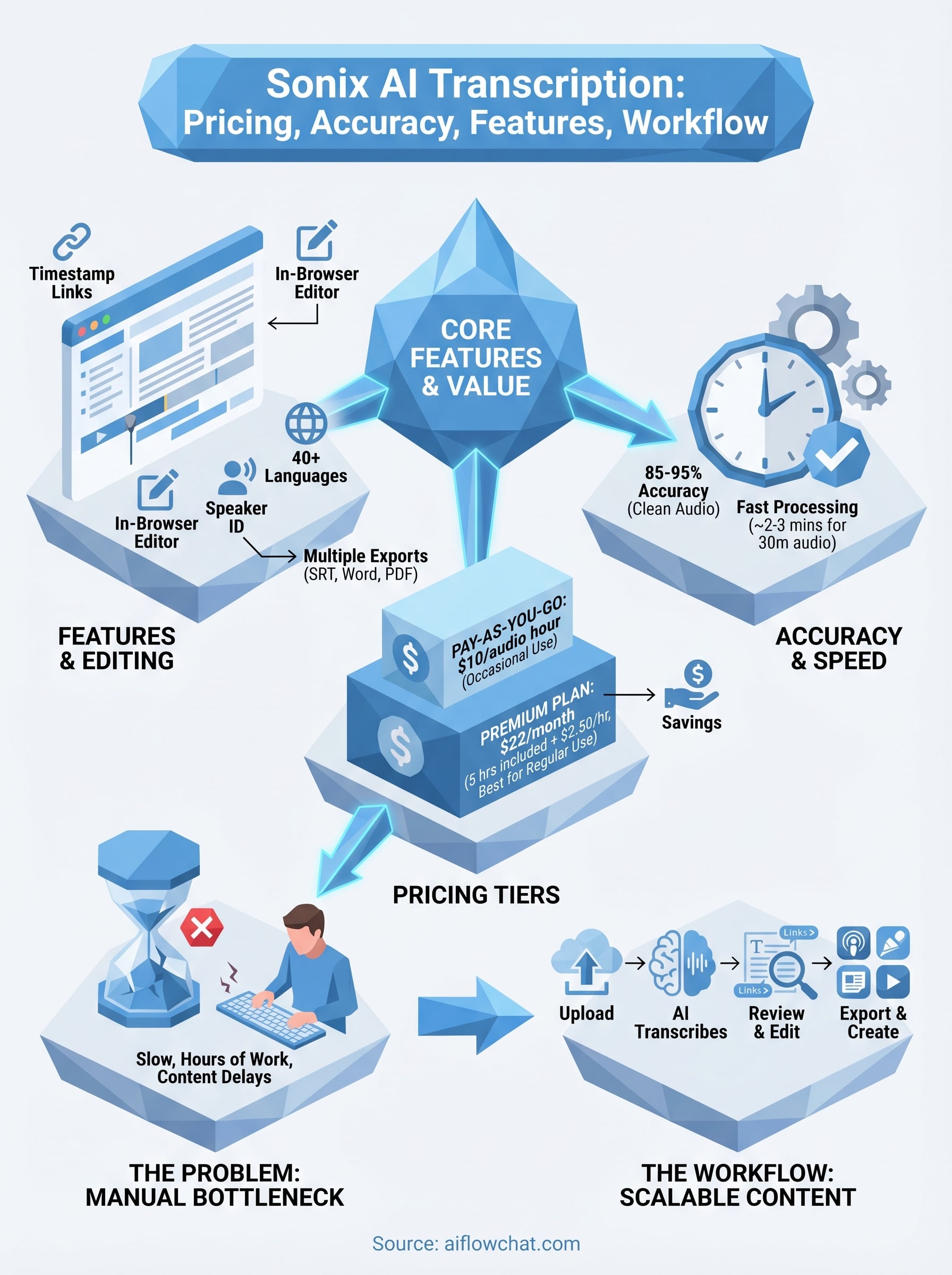
Sonix AI transcription covers the full range of what most creators and marketers need from a transcription service. The platform handles audio and video files, supports over 40 languages, and returns a timestamped, speaker-labeled transcript you can edit directly inside the browser without downloading additional software.
Core transcription features
Sonix processes most file formats including MP3, MP4, WAV, and MOV, so you don't have to convert your files before uploading. Once processed, the transcript appears in an in-browser editor where each word links back to a specific timestamp in the media player. You can click any word to jump to that moment in the recording, which makes reviewing and correcting errors significantly faster than reading a standalone text document.
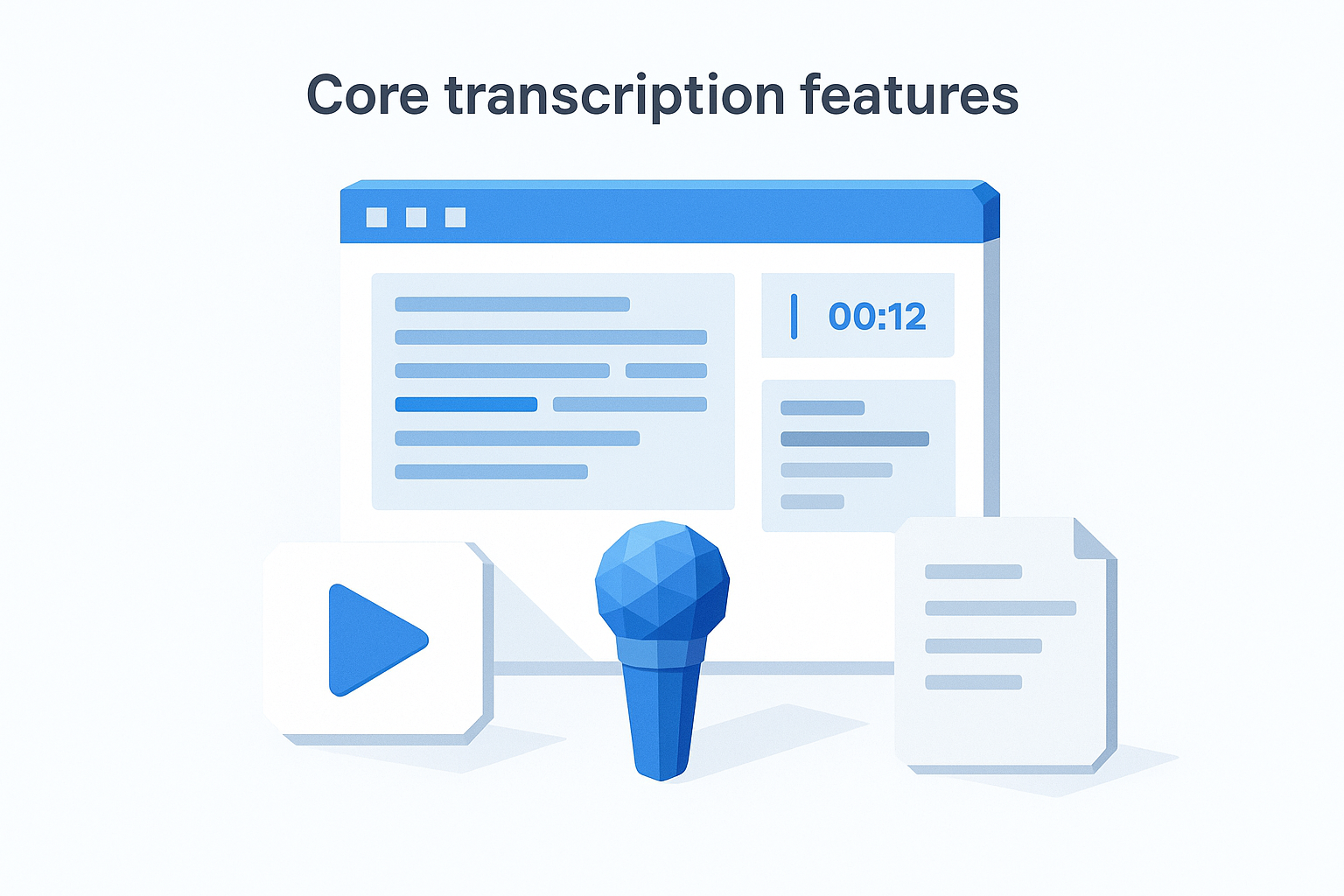
This timestamp-linked editing approach is one of the biggest workflow advantages Sonix has over plain text exports from cheaper tools.
The platform also separates speakers automatically, which matters when you're working with interviews, panel discussions, or multi-person podcasts where distinguishing who said what is essential for accuracy and readability.
Collaboration and export tools
Sonix lets multiple users access and annotate the same transcript, which works well for agency teams reviewing client recordings or editorial teams cleaning up content before publication. On export, you can pull the transcript as a Word document, PDF, SRT subtitle file, or plain text, giving you flexibility to drop the output directly into whatever comes next in your workflow. Subtitle exports are especially useful for creators adding captions to video content across multiple platforms.
Pricing, add-ons, and total cost
Sonix AI transcription runs on a credit-based model with two main options: pay-as-you-go and a subscription plan. Understanding which structure fits your volume is the first decision you need to make, because the wrong choice can cost you significantly more than necessary over time.
Pay-as-you-go vs. premium plans
The pay-as-you-go rate sits at $10 per audio hour, which works well if you transcribe occasionally or have unpredictable volume. If you produce content consistently, the Premium plan at $22 per month gives you 5 included hours plus a reduced rate of $2.50 per additional hour. For high-volume users, the Enterprise plan offers custom pricing and additional team features.
If you transcribe more than 2 hours per month on average, the Premium plan pays for itself immediately compared to the standard hourly rate.
What adds to your bill
Beyond the base transcription rate, a few features carry additional costs you should factor in before committing. Translation into a second language costs extra per audio hour on top of the transcription fee. Premium features like custom vocabulary, advanced collaboration tools, and API access are gated behind higher-tier plans, so solo creators on the basic plan may hit limitations as their workflow grows.
Storage is included for all plans, but teams sharing transcripts across multiple users will need to account for seat-based pricing at the Enterprise level. Before you sign up, map out your average monthly audio volume and team size so you can calculate your realistic monthly spend rather than relying on the minimum advertised price.
Accuracy, speed, and editing workflow
Sonix AI transcription reports accuracy rates in the range of 85 to 95 percent for clean, single-speaker audio in English. That range is realistic for most podcast recordings and interview files captured with a decent microphone. Your results will shift depending on audio quality, background noise, and how much technical vocabulary appears in the recording.
Where accuracy holds and where it drops
Standard conversational English with a single speaker in a quiet environment is where Sonix performs best. When you introduce multiple overlapping speakers, heavy regional accents, or field recordings with ambient noise, the word error rate increases noticeably and you will need to plan for a correction pass before using the transcript in published or client-facing content.
If your recordings frequently include industry-specific terms or product names, use Sonix's custom vocabulary feature to reduce errors on those words before you upload.
Speed and the editing experience
Sonix processes roughly 30 minutes of audio in about two to three minutes, which puts it in line with other leading AI transcription services. The turnaround is fast enough that you can upload a file, step away, and return to a complete draft ready for editing.
What separates the editing experience from basic transcription exports is the timestamp-linked word editor. Clicking any word in the transcript jumps the media player to that exact moment, so you can verify and correct errors without scrubbing through the recording manually. This makes reviewing a 45-minute interview for mistakes a task you can realistically complete in well under 15 minutes.
How to use Sonix for transcription
Getting started with Sonix AI transcription is straightforward. You create an account, pick a plan, and land on a dashboard where uploading your first file takes under 60 seconds using a simple drag-and-drop interface.
Setting up and uploading your file
Once you're in the dashboard, upload your audio or video file directly from your computer or paste in a cloud storage link. Sonix accepts most common formats, so you won't need to convert anything beforehand. After you submit the file, the platform processes it automatically and sends you an email notification when your transcript is ready, typically within a few minutes depending on file length.
Set your default language before you upload to avoid reprocessing fees if you select the wrong one.
Working with your transcript
When your transcript loads, click any word to jump to that exact moment in the playback so you can verify context and fix errors without scrubbing through the recording manually. Work through the document from top to bottom, correcting words the system flagged or misread.
After editing, export the file in whatever format your next step requires: a Word document for a blog post, an SRT file for captions, or plain text to paste into another content tool. If you're on a team plan, you can share the transcript inside the platform and assign annotations before anyone exports. Running this process consistently, upload, review, export, is what lets you build a repeatable transcription workflow that scales with your content volume rather than slowing it down.
Final takeaways
Sonix AI transcription delivers real value if your recordings are clean, your volume is consistent, and you need a fast turnaround with a solid in-browser editing experience. The pricing structure rewards regular users on the Premium plan, but occasional users can get by with pay-as-you-go without committing to a monthly fee.
Where the tool earns its place is in removing the manual transcription bottleneck so you can move faster into the actual content work. That said, transcription is only one step in a larger workflow. Once your audio or video is in text form, you still need to turn it into posts, articles, scripts, and social copy at scale.
That next step is exactly what AI Flow Chat is built for. You can feed your transcripts, video links, and reference materials directly into a visual AI canvas to generate high-performing content in your own voice, without bouncing between five different tools to get there.
Continue Reading
Discover more insights and updates from our articles
Choose an AI model for scripts, marketing copy, coding, research, long documents, and quick everyday work using a practical quality, speed, and credit-cost framework.
Compare eight current Poppy AI alternatives for visual research, creator workflows, general AI work, grounded synthesis, automation, and reusable delivery.
A practical method for turning a scattered content process into a clear AI-assisted flowchart with source context, review checks, and a reusable output.