What Is Video Transcription? Benefits, Use Cases, And Tools
At AI Flow Chat
Contents
0%Every minute, creators upload over 500 hours of video to YouTube alone. That's an enormous amount of spoken information locked inside audio, inaccessible to search engines, hearing-impaired viewers, and anyone who'd rather scan text than watch a full clip. What is video transcription? It's the process of converting spoken words from a video into written text, and it's become one of the most practical tools for content creators, marketers, and SEO specialists who want to extract more value from every piece of video content they produce or study.
Beyond accessibility, transcription opens doors to repurposing, analysis, and discovery. A single transcribed video can become a blog post, a set of social captions, or a research document. It's also how you reverse-engineer what makes a competitor's content work, breaking down their hooks, structure, and messaging word by word instead of relying on memory or gut feeling. At AI Flow Chat, we built automatic video transcription directly into our platform so users can paste a link from YouTube, TikTok, or Instagram Reels and immediately pull usable text into their AI workflows.
This article covers how video transcription works, the key benefits it offers for SEO and accessibility, the most common use cases, and the tools available to get it done, whether you're working manually, using AI, or combining both with a visual workflow platform like AI Flow Chat.
What video transcription is and what it includes
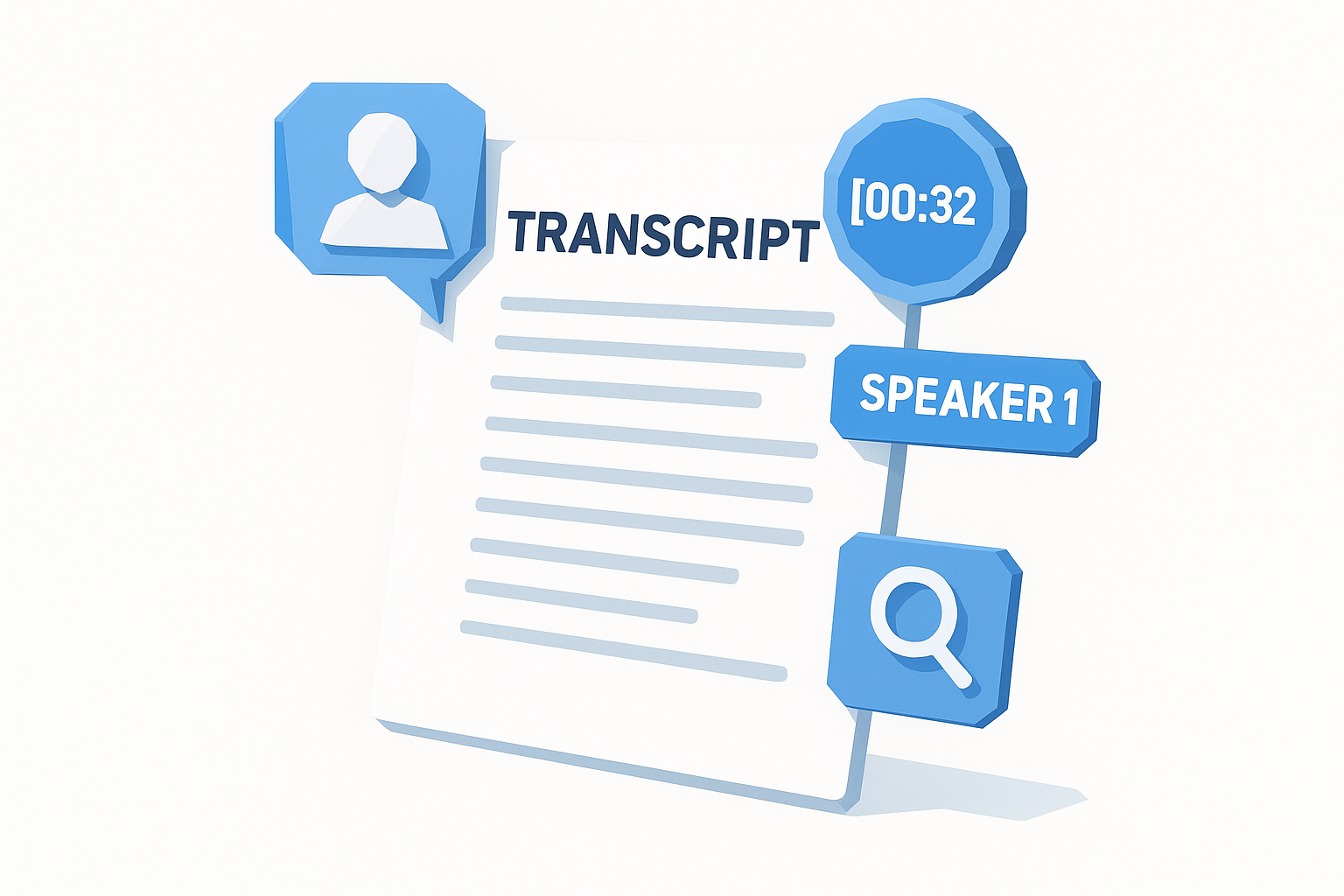
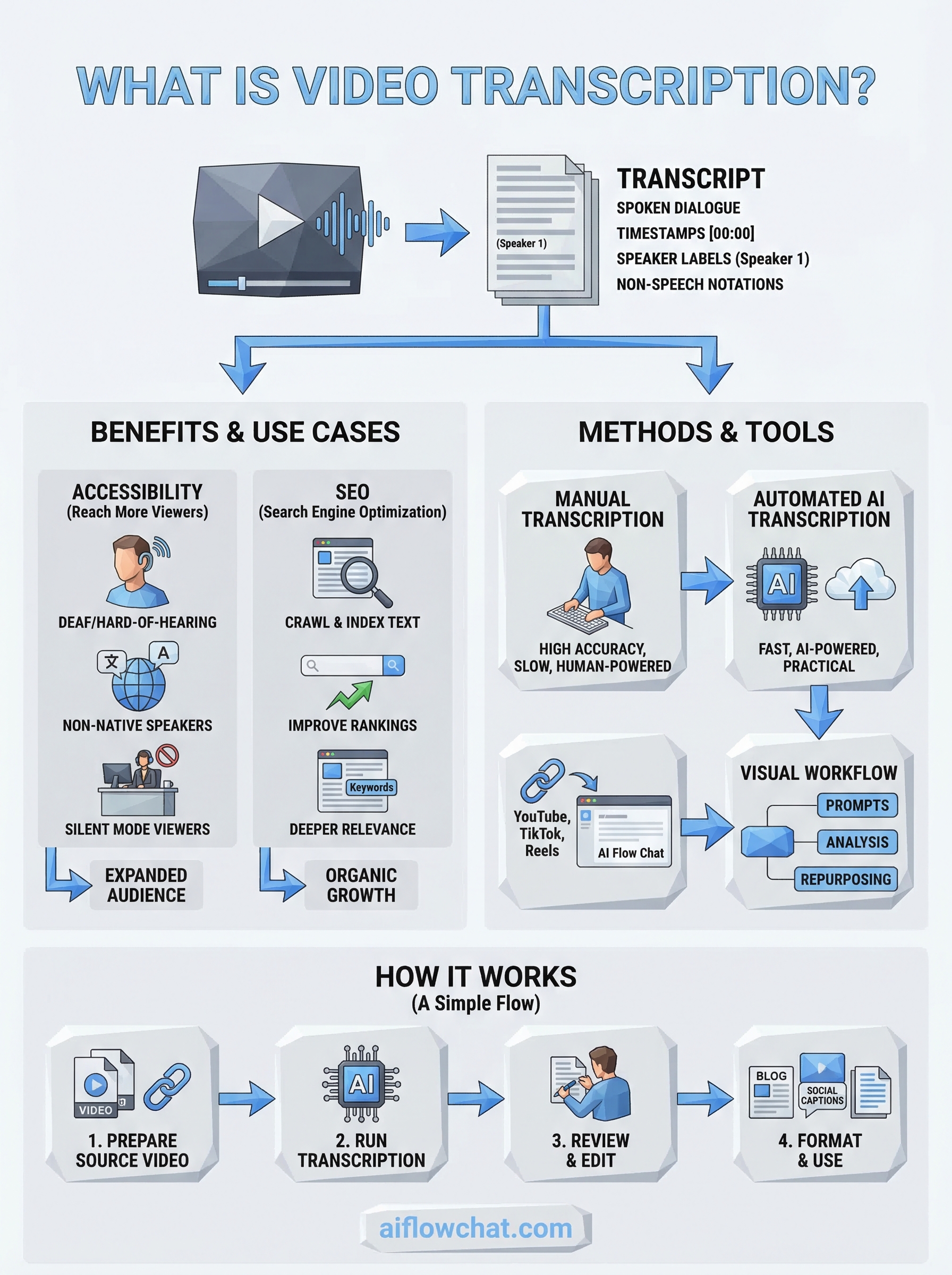
At its core, what is video transcription is the act of converting the spoken audio from a video file into a written text document. The result, called a transcript, captures every word spoken, and depending on the type, may also include speaker labels, timestamps, and notations for non-speech sounds like background music or audience applause.
A transcript gives you a permanent, searchable, and repurposable record of everything said in a video, turning one-time audio into a long-term content asset.
The core components of a transcript
A standard transcript contains the spoken dialogue in sequential order, formatted as plain text or structured paragraphs. More detailed transcripts break content into segments marked with timestamps, such as [00:32], so readers can jump to a specific moment in the source video. Speaker identification, often called speaker diarization, tags each segment with a label like "Speaker 1" or a proper name, which is especially useful for interviews and multi-speaker panel discussions.
Here's a quick look at what different transcript types typically include:
| Transcript Type | Timestamps | Speaker Labels | Non-Speech Notations |
|---|---|---|---|
| Verbatim | Yes | Optional | Yes |
| Clean read | No | Optional | No |
| Timestamped | Yes | Yes | Optional |
What a transcript actually captures
Beyond raw dialogue, a thorough transcription captures filler words, false starts, and verbal patterns that reveal how a speaker structures their argument or pitch. If you're analyzing a competitor's YouTube video or a viral TikTok, those patterns are exactly what you want to study. The hook wording, the transitions, and the overall pacing all become visible in text form in a way that rewatching the video never quite delivers.
Transcripts also surface repeated phrases and emphasized keywords, which feeds directly into SEO research and content repurposing decisions without requiring you to scrub through footage a second time.
Why video transcription matters for accessibility and SEO
Video content is powerful, but it has a fundamental limitation: search engines can't listen to it. Transcription solves that by turning spoken words into text that Google can crawl, index, and rank. That's the first reason understanding what is video transcription is worth your time, whether you're a creator, marketer, or SEO specialist.
Accessibility: reaching viewers who can't or won't listen
A transcript makes your video accessible to audiences who can't consume audio-based content. That includes deaf and hard-of-hearing viewers, non-native speakers, and anyone in a sound-sensitive setting like an office or a commute.
Accessible content doesn't just help viewers with disabilities; it expands your total potential audience significantly.
- Deaf and hard-of-hearing users get full access to your content
- Non-native speakers can read at their own pace
- Silent-mode viewers in public spaces stay engaged
SEO: giving search engines indexable text
Search engines rank text, not audio. When you publish a transcript alongside your video, you hand search crawlers concrete content to analyze, including your keywords, your topic structure, and your internal links. That directly strengthens your page's relevance signals and improves how Google ranks the page for related queries. Detailed transcripts also add topical depth, which correlates with stronger long-term organic performance.
Transcripts vs captions vs subtitles and file formats
People use these three terms interchangeably, but they serve different purposes and appear in different contexts. Understanding the distinction helps you choose the right output for the job when you apply what is video transcription to your content workflow.
How captions and subtitles differ from transcripts
A transcript is a standalone text document, separate from the video, meant to be read independently. Captions, by contrast, are synchronized with the video timeline and appear on screen as the audio plays, designed primarily for deaf and hard-of-hearing viewers. Subtitles look similar to captions but target viewers who can hear the audio and need a language translation displayed on screen instead.
Captions serve accessibility, subtitles serve translation, and transcripts serve documentation and repurposing.
Common file formats for transcripts and captions
Your choice of format depends on how you plan to use the text. Plain .TXT or .DOCX files work well for transcripts you intend to repurpose into blog posts or social content. Captions and subtitles require time-coded formats so video players can sync text to audio precisely.
| Format | Best Use Case |
|---|---|
| .TXT / .DOCX | Standalone transcripts, content repurposing |
| .SRT | Captions for most video platforms |
| .VTT | Captions for web-based HTML5 players |
Video transcription methods and tools to consider
When you think about what is video transcription in practice, you have three main approaches: manual, automated, and a hybrid of both. Each method carries different trade-offs in accuracy, speed, and cost, so your choice depends on how you plan to use the final text.
Manual transcription
Manual transcription means a human listens to the audio and types out every word. It delivers the highest accuracy, especially for content with heavy accents, technical language, or overlapping speakers, but a single hour of video can take three to five hours to complete.
- Best for legal, medical, or highly technical content
- Recommended when speaker accuracy is non-negotiable
Automated AI transcription
AI-powered transcription tools process audio or video links and return text in seconds rather than hours, making them the practical default for most content workflows.
Accuracy from leading AI transcription engines has improved enough that most creators accept minor corrections in exchange for the dramatic time savings.
Platforms like AI Flow Chat let you paste a YouTube, TikTok, or Instagram Reels link and pull a transcript directly into your workflow without switching tools. That keeps your source material, prompts, and outputs connected in one visual workspace, which makes repurposing and analysis significantly faster than downloading files and uploading them elsewhere.
How to transcribe a video step by step
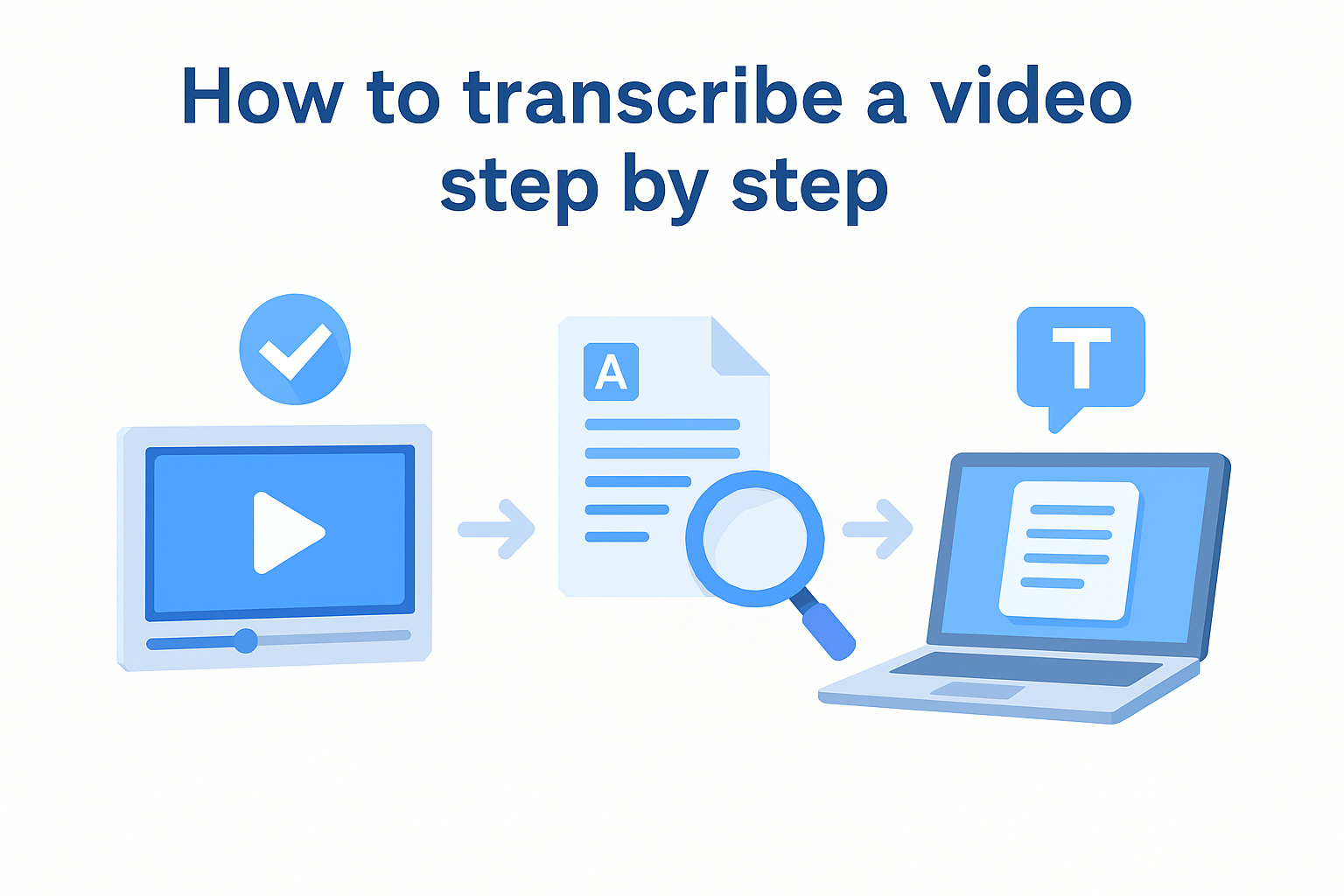
Once you understand what is video transcription and which method fits your needs, the actual process follows a short, repeatable sequence. Whether you use an AI tool or work manually, the steps stay consistent across most projects.
Prepare your source video
Start by locating a clean, accessible version of your video before you do anything else. If you're using an AI tool, copy the direct URL from YouTube, TikTok, or Instagram Reels. If you're working manually, download the file and open it in a media player that supports speed control.
- Confirm the audio is clear enough to transcribe accurately
- Note any technical terms the AI might misread
- Decide whether you need speaker labels or timestamps in the output
Run transcription and review the output
Paste your link or upload your file into your chosen tool and let it process. AI engines typically finish in under a minute for most video lengths. Once you receive the text, do one read-through to catch misheard words or speaker errors, particularly around industry-specific terms.
A single light editing pass takes far less time than transcribing manually and still gives you a clean, usable document.
Format and use your transcript
Organize the final text into logical paragraphs or timestamped segments based on how you plan to use it. Then move it into your workflow, whether that means publishing it alongside the video, feeding it into an AI prompt, or repurposing it into new content.
Where to go from here
Now that you understand what is video transcription and how it fits into a broader content workflow, the next move is putting it into practice. Transcription stops being a chore the moment you connect it to a repeatable system that moves text directly from source video into usable output. That means less copying between tools and more time spent on the work that actually matters, refining hooks, studying what works in your niche, and producing content at a pace that keeps up with your publishing schedule.
If you want to skip the copy-paste process and pull video transcripts straight into an AI workflow, AI Flow Chat lets you paste a link from YouTube, TikTok, or Instagram Reels and immediately feed that transcript into prompts, flowcharts, or content drafts on a single visual canvas. Your source material and outputs stay connected, which makes everything from competitor research to content repurposing significantly faster and easier to manage.
Continue Reading
Discover more insights and updates from our articles
Choose an AI model for scripts, marketing copy, coding, research, long documents, and quick everyday work using a practical quality, speed, and credit-cost framework.
Compare eight current Poppy AI alternatives for visual research, creator workflows, general AI work, grounded synthesis, automation, and reusable delivery.
A practical method for turning a scattered content process into a clear AI-assisted flowchart with source context, review checks, and a reusable output.