Jira Workflow Automation: How It Works + Best Use Cases
At AI Flow Chat
Contents
0%Every time a Jira ticket gets moved, assigned, or updated manually, someone on your team loses a few minutes. Multiply that across hundreds of tickets per sprint, and you're burning hours on work that never needed a human touch. Jira workflow automation solves this by letting you create rules that trigger actions automatically, assigning issues, sending notifications, transitioning statuses, and more, based on conditions you define once and forget about.
But knowing automation exists and actually implementing it well are two different things. Most teams either ignore it entirely or set up a handful of rules that barely scratch the surface. The gap between "we have automation" and "automation runs our repetitive work" is where real productivity gains live. This guide breaks down how Jira's automation engine works, walks through the best use cases worth implementing, and covers practical examples you can steal for your own projects.
At AI Flow Chat, we build workflow automation tools for content creators and marketers, so streamlining repetitive processes is core to what we do. While Jira handles project management workflows, the same principle applies everywhere: if a task follows a predictable pattern, it should run itself. Below, you'll find everything you need to set up Jira automations that actually save your team time.
Why teams automate workflows in Jira
Most teams start using Jira as a tracking tool and stop there. Issues get created, statuses get updated by hand, and someone spends part of every day doing the same repetitive clicks they did yesterday. Jira workflow automation changes that equation by taking ownership of the predictable, rule-based tasks that eat into your team's actual productive time. Once you see how much manual overhead lives inside a typical sprint, the case for automating it becomes obvious fast.
The manual work that drains your team
Every project generates a steady stream of low-thought, high-frequency tasks: assigning new issues to the right person, moving tickets when a pull request gets merged, notifying stakeholders when a blocker appears. Each of these actions takes 30 to 60 seconds individually, but across a team of five running two-week sprints, the total adds up to hours every month spent on work that follows a fixed pattern every single time. The problem is not complexity, it is repetition.
Repetition is the clearest signal that a task belongs to automation, not a human.
Your team also runs into consistency issues when everything is manual. Different teammates interpret the same process differently, which means tickets end up in wrong states, notifications get missed, and sprint retrospectives spend time diagnosing process failures rather than improving actual project outcomes. Those are preventable problems.
Where automation creates measurable value
Automation does not just save clicks. It enforces the process your team already agreed on, which means fewer dropped handoffs, faster cycle times, and cleaner board data at the end of every sprint. When a ticket automatically transitions to "In Review" the moment a pull request opens, your board reflects reality instead of someone's last manual update.
Teams that build solid automation rules early in a project lifecycle also find that onboarding new members gets smoother. The workflow itself guides people through the correct steps without requiring a team lead to walk through the process each time. New hires follow the same path as experienced teammates because the system enforces it, not a PDF guide that nobody reads after week one. That kind of built-in consistency compounds over time, especially as teams grow and projects multiply.
How Jira automation rules work
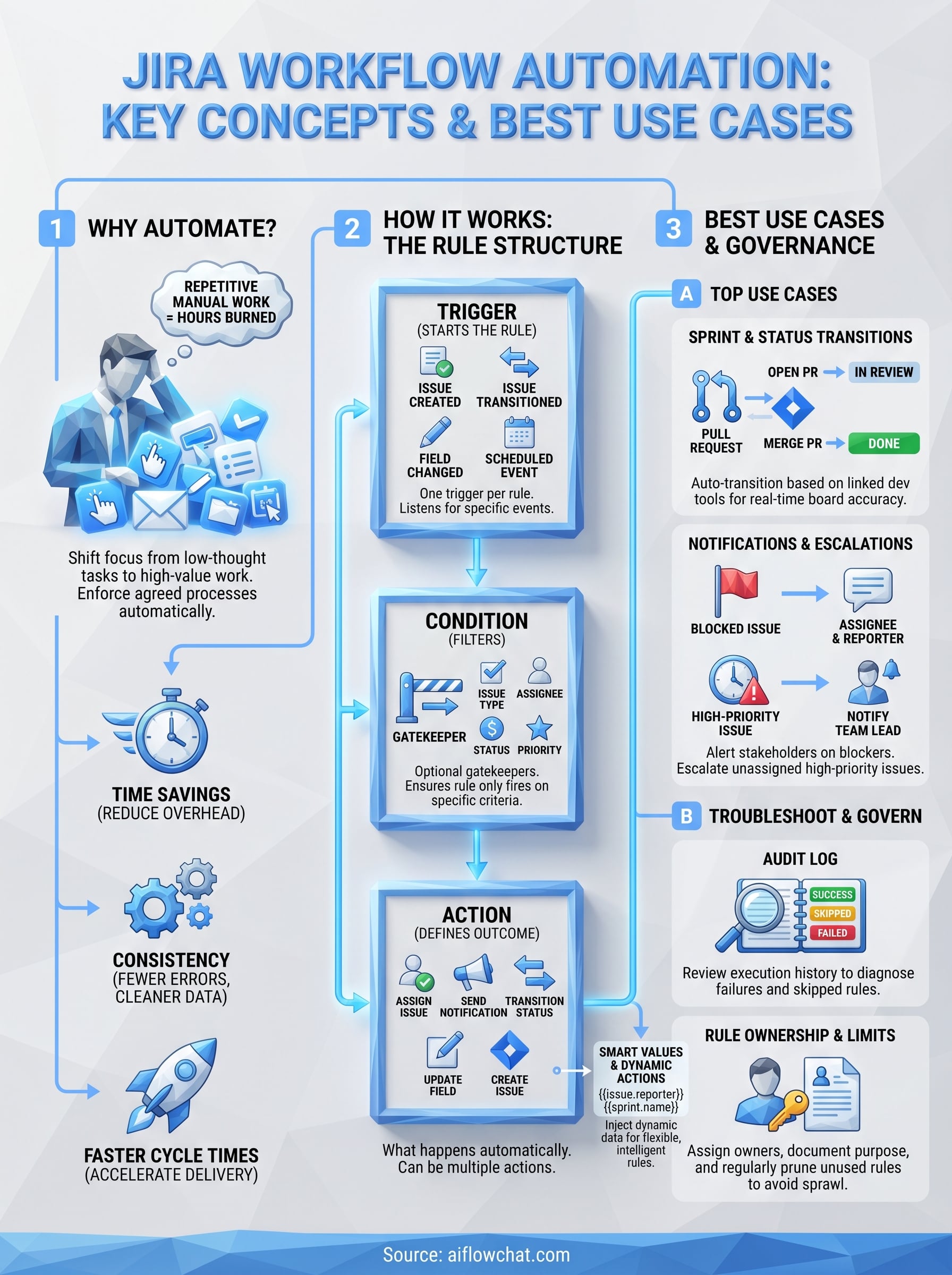
Every automation rule in Jira follows the same three-part structure: a trigger, optional conditions, and one or more actions. The trigger fires the rule, conditions filter whether the rule should proceed, and actions define what happens next. Understanding this structure is the foundation for building any jira workflow automation that actually works reliably.
The three parts of every rule
The trigger is what kicks off the rule. Common triggers include issue created, issue transitioned, field value changed, and scheduled events like a daily timer. You pick one trigger per rule, and Jira listens for it across the project or global scope you define.
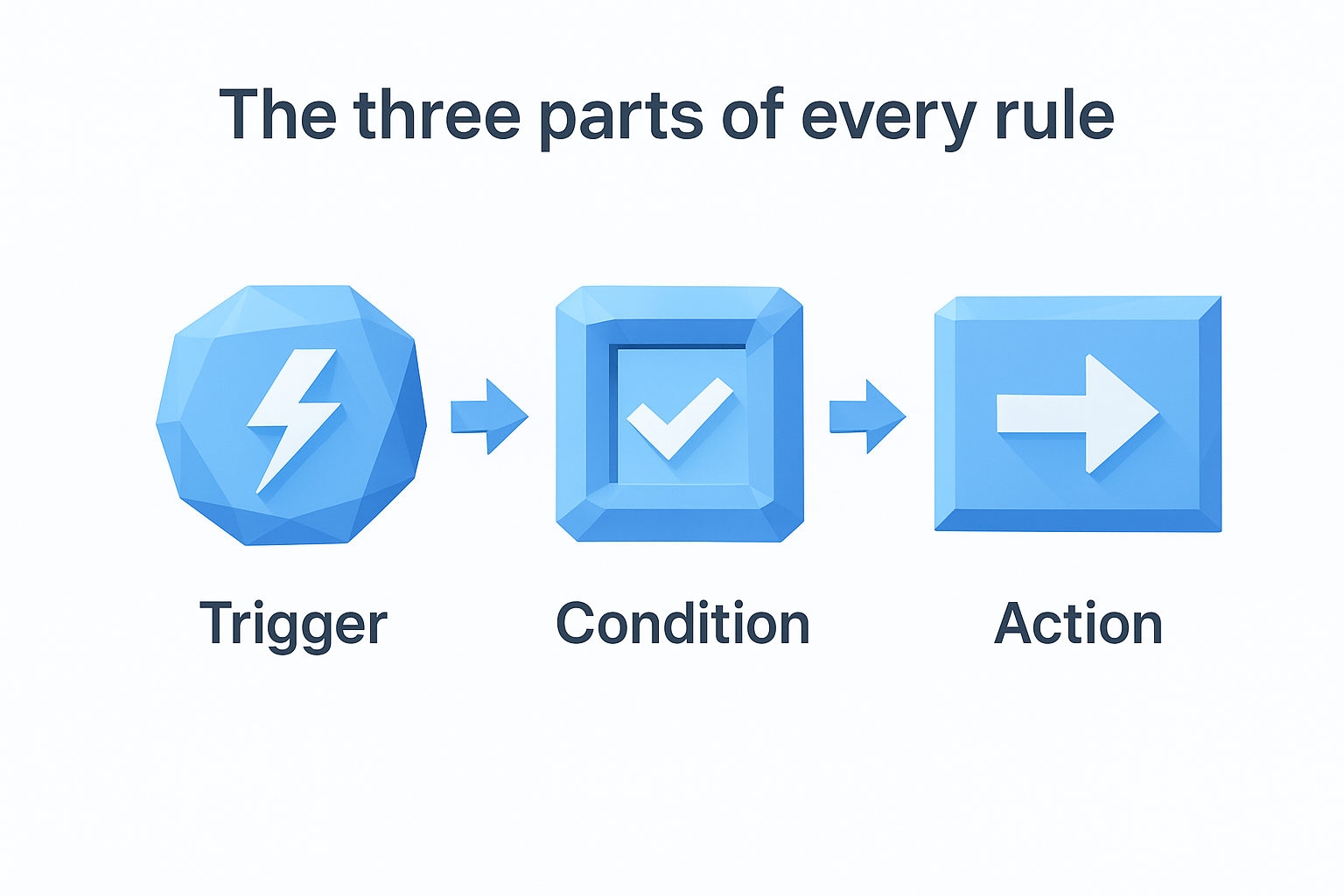
Conditions sit between the trigger and the action. They act as gatekeepers, ensuring the rule only fires when specific criteria are met, such as an issue being assigned to a certain team member or belonging to a particular issue type. Without conditions, rules fire too broadly and create noise.
| Component | Purpose | Example |
|---|---|---|
| Trigger | Starts the rule | Issue transitioned to Done |
| Condition | Filters when rule proceeds | Only if issue type is Bug |
| Action | Defines what happens | Assign to QA Lead |
Smart values and dynamic actions
Actions can go beyond simple assignments. Smart values let you pull dynamic data from the issue itself, like the reporter's name or the current sprint, and inject that into comments, notifications, or field updates. This makes your rules flexible enough to handle variation without building a separate rule for every scenario.
You can also use smart values to create branching actions, routing issues to different queues based on priority or team assignment automatically.
The more precisely you define your conditions, the less cleanup work your team does later.
Build your first Jira automation rule
Building your first rule takes less than five minutes once you know where to look. In Jira, navigate to Project Settings, then select Automation from the left menu. From there, click Create Rule and you land in the rule builder, a step-by-step interface that walks you through selecting your trigger, adding conditions, and defining actions without any coding required.
Set up a starter rule
A good first jira workflow automation to build is the "auto-assign on creation" rule. Select "Issue Created" as your trigger, then add an action to assign the issue to a specific team member or use a smart value like {{issue.reporter}} to route it back to the person who created it. Add a condition filtering by issue type if you only want certain tickets assigned automatically, such as bugs going straight to your QA lead rather than the full team.
Once you save the rule, Jira activates it immediately. Test it by creating a real issue in your project and confirming the assignment happens without manual input. If the rule does not fire, check that the scope is set to the correct project and that no conflicting rules are overriding it.
A rule that fires on every issue without conditions will cause as many problems as it solves.
Audit before you publish
Before enabling any rule at scale, review the action summary that Jira displays at the bottom of the rule builder. This preview confirms exactly what the rule will do and catches logic gaps before they hit live tickets and create board noise your team then has to clean up manually.
Best Jira workflow automation use cases
Knowing how rules are built is useful, but seeing which rules deliver the most value helps you prioritize where to start. Certain patterns come up in nearly every team's workflow, and implementing them as automations typically produces the biggest time savings per hour of setup. The use cases below cover the most common areas where jira workflow automation pays off fastest.
Sprint and status transitions
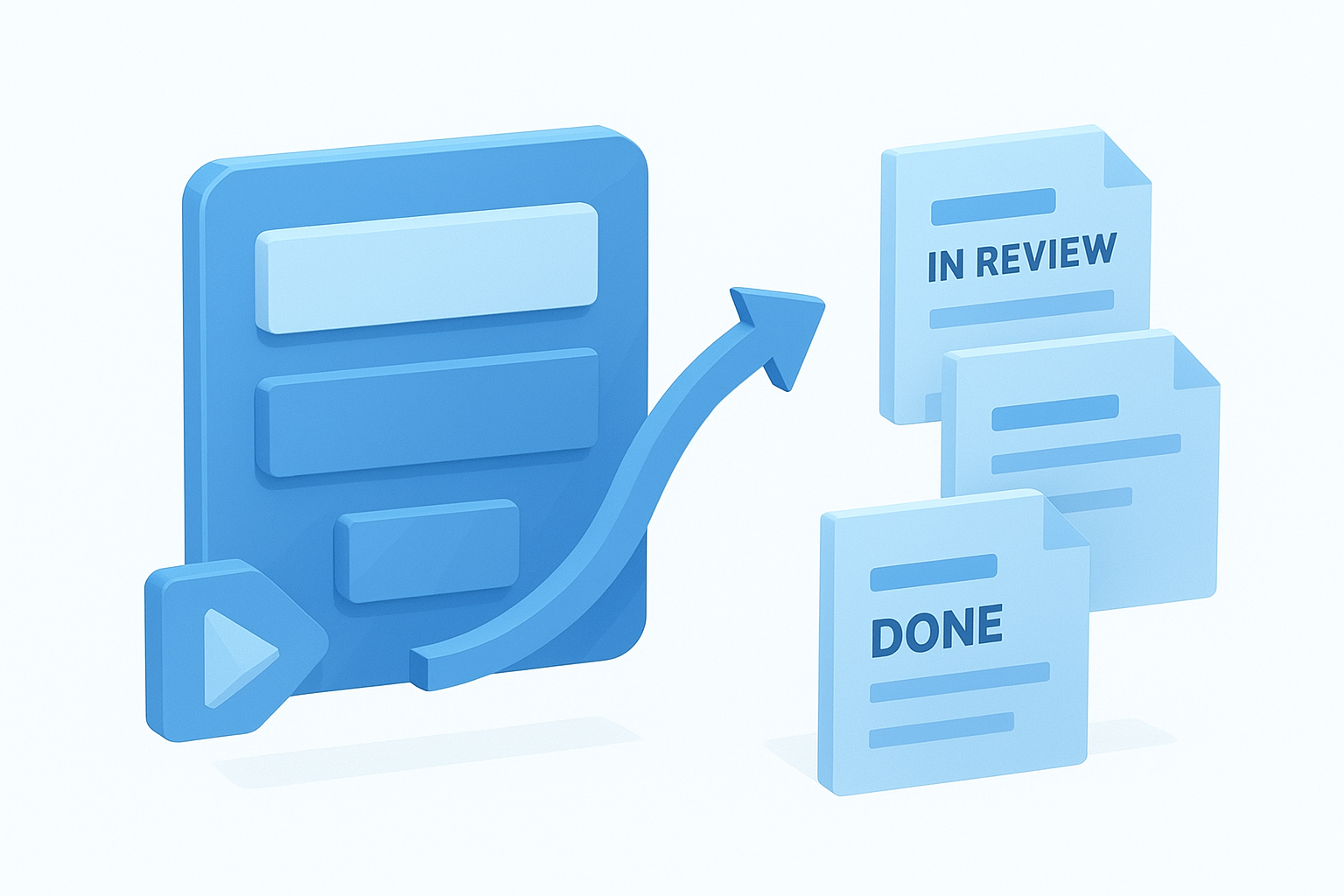
Sprint management generates a steady stream of repetitive status updates that nobody enjoys doing by hand. Auto-transitioning issues based on linked pull request activity is one of the highest-value rules you can build: when a developer opens a PR, the linked issue moves to "In Review" automatically, and when the PR merges, the issue transitions to "Done" without anyone touching the board. This keeps your sprint board accurate in real time.
Accurate sprint data requires rules that fire consistently, not teammates remembering to click the right button.
You can extend this further by closing all child subtasks automatically when a parent issue moves to Done, which prevents orphaned tickets from inflating your backlog and skewing velocity metrics at sprint close.
Notifications and escalations
Missed notifications cause more project delays than most teams realize. Automating comment notifications when an issue is blocked ensures the right person sees the update immediately rather than discovering it during the next standup. You can configure a rule that posts a formatted comment tagging the assignee and reporter the moment an impediment label gets applied.
Escalation rules are equally important: if a high-priority issue sits unassigned for more than four hours, an automatic notification to the team lead prevents it from falling through the cracks entirely.
Troubleshoot and govern your automations
Even well-built rules break eventually. A field gets renamed, a project setting changes, or a new issue type gets added, and suddenly your jira workflow automation fires in ways you never intended. Jira gives you built-in tools to catch and fix these problems, but you need to know where to look and what habits to build before issues start to compound across your project.
Read the audit log first
The audit log is the fastest way to diagnose a rule that is not behaving correctly. Every time a rule fires, Jira records whether it succeeded, skipped, or failed, along with the exact reason. Open the automation screen, select your rule, and click "Audit log" to see a timestamped list of recent executions. If a rule skipped, the log tells you which condition blocked it, which eliminates guesswork entirely.
Checking the audit log before editing a rule saves you from fixing problems that do not actually exist.
Set usage limits and ownership rules
Governance matters as much as troubleshooting, especially on larger teams where multiple people can create rules. Uncontrolled automation sprawl leads to conflicting rules that fire in the wrong order or duplicate actions on the same issue. Assign a named owner to every rule and document its purpose in the rule description field so anyone reviewing the automation screen understands what it does without reverse-engineering the logic.
Review your full rule list every quarter. Disable any rule that no longer maps to an active workflow and delete rules that have not fired in 90 days. Keeping your automation library clean prevents the kind of silent conflicts that only surface during a high-stakes sprint.
Final takeaways
Jira workflow automation is not a feature you configure once and forget. It requires intentional setup, clean conditions, and regular review to stay effective. The teams that get the most value out of it treat automation as a living system: they build specific rules, test them against real tickets, audit the results, and prune anything that drifts out of alignment with how the team actually works. Start with the highest-frequency manual tasks, prove the rules work, then expand to more complex trigger-condition-action chains as your confidence in the system grows.
The same logic applies beyond Jira. If your content production, marketing workflows, or social media processes involve repetitive steps that follow predictable patterns, those tasks belong in an automated system too. AI Flow Chat lets you build visual AI workflows that handle the repetitive parts of content creation, so your team spends focused time on work that actually requires a human behind it.
Continue Reading
Discover more insights and updates from our articles
Choose an AI model for scripts, marketing copy, coding, research, long documents, and quick everyday work using a practical quality, speed, and credit-cost framework.
Compare eight current Poppy AI alternatives for visual research, creator workflows, general AI work, grounded synthesis, automation, and reusable delivery.
A practical method for turning a scattered content process into a clear AI-assisted flowchart with source context, review checks, and a reusable output.