Content Calendar For Social Media: Build One That Works
At AI Flow Chat
Contents
0%Most creators and marketers know they need a content calendar for social media. The problem isn't awareness, it's execution. You start a spreadsheet, fill in a week or two, then life happens. The calendar goes stale, and you're back to posting on the fly, scrambling for ideas at 11 PM on a Tuesday.
The issue usually isn't discipline. It's that the calendar itself was built wrong from the start. Maybe it was too rigid, too disconnected from what's actually working in your niche, or just too tedious to maintain week after week. A good content calendar doesn't just organize your posts, it gives you a system for consistently creating content that resonates.
This guide walks you through how to build a social media content calendar that you'll actually stick with. We'll cover the structure, the planning process, how to source content ideas from what's already performing, and how to keep the whole thing running without burning out. Whether you're a solo creator juggling three platforms or a marketer managing content for clients, you'll walk away with a repeatable framework.
And if you're looking to speed up the process, AI Flow Chat can help. The platform lets you pull in viral videos, competitor ads, and reference content directly into AI-powered workflows, so instead of staring at empty calendar slots, you're generating posts from proven content that's already getting traction.
What a content calendar for social media is
A content calendar for social media is a planning document that maps out what you're posting, when you're posting it, and on which platform. At its most basic level, it's a schedule. But a well-built calendar goes further than that. It connects your posting schedule to actual business goals, tracks content formats and messaging pillars, and gives your whole team (or just you) a clear picture of what's coming up so you're never caught scrambling at the last minute.
A content calendar isn't just an editorial schedule. It's the operating system for your entire content strategy.
The format can range from a simple spreadsheet with dates and post copy to a full project management board with status columns, assignees, and asset links. What matters isn't the tool you use. It's whether the calendar captures enough detail to keep you consistently publishing without reinventing the wheel every single week.
The core components of a content calendar
Most functional content calendars share a few common elements regardless of the platform they're built in. Each row or card should capture the essentials for that piece of content, so anyone looking at it can immediately understand what needs to be done and when.
Here's what a solid content calendar entry should include:
| Field | What to capture |
|---|---|
| Publish date | The specific date (and time, if relevant) the post goes live |
| Platform | Instagram, LinkedIn, TikTok, X, YouTube, etc. |
| Content pillar | The topic category this post falls under |
| Format | Reel, carousel, static image, short-form video, text post, etc. |
| Caption / copy | The actual post text, or a working draft |
| Visual asset | Link to the image, video, or design file |
| Status | Idea, In production, Ready to schedule, Published |
| Performance notes | Engagement metrics added after publishing |
Not every calendar needs all eight fields from day one. Start with date, platform, format, and status. Add fields as your workflow matures and you identify what information actually helps you move faster.
Why most calendars fail before the second month
Most people abandon their content calendar not because they lack discipline but because the calendar asks too much upfront with too little payoff. They try to plan six weeks of content across four platforms before they've figured out what content actually resonates with their audience. That disconnect between effort and output makes the whole system feel unsustainable fast.
The other common mistake is treating the calendar as a rigid publishing contract rather than a flexible planning guide. When one post gets delayed or a trend pops up that demands a quick pivot, a rigid calendar becomes a source of stress instead of support. Build yours with buffer days, keep a running bank of evergreen ideas you can slot in anytime, and review it weekly rather than locking everything in stone a month ahead.
Step 1. Decide what you want social to achieve
Before you build a single row in your content calendar for social media, you need to answer one question: what is social media actually supposed to do for your business? Without a clear answer, you'll fill your calendar with random posts that keep you busy but move nothing forward. Your goal is the filter through which every content decision gets made, and without it, you're essentially guessing what to post every week.
The clearest sign of a broken content strategy is a full calendar with no measurable connection to a business outcome.
Map your goal to a specific metric
Vague goals produce vague content. "Grow my audience" or "build brand awareness" sound like goals, but they don't tell you what to post, when to post, or how to know if it's working. You need to convert each goal into something you can actually track week over week so your effort ties back to a real result.
Here are common social media goals mapped to the metrics that tell you whether they're working:
| Goal | Primary metric to track |
|---|---|
| Drive website traffic | Link clicks, referral sessions in analytics |
| Build an engaged audience | Follower growth rate, saves, shares, comments |
| Generate leads or sales | DMs, form fills, promo code uses |
| Establish authority | Profile visits, content shares, inbound collaboration requests |
| Support a product launch | Reach, impressions, click-through rate on launch content |
Pick one primary goal per platform for now. Trying to optimize for every metric at once fragments your content and muddies the signal you get back from your analytics. One clear goal also makes it much easier to evaluate whether a post succeeded or missed the mark.
Translate your goal into a content brief
Once you have a measurable goal, write a short brief that guides every piece of content you create for that channel. This brief lives at the top of your calendar so you never drift from your core purpose when you're deep in production mode.
A simple brief for one platform looks like this:
- Platform: Instagram
- Goal: Drive leads to a free resource
- Success metric: Link clicks and DM inquiries per week
- Content direction: Posts should address a specific pain point and end with a clear prompt to grab the free resource
Write a brief like this for each platform you plan to use before you fill in a single date or post idea. It takes ten minutes upfront and saves you hours of second-guessing later when you're staring at an empty calendar slot wondering what to create.
Step 2. Pick channels and set a realistic cadence
Picking the right platforms and committing to a posting frequency is the foundation your content calendar for social media is built on. Most creators make the same mistake here: they try to be everywhere at once, spread themselves thin across five platforms, and end up producing mediocre content on all of them instead of strong content on one or two. Fewer channels done consistently will outperform more channels done sporadically every single time.
Trying to maintain five platforms with a one-person team is how your content calendar falls apart by week three.
Choose platforms based on where your audience already is
Don't pick platforms based on what you personally enjoy using. Pick based on where the people you want to reach are already spending their time. A B2B consultant will get more traction on LinkedIn than TikTok. A fitness creator targeting Gen Z will find more growth on Instagram Reels and TikTok than on Facebook. Match the platform to the audience, not the other way around.
Start with a maximum of two platforms if you're a solo operator. Add a third only when your production workflow on the first two runs smoothly and you're hitting your posting targets consistently for at least a month. Expanding too fast breaks your system before it has a chance to prove itself.
Set a posting cadence you can actually sustain
Your cadence should be based on your current production capacity, not on what sounds impressive. A consistent three-posts-per-week schedule beats an irregular daily posting streak that collapses after two weeks. Here's a simple starting framework based on team size:
| Team size | Recommended weekly cadence per platform |
|---|---|
| Solo creator | 3 posts per week |
| Two-person team | 4-5 posts per week |
| Small agency team | 5-7 posts per week |
Treat this table as a ceiling, not a floor. Start at the lower end for the first two weeks, see how the production load actually feels, and then adjust from there. It's far easier to ramp up your cadence once you've built the habit than to recover consistency after burning out on an unsustainable pace.
Once your platforms and cadence are locked, every slot in your calendar has a clear purpose instead of being filled by whatever you happen to produce that day.
Step 3. Define content pillars, formats, and voice
Once your platforms and cadence are set, you need to decide what you're actually going to talk about and how you'll say it. This step is what separates a content calendar for social media that produces consistent results from one that turns into a random mix of posts with no clear thread. Without defined pillars, formats, and voice, every content decision becomes a ground-up judgment call that slows your whole production process down.
Build your content pillars
Content pillars are the core topic categories your account consistently covers. They keep your feed coherent and give your audience a reason to follow you for something specific rather than just stumbling onto your posts once.
Your content pillars are the promise you make to your audience about what they'll get if they follow you.
Aim for three to five pillars per platform. Any fewer and your content feels one-dimensional. Any more and you lose focus. Here's an example pillar structure for a marketing consultant on LinkedIn:
| Pillar | Example post angle |
|---|---|
| Tactical advice | "Three ways to cut your ad spend without hurting reach" |
| Behind the scenes | What a client audit actually looks like in practice |
| Lessons learned | A campaign that failed and what it revealed |
| Industry commentary | A take on a trend or platform update |
Map each pillar to a percentage of your posting schedule so no single category dominates every week.
Match formats to each platform
Every platform rewards different formats, and pushing the same post type everywhere ignores how each algorithm actually surfaces content to new audiences. Reels drive reach on Instagram. Long-form text performs on LinkedIn. Short punchy videos dominate TikTok. Matching your format to the platform means your content gets seen, not just published.
For each platform in your calendar, list the two or three formats you'll rotate through. For example: Instagram gets Reels, carousels, and single-image posts. LinkedIn gets text posts, short videos, and document carousels. Having this mapped out in advance means you never stare at a blank slot wondering what type of content to create.
Document your voice before you write
Your brand voice is how your content sounds across every post, regardless of who writes it or which platform it's published on. Write a simple one-page voice guide that captures your tone in three adjectives, includes two or three example sentences that sound right, and lists two or three phrases you'd never use. Keep this document linked directly inside your calendar so it's visible every time you sit down to write.
Step 4. Choose your calendar tool and setup
The right tool for your content calendar for social media is the one you'll actually open and update every week. Overthinking the platform selection is one of the most common reasons people never get started. Pick something that matches your current workflow, not the most feature-rich option you can find, and set it up so that maintaining it takes less time than it saves you.
The best calendar tool is the simplest one you'll consistently use.
Compare your options
Your choice usually comes down to three categories: spreadsheets, project management tools, or dedicated scheduling software. Each has real trade-offs depending on your team size, technical comfort level, and how many platforms you manage. Here's a quick breakdown:
| Tool type | Best for | Trade-off |
|---|---|---|
| Google Sheets | Solo creators, simple setups | No native scheduling or reminders |
| Notion | Visual thinkers, teams who want linked databases | Slight learning curve for database setup |
| Trello / Asana | Teams tracking content through production stages | Can feel heavy for a one-person operation |
| Native schedulers (Meta Business Suite, etc.) | Publishing and basic scheduling | Limited planning and collaboration features |
Google Sheets or Notion will handle the needs of most solo creators and small teams without adding unnecessary complexity. If you're managing content across three or more platforms with a team of two or more people, a project management tool with status tracking makes production handoffs cleaner and less likely to break down.
Set up your calendar template
Once you've picked your tool, build a standard template before you enter a single post. Having consistent fields from day one means you're not retrofitting your calendar structure mid-campaign when things get busy.
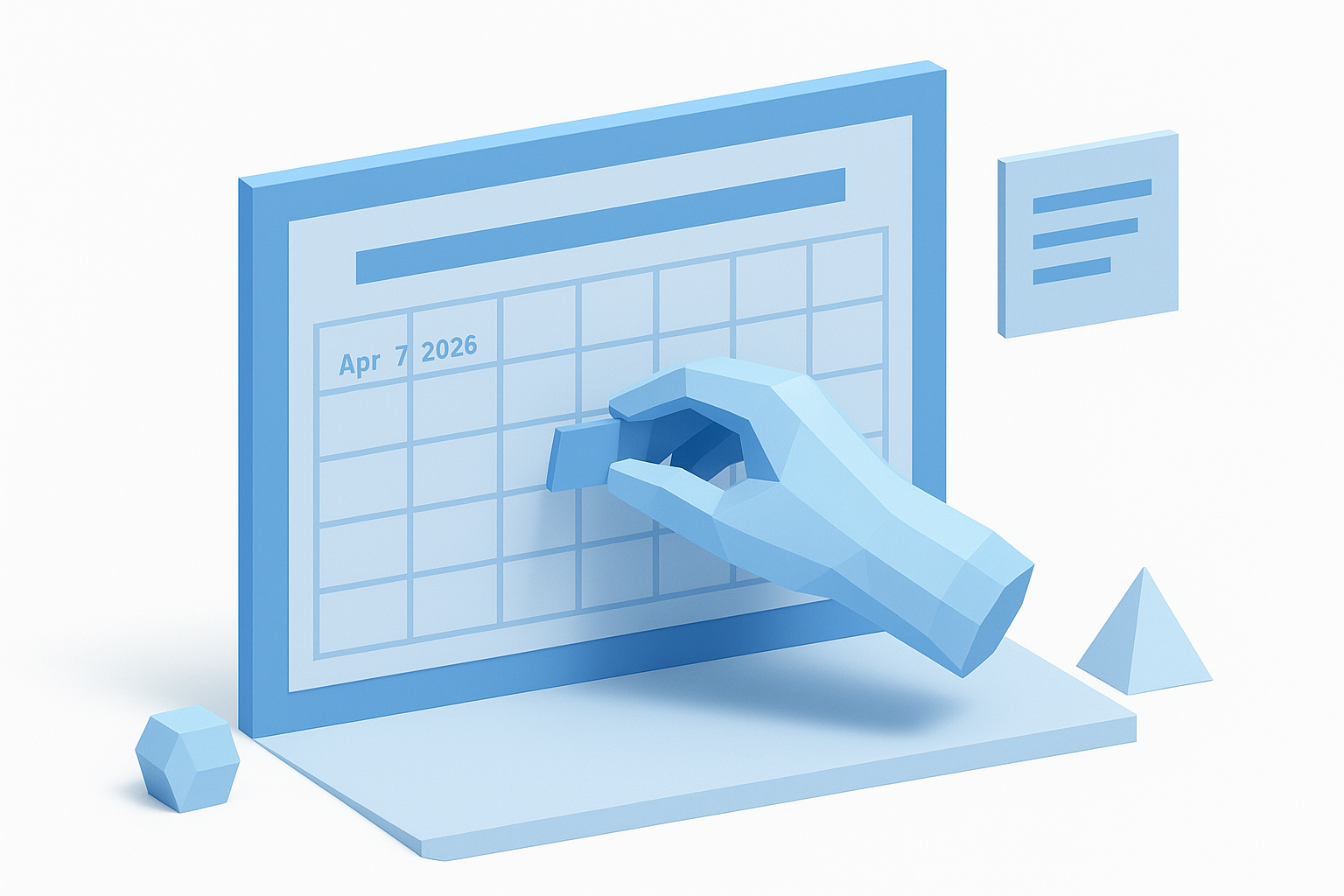
Here's a starter template you can adapt in Google Sheets or Notion:
| Field | Example entry |
|---|---|
| Publish date | April 7, 2026 |
| Platform | |
| Content pillar | Tactical advice |
| Format | Reel |
| Working caption | "Most people skip this step when planning content..." |
| Asset link | Link to Canva or Drive file |
| Status | In production |
| Goal metric | Link clicks |
Duplicate this template row for every post you plan, and add a color-coded status system if your tool supports it so you can scan the whole calendar at a glance without reading every cell. Set up the template once, then protect it so the structure stays consistent as your calendar grows.
Step 5. Plan campaigns, key dates, and evergreen content
Your content calendar for social media should map three distinct content layers before you start filling in individual post slots: planned campaigns tied to a launch or goal, fixed dates on the calendar that shape what you post, and evergreen content that works any time. Mixing all three layers gives your calendar the structure of a campaign plan without leaving you scrambling when a fixed date sneaks up on you or a campaign wraps earlier than expected.
Map your key dates and campaigns first
Start by pulling up the next 90 days and dropping in every date that demands content. This includes product launches, promotional windows, seasonal moments, and industry events relevant to your niche. These fixed dates act as anchors. Work backward from each one to assign the supporting posts needed to build momentum before the date hits.
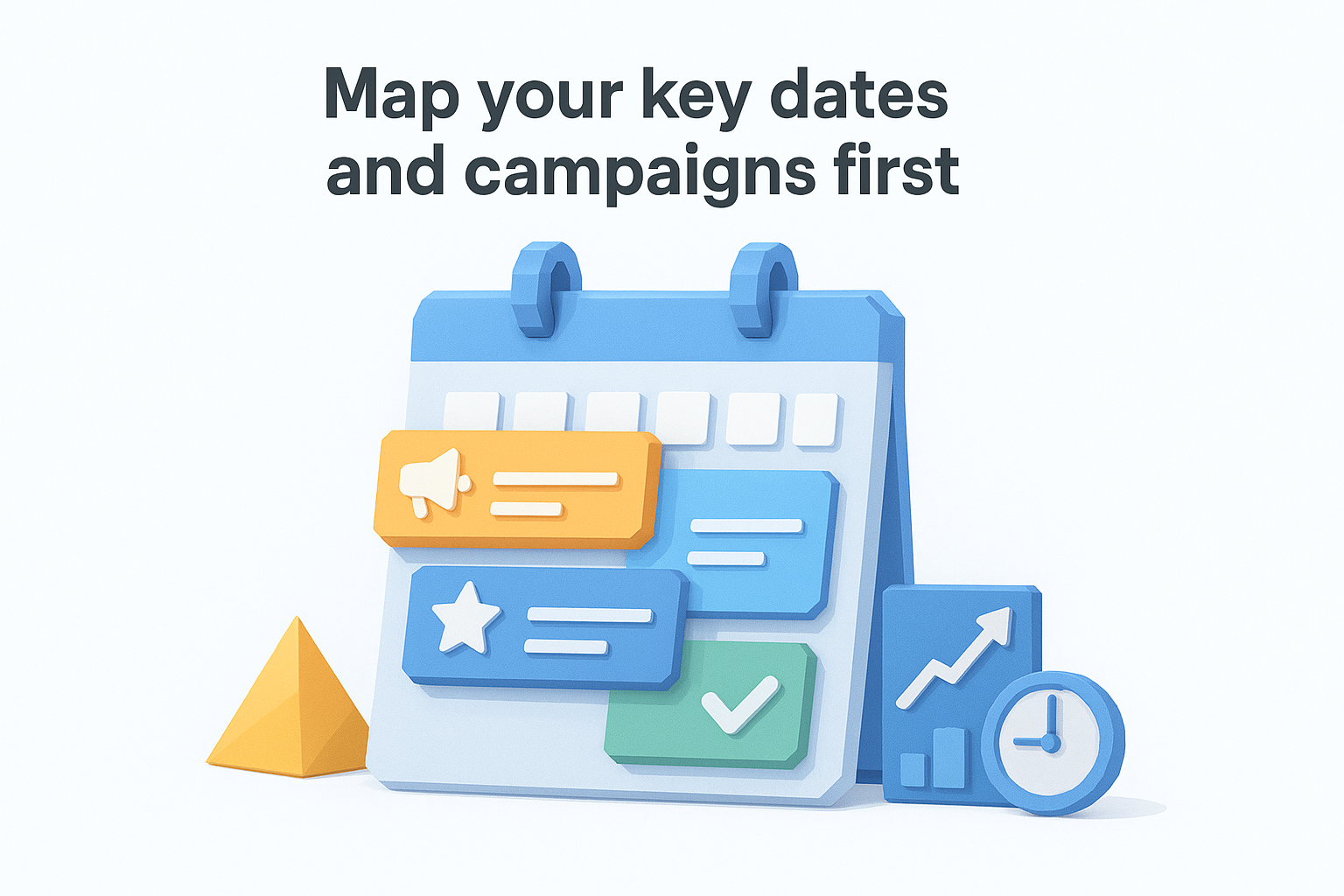
A campaign that starts the day it launches almost always underperforms one that seeds curiosity a week in advance.
Here's a simple 90-day planning template you can drop into your calendar tool to structure this:
| Date type | Example | Lead time to start content |
|---|---|---|
| Product launch | New course or service goes live | 2-3 weeks of teaser content |
| Promotional window | Limited-time discount or offer | 1 week of build-up posts |
| Seasonal moment | Industry awareness day, major holiday | 3-5 days of relevant content |
| Platform event | Algorithm update, trending format | Reactive, same week |
Fill in your actual dates inside this structure, then assign one to three posts per campaign depending on its scale. Not every campaign needs a seven-post sequence. A simple discount code needs one announcement post and one reminder. Save the long sequences for major launches.
Fill the gaps with evergreen content
Once your fixed dates and campaigns are placed, the open slots in your calendar are where evergreen content lives. Evergreen posts answer questions your audience asks repeatedly, explain core concepts relevant to your niche, or share lessons that hold up regardless of when someone reads them. These posts are the backbone of a consistent publishing schedule because they never expire.
Build a running list of 15 to 20 evergreen post ideas inside your calendar tool and keep it updated as new questions come up from your audience. When a calendar slot is open and no campaign or key date applies, pull from this list instead of starting from scratch.
Step 6. Build a repeatable production workflow
A content calendar for social media only stays alive if the process behind it runs on autopilot. The calendar tells you what to post and when, but a production workflow tells you how each piece of content actually gets made from idea to published post. Without a defined workflow, every week starts from zero and the calendar becomes a wishlist instead of a working system.
Break production into distinct stages
Most content bottlenecks happen because ideation, creation, and review all get tangled together into one unstructured block of work. Separating your production into clear stages fixes this. Each stage has a single job, and nothing moves forward until that job is done.
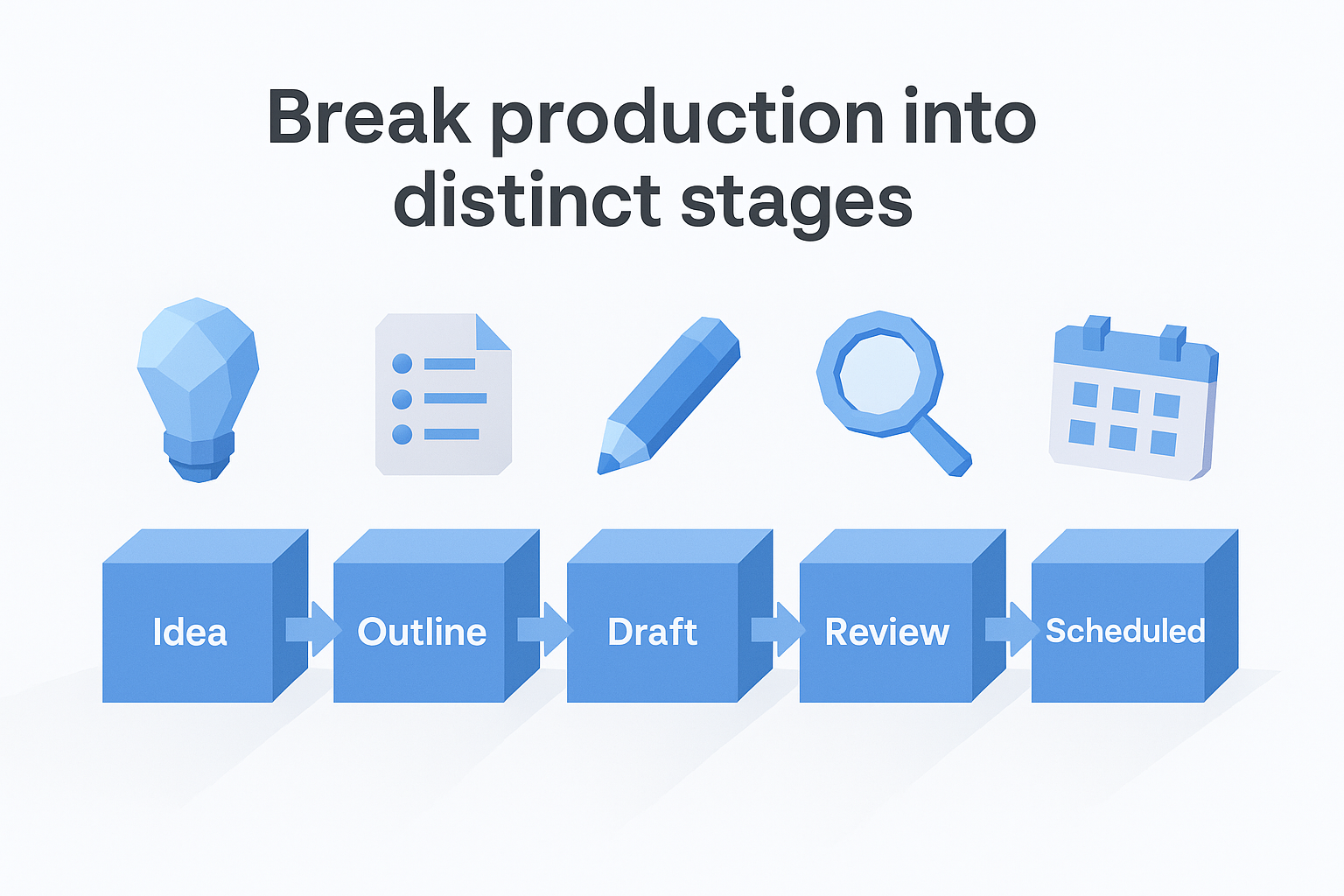
Treating content production as one big task is what makes the whole process feel overwhelming every week.
Here is a straightforward five-stage production pipeline you can map directly onto your calendar tool as status columns:
| Stage | What happens here |
|---|---|
| Idea | Post concept is captured with a working angle and assigned pillar |
| Outline | Caption structure or video script is roughed out in two to five bullet points |
| Draft | Full caption, copy, or script is written and tied to an asset |
| Review | Copy and visuals are checked for accuracy, voice, and platform fit |
| Scheduled | Final post is loaded into your scheduling tool and confirmed live |
Every post in your calendar should carry one of these five statuses at all times. This single change eliminates the "is this done?" confusion that kills momentum during busy production weeks.
Create a weekly content production template
Rather than deciding what to work on each day, assign a production stage to each day of the week. This turns content creation into a rhythm instead of a series of individual decisions. The structure below works well for a solo creator publishing three to five posts per week:
- Monday: Move ideas into outlines, pull reference content from viral posts or competitor material
- Tuesday: Write all drafts for the week in one focused session
- Wednesday: Produce or source visuals, record video if applicable
- Thursday: Review and revise all drafts, finalize captions
- Friday: Schedule everything into your publishing tool and confirm the next week's ideas are queued
Batch your work by stage, not by post. Writing all your captions in one sitting is faster than drafting, designing, and scheduling one post at a time because you stay in the same mental mode throughout the session. Once this weekly rhythm becomes automatic, your calendar stops feeling like a burden and starts running like a reliable system.
Step 7. Schedule posts, track results, and iterate
Publishing is the last physical step, but it's not the end of the process. Scheduling in advance frees you from being tethered to your phone every time a post needs to go live, and tracking results after publishing is what turns your content calendar for social media from a guessing game into a system that compounds over time. Both habits are equally important, and skipping one makes the other much less valuable.
Schedule everything at least one week ahead
Loading your posts into a scheduling tool at least seven days before their publish dates gives you a meaningful buffer. If a visual needs adjusting, a caption needs a final pass, or a trending topic shifts the conversation, you have time to catch it before anything goes live.
Use the table below to match your scheduling approach to your setup:
| Scenario | Recommended approach |
|---|---|
| Solo creator, one to two platforms | Native platform tools (Meta Business Suite, LinkedIn scheduler) |
| Three or more platforms, consistent cadence | A third-party scheduler that handles cross-platform queuing |
| Team with multiple approvers | A project management tool with publishing integration |
Batch your scheduling the same day you finalize your drafts each week so you only open the tool once and clear the entire queue in one sitting.
Track the metrics that connect to your goals
Resist the pull to track every available metric. Each post should be evaluated against the goal you set in Step 1, and nothing else. If your goal is traffic, you're looking at link clicks. If it's audience growth, you're tracking net new followers and saves. Pulling in every vanity metric adds noise and makes it harder to see what's actually working.
A metric that doesn't connect back to a goal isn't signal, it's distraction.
Log your results in a weekly performance row directly inside your calendar template. This keeps your data next to the content that produced it, so patterns become visible over time without needing a separate analytics dashboard.
Run a monthly review and adjust
At the end of each month, spend thirty minutes reviewing your three best-performing posts and your three weakest. Look for patterns in format, topic, or posting time. Use those patterns to adjust your content pillars, swap out underperforming formats, or shift your cadence for the next month. Small corrections made consistently are what separate a calendar that grows your results from one that just keeps you busy.
Wrap-up
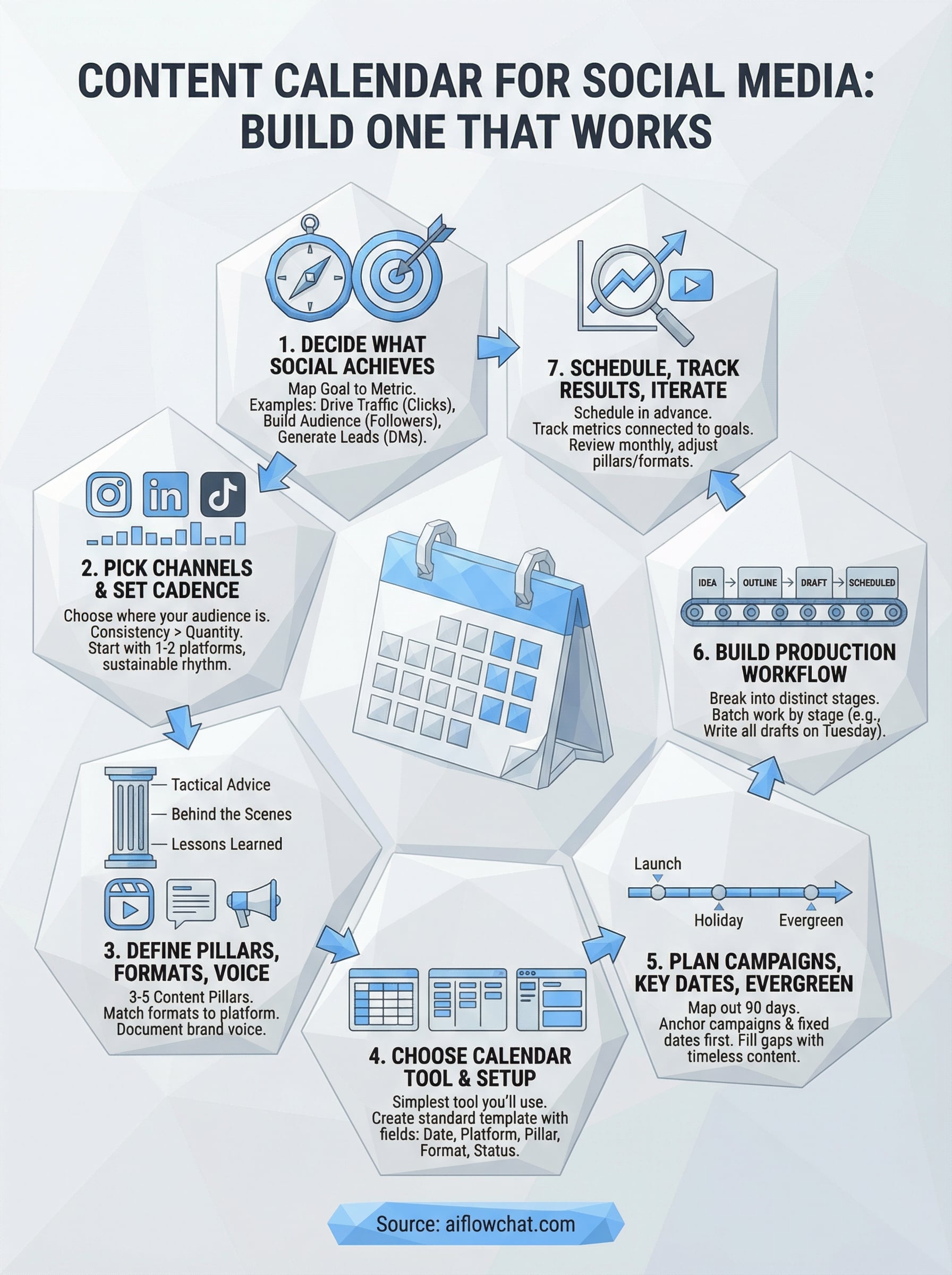
Building a content calendar for social media that actually holds up comes down to seven steps: set a clear goal, pick your platforms, define your pillars and voice, choose a simple tool, plan your campaigns and evergreen content, build a production workflow, and track what the data tells you. None of these steps require a big team or an expensive tech stack. They require consistency and a structure you can repeat without burning out.
Start with the basics. Get your first two platforms, your three content pillars, and your weekly production rhythm in place before you add anything else. The calendar only becomes a real asset once you've used it long enough to see patterns in what resonates and what falls flat. That feedback loop is where results compound.
If you want to speed up ideation and production, try AI Flow Chat to pull reference content directly into your workflow and generate posts faster.
Continue Reading
Discover more insights and updates from our articles
Choose an AI model for scripts, marketing copy, coding, research, long documents, and quick everyday work using a practical quality, speed, and credit-cost framework.
Compare eight current Poppy AI alternatives for visual research, creator workflows, general AI work, grounded synthesis, automation, and reusable delivery.
A practical method for turning a scattered content process into a clear AI-assisted flowchart with source context, review checks, and a reusable output.