What Is a Content Calendar? A Practical Template for Creators and Teams
At AI Flow Chat
Topics covered:
Contents
0%A content calendar is a planning document that records what you intend to publish, for whom, on which channel, in what format, by whom, and when. A useful calendar also tracks the work before publication: source material, draft deadlines, review status, and the final asset.
For an independent creator, it can be a simple spreadsheet. For a small agency team, it may be a shared database or project board. The tool matters less than whether each entry is specific enough for someone to take the next action without asking what the idea means.
A content calendar is not an algorithm trick, and a particular posting cadence does not guarantee reach. Its practical job is narrower: turn scattered ideas, sources, responsibilities, and dates into a publishing plan you can review and maintain.
Content calendar vs. strategy, editorial calendar, campaign plan, and posting schedule
These planning documents overlap, but they answer different questions.
| Document | Main question | Typical contents |
|---|---|---|
| Content strategy | Why are we creating content, for whom, and toward what outcome? | Audience, goals, positioning, themes, channel choices, measurement approach |
| Editorial calendar | What will an editorial program publish over a longer period? | Themes, stories, contributors, editorial deadlines, publication dates |
| Campaign plan | How will coordinated work support one launch or promotion? | Campaign objective, message, audience, assets, distribution, milestones |
| Posting schedule | Exactly when will approved assets go live? | Platform, final asset, date, time, publishing status |
| Content calendar | What are we making and how will it move from idea to publication? | Topic, audience, channel, format, owner, status, production dates, source and asset links |
In practice, a small creator may combine all five in one sheet. A team may keep strategy in a separate brief, campaign milestones in a project plan, and approved publish times in platform tools. For example, YouTube lets creators set a date, time, and time zone for a scheduled video, while Meta Business Suite provides a Planner for scheduled Facebook Page posts (YouTube Help, Facebook Help Center). Those tools handle publication; your content calendar should also show the work required to make the asset ready.
The minimum useful content calendar fields
Start with the fields below. Remove a field only if nobody uses it to make a decision, and add one only when a real handoff or reporting need requires it.
| Field | What it answers | Example |
|---|---|---|
| Goal | What outcome should this item support? | Newsletter sign-ups |
| Audience | Who is this for? | First-time freelance designers |
| Channel | Where will it be published? | YouTube |
| Format | What will the audience receive? | Six-minute tutorial |
| Topic | What specific promise or question drives it? | How to price a first logo project |
| Content pillar | Which recurring theme does it support? | Freelance operations |
| Owner | Who is responsible for the next move? | Mina |
| Status | Where is it in the workflow? | In review |
| Draft deadline | When must the reviewable version exist? | 2026-08-04 |
| Publish date | When should the approved item go live? | 2026-08-06 |
| Source material | What evidence or raw material will inform it? | Interview transcript and pricing notes |
| Final asset | Where is the approved file or post? | Link to final video folder |
You may need an approver, campaign, target query, client, or distribution field later. Resist adding those columns preemptively. A crowded calendar is harder to scan, and unused fields quickly become unreliable.
Copyable content calendar template
Copy this header into a spreadsheet or save it as the first row of a CSV file:
publish_date,channel,format,topic,pillar,owner,status,draft_due,asset_link,goal
If you want audience and source material visible in the same view, use this expanded version:
publish_date,channel,format,topic,pillar,audience,owner,status,draft_due,source_link,asset_link,goal
Use unambiguous dates such as 2026-08-06. Define a small status set before you fill the calendar, such as idea, approved, drafting, in_review, ready, scheduled, and published. If two statuses mean the same thing to your team, keep one.
How to build a content calendar you can maintain
1. Choose one measurable goal
Decide what the next planning cycle should accomplish before adding topics. A creator might choose newsletter sign-ups from educational content. An agency might choose qualified visits to a client's product guide. A goal should help you reject plausible ideas that do not serve the current priority.
Separate the goal from the production target. “Publish two videos” is an output you control; “increase qualified newsletter sign-ups” is an outcome you observe. Recording both keeps the team accountable for shipping without pretending publication guarantees the result.
2. Define the audience and content pillars
Write a one-sentence audience description that includes a role, situation, and job: “Independent designers pricing their first client projects” is more useful than “creatives.”
Then select a few recurring pillars that support that audience's job. For the designer example, those might be pricing, client communication, portfolio development, and delivery. If you need a method for choosing structures for different reader problems, use this guide to content frameworks. Pillars should focus decisions, not force every good idea into an arbitrary category.
3. Audit the source material you already have
List the useful raw material available for this cycle: interviews, customer questions you have permission to use, research, product documentation, recordings, approved brand assets, and previously published work.
Mark the source link on each calendar entry. That makes fact-checking easier and prevents a title from becoming detached from its evidence. It also reveals opportunities to adapt one source for several channels without publishing the same asset everywhere.
4. Prioritize ideas before assigning dates
Turn sources into specific audience promises, then score each idea with simple criteria:
- Does it answer a real question for the defined audience?
- Does it support the current goal and a chosen pillar?
- Is there enough evidence or source material to make it useful?
- Can the owner complete it with the available time and skills?
- Does the format fit how people use the selected channel?
Approve only the ideas that pass those checks. Keep the rest in a backlog rather than crowding the active calendar.
5. Assign production dates, publish dates, and owners
Work backward from each publish date. Add a draft deadline and a review checkpoint, then assign one owner responsible for moving the item forward. A solo creator can still benefit from separate draft and review dates; they create space to check the work with fresh eyes.
Treat the calendar's publish date as a plan until the asset is approved and scheduled. Platform behavior varies. YouTube supports scheduled publishing for a private video, and TikTok says TikTok Studio can upload, schedule, manage, and analyze posts (YouTube Help, TikTok Support). Verify the current controls, account requirements, region availability, and time zone in the platform you actually use.
6. Establish review checkpoints
Define what “ready” means. A lightweight checklist might require:
- the claim and audience promise match the approved idea;
- factual statements have traceable sources;
- the asset is adapted to the chosen channel and format;
- captions, links, visuals, and accessibility details are complete;
- a human has approved the final version;
- the platform schedule matches the content calendar.
For multi-step production, a visible workflow can clarify where research, drafting, review, and approval happen. This guide explains how to map a workflow as an AI flowchart.
A realistic two-week content calendar example
Suppose one independent design creator has a recorded 20-minute interview with a freelance designer about pricing a first client project. The creator's goal is to attract relevant newsletter subscribers, and the primary audience is designers preparing their first proposals.
Instead of clipping the same message five times, the creator extracts different jobs from the interview:
| Publish date | Channel | Format | Topic | Pillar | Status | Draft due | Source use |
|---|---|---|---|---|---|---|---|
| Mon, Aug 3 | Newsletter | Short email | Three decisions to make before naming a price | Pricing | Ready | Jul 31 | Summarizes the interview's decision sequence |
| Wed, Aug 5 | Carousel | A five-part checklist for a first project quote | Client communication | In review | Aug 3 | Turns the checklist into a saveable visual | |
| Fri, Aug 7 | TikTok | Short video | One question to ask before estimating revisions | Client communication | Drafting | Aug 5 | Expands one interview answer with an example |
| Tue, Aug 11 | YouTube | Tutorial | Build a simple first-project pricing worksheet | Pricing | Approved | Aug 6 | Demonstrates the interview's calculation inputs |
| Thu, Aug 13 | Blog | Article | What to include in a freelance design proposal | Delivery | Approved | Aug 7 | Combines interview notes with cited documentation |
Each item points to the same source, but the promise and treatment change with the audience's context. The newsletter gives a quick decision sequence. The carousel becomes a reference. The short video answers one narrow question. The tutorial demonstrates a process. The article provides a durable explanation.
This is repurposing with a reason, not duplication. If one idea cannot support a distinct channel-specific job, publish it once and spend the remaining time making that version better.
Run a lightweight weekly review
Choose a recurring review time that fits your production cycle. A solo creator may need 20 minutes; an agency with several owners may need longer. Review the calendar as an operating document, not a record you update only after work is complete.
Ask:
- Which items changed status since the last review?
- What is blocked, and who can resolve it?
- Are any draft or publish dates now unrealistic?
- Which approved assets still need to be scheduled?
- What did published content teach us about the audience or format?
- Which idea should be added, changed, or removed next?
Use the platforms' own data before changing the plan. YouTube Analytics includes channel- and video-level reports for reach, engagement, audience, and content performance; Instagram Insights provides overall and post-level performance information for business and creator accounts; TikTok Studio provides account and individual-content analytics (YouTube Help, Instagram Help Center, TikTok Support).
These metrics are evidence, not automatic instructions. Compare similar formats over a meaningful period, look for repeated patterns, and record what you changed. Do not rewrite the entire calendar because of one unusually strong or weak post.
Common content calendar failure modes
| Failure mode | What it looks like | Practical correction |
|---|---|---|
| Overplanning | Six months of detailed dates with no room for new evidence | Plan the near term in detail and keep later ideas in a flexible backlog |
| Too many fields | Owners stop updating the sheet because every row is tedious | Keep only fields used in a handoff, decision, or review |
| Vague topics | Entries say “post about pricing” | Write a specific audience question or promise |
| Unrealistic cadence | More items are planned than the creator or team can review | Base the next cycle on demonstrated production capacity |
| Missing ownership | Several people assume somebody else will move the item | Give every active item one accountable owner |
| Publish-date-only planning | The deadline arrives before the draft or assets exist | Add draft, review, and ready checkpoints |
| Algorithm thinking | Frequency is treated as a guaranteed route to reach | Use the calendar for coordination and evaluate actual audience data |
| Duplicate repurposing | Identical posts are copied across channels | Give each adaptation a channel-specific job, format, and promise |
From source material to an approved calendar item
A content calendar organizes commitments, but it does not have to hold every research note or production step. Keep detailed work in the tools best suited to it, then link the result from the calendar.
One practical workflow is:
- Collect the approved source material for an idea.
- Arrange the sources and production steps visually.
- Use AI to explore angles or produce an initial draft.
- Have a person verify claims, adapt the format, and approve the asset.
- Add the approved asset and final publishing details to the calendar.
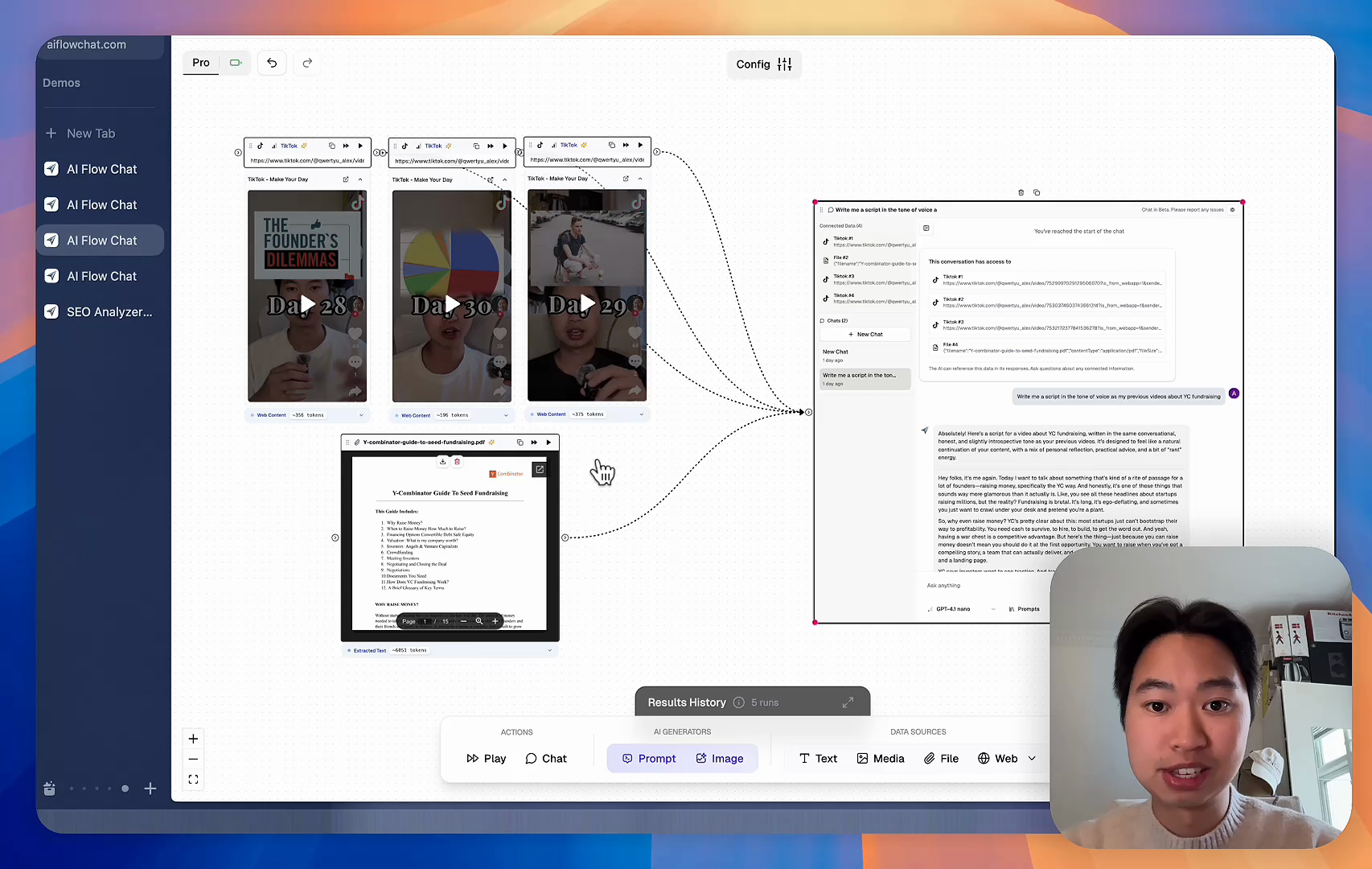
AI Flow Chat's AI Whiteboard can support the middle of that process by visually organizing source material and using it as context for AI-assisted ideas and drafts. For a more structured sequence, prompt chaining can separate research, drafting, and review steps. AI Flow Chat is not the publishing calendar or platform scheduler in this workflow: a person approves the output, and the approved item then moves into the calendar and the relevant publishing tool.
Sign up for AI Flow Chat to organize your source material and content-production steps in a visual AI-assisted workflow that feeds your content calendar.
Continue Reading
Discover more insights and updates from our articles
Choose an AI model for scripts, marketing copy, coding, research, long documents, and quick everyday work using a practical quality, speed, and credit-cost framework.
Compare eight current Poppy AI alternatives for visual research, creator workflows, general AI work, grounded synthesis, automation, and reusable delivery.
A practical method for turning a scattered content process into a clear AI-assisted flowchart with source context, review checks, and a reusable output.