More Prompts:

Best prompts for LIM for writing using business proposals using LIM

12 copy-ready prompts optimized for long-input models (LIMs) to create, analyze, and refine business proposals. Each prompt includes a short explanation, a practical example you can paste and run, and recommended models to try.


GPT-5
Claude Opus 4
Claude Sonnet 4
Gemini 2.5 Pro
Gemini 2.5 Flash
You've been there: staring at a 200-page RFP at 11 PM, wondering how you'll possibly turn this maze of requirements into a winning proposal by Friday. Your AI assistant gives you generic, surface-level help that barely scratches the surface of what you actually need. Meanwhile, the clock keeps ticking and your competition is probably already three steps ahead.
These 12 battle-tested prompts transform your long-input AI models into proposal powerhouses that actually understand the complexity of real business development work. From dissecting massive RFPs and creating detailed project timelines to crafting stakeholder-specific executive summaries and risk assessments, each prompt tackles the specific challenges that keep proposal managers up at night. Instead of wrestling with generic AI responses, you'll have copy-ready prompts that deliver the strategic analysis, detailed breakdowns, and professional documentation you need to win more deals faster.
1
Summarize a long RFP and extract actionable requirements
Read the RFP below (insert full text or attach file). Produce: 1) a 3–4 sentence executive summary; 2) a prioritized list of explicit requirements with citation of RFP sections; 3) implicit requirements or assumptions inferred from the RFP; 4) deliverables and acceptance criteria; 5) a short list of missing/ambiguous items we must clarify with the client (include proposed clarifying questions). RFP text: <<PASTE_OR_ATTACH_FULL_RFP>>
Ingest a full RFP or long procurement document, create an executive summary, extract explicit & implicit requirements, list deliverables, and flag missing information you need to clarify.
2
Create a full proposal skeleton from client background and RFP
Given the client background and RFP below, produce a detailed proposal skeleton: 1) recommended title page fields; 2) table of contents; 3) section headings with 1–3 key bullets each; 4) suggested word count or slide count per section; 5) callout boxes for required attachments (e.g., CVs, certifications). Input: <<CLIENT_BACKGROUND_AND_RFP_TEXT_OR_ATTACHMENTS>>
Generate a ready-to-fill proposal document structure with section headings, recommended word counts, and key bullet points for each section based on client docs and RFP.
3
Draft pricing, cost breakdown and commercial assumptions
Using the scope and resource assumptions below, produce: 1) a line-item pricing table with unit, quantity, unit price, subtotal; 2) annual recurring costs and 3-year TCO; 3) commercial assumptions and exclusions; 4) two pricing options (standard and premium) and a recommended option with rationale. Scope/assumptions: <<SCOPE_AND_RESOURCE_ASSUMPTIONS>>
Convert scope and cost drivers into a clear commercial section: line-item pricing, one-time vs recurring costs, assumptions, optional add-ons, discount tables, and a short justification for each major cost.
4
Perform risk assessment and mitigation plan for the proposal
Review the scope, timeline, and contract terms below. Produce: 1) a ranked list of top 8 risks with short descriptions; 2) likelihood (Low/Medium/High) and impact (Low/Medium/High) for each; 3) mitigation actions, owners, and estimated contingency cost where applicable; 4) a recommended residual risk acceptance matrix. Input: <<SCOPE_TIMELINE_CONTRACT_TERMS>>
Analyze proposal scope and contract terms to list principal risks, estimate likelihood and impact, assign owners, and propose mitigations and contingency budget items.
5
Rewrite technical sections for non-technical stakeholders
Take the technical section below and produce: 1) an executive-friendly version (200–300 words) emphasizing business benefits and ROI; 2) three suggested visuals (title and caption) to include in the proposal; 3) one-paragraph FAQ to address common executive concerns. Technical section: <<PASTE_TECHNICAL_SECTION>>
Translate complex technical sections into clear, persuasive language for executives; include a short benefits-focused summary and suggested visuals or charts.
6
Produce a detailed project timeline, milestones and Gantt-style dependencies
Given the scope, estimated durations, and a start date, produce: 1) a week-by-week schedule through completion with start/finish dates; 2) milestone list with acceptance criteria; 3) dependencies and critical path; 4) suggested resource allocation per phase. Input: start date = <<START_DATE>>, phase durations: <<PHASE_DURATIONS_OR_DETAILS>>
From scope and resource availability, output a week-by-week timeline with milestones, dependencies, critical path, and suggested acceptance tests per milestone.
7
Generate a stakeholder-tailored executive summary emphasizing ROI
From the proposal scope and pricing below, generate four 2–3 sentence executive summaries targeted to: CFO, CTO, COO, and Procurement. For each, include the top 2 metrics they should care about, and one recommended next step. Input: <<SCOPE_AND_PRICING_SUMMARY>>
Produce multiple short executive summaries targeted to specific stakeholders (CFO, CTO, COO, Procurement) highlighting metrics and risks each cares about.
AI Flow Chat

Stop Losing Your AI Work

Tired of rewriting the same prompts, juggling ChatGPT and Claude in multiple tabs, and watching your best AI conversations disappear forever?

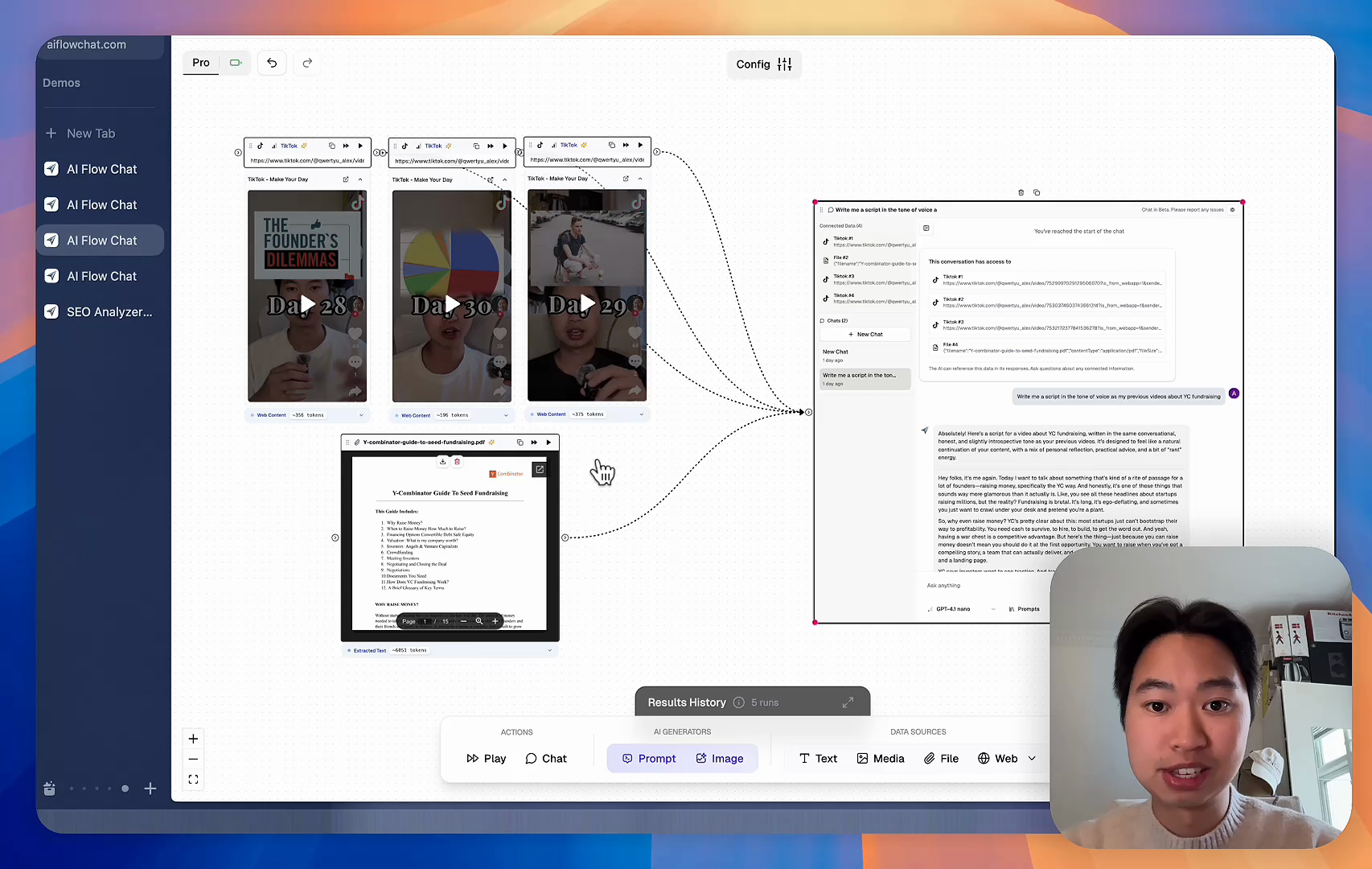
AI Flow Chat lets you save winning prompts to a reusable library, test all models in one workspace, and convert great chats into automated workflows that scale.


Teach World Class AI About Your Business, Content, Competitors… Get World Class Answers, Content, Suggestions...
AI Flow Chat powers our entire content strategy. We double down on what’s working, extract viral elements, and create stuff fast.
Video thumbnail

Reference Anything

Bring anything into context of AI and build content in seconds

YouTube

PDF

DOCX

TikTok

Web

Reels

Video Files

Twitter Videos

Facebook/Meta Ads

Tweets

Coming Soon

Audio Files

Coming Soon

Choose a plan to match your needs

Upgrade or cancel subscriptions anytime. All prices are in USD.

Basic

For normal daily use. Ideal for getting into AI automation and ideation.

$30/month
  • See what Basic gets you
  • 11,000 credits per month
  • Access to all AI models
  • 5 app schedules
  • Free optional onboarding call
  • 1,000 extra credits for $6
Get Started

No risk, cancel anytime.

ProRecommended

For power users with high-volume needs.

$100/month
  • See what Pro gets you
  • 33,000 credits per month
  • Access to all AI models
  • 10 app schedules
  • Remove AI Flow Chat branding from embedded apps
  • Free optional onboarding call
  • 2,000 extra credits for $6
Get Started

No risk, cancel anytime.

Frequently Asked Questions

Everything you need to know about AI Flow Chat. Still have questions? Contact us.