More Prompts:

Best prompts for ChatGPT Marketing for sales emails using personalized engagement

13 copy-ready prompts to generate personalized, high-conversion sales emails. Each prompt includes instructions for tone, personalization tokens, subject-line variations, CTAs, length, and outputs to use in outreach, follow-ups, upsells, and re-engagement sequences.


Claude Opus 4
Claude Sonnet 4
Gemini 2.5 Pro
GPT-5
Gemini 2.5 Flash
You've probably stared at that blank email draft for way too long, knowing you need to sound personal and engaging but ending up with generic copy that screams "mass email." We've all been there, trying to craft the perfect sales email that actually connects with prospects while ChatGPT spits out robotic templates that feel like they came from 2003. The frustration of knowing AI can help but not knowing how to make it work for real sales situations is all too real.
This collection of 13 battle-tested ChatGPT prompts transforms your sales email game from generic templates to personalized, conversion-focused messages that actually get responses. You'll get copy-ready prompts for every sales scenario, from cold outreach and follow-ups to win-back campaigns and cross-sells, each designed with specific personalization tokens, subject line variations, and clear CTAs. Instead of spending hours crafting individual emails or settling for bland AI output, you'll have a complete system that generates engaging, personalized sales emails in minutes while maintaining that authentic, human touch your prospects crave.
1
Cold outreach tailored to a prospect's industry and job role
Write a cold outreach email to {first_name} at {company} (industry: {industry}, role: {job_title}) that references a common industry challenge {pain_point} and explains one specific benefit of {your_product} for their role. Include: 3 subject line options; email preview text; a 50–120 word body; one clear CTA; and two tone variations labeled 'Friendly' and 'Direct'. Use placeholders: {first_name}, {company}, {job_title}, {pain_point}, {your_product}, {one_metric}.
Generate a short, personalized cold email that references the prospect's industry challenge and role-specific benefit. Include 3 subject line options, a 50–120 word body, a single clear CTA, and two variations (friendly vs. direct). Use placeholders for personalization tokens.
2
Personalized follow-up after a demo with specific next steps
Write a follow-up email to {first_name} at {company} after a demo for {your_product}. Mention 2 personalized benefits you observed during the demo (use {benefit_1}, {benefit_2}), summarize pricing range or trial offer ({pricing_summary}), propose 2 clear next steps, and include a calendar link placeholder {calendar_link}. Keep it 120–160 words and add one persuasive one-line PS referencing a recent company milestone {recent_news}.
Create a concise follow-up email that references the demo, highlights 2 personalized benefits observed, lists next steps (pricing, trial, decision timeline), and includes a calendar link placeholder. Limit to 120–160 words.
3
Re-engagement for dormant leads with a tailored value refresh
Craft a re-engagement email for {first_name} at {company} who last spoke about {previous_interaction} over {time_since} ago. Mention a new insight or case study {case_study_snippet} relevant to their pain {pain_point}, and include a single low-friction CTA: either a 15-min catch-up or a one-question survey link {survey_link}. Keep under 100 words and add one personalized line referencing {personal_note}.
Write a short re-engagement email for leads dormant >90 days. Reference their previous interaction {previous_interaction}, offer a new, relevant insight or case study, and propose a single low-friction CTA (e.g., short survey or 15-min catch-up). Keep under 100 words.
4
Cart abandonment or trial drop-off recovery with personalized trigger
Write a recovery email for {first_name} who abandoned at {drop_stage} while signing up for {your_product}. Mention any saved items or settings {saved_state}, offer one incentive {incentive} (e.g., extra 14 days or 10% off), include a one-click reactivation link {reactivate_link}, and close with an objection-handling line about security or onboarding support. Keep 60–120 words.
Generate an email for users who abandoned signup or trial. Reference the exact step they dropped off ({drop_stage}), remind them of saved items or settings, propose an incentive (extended trial or discount), and include a one-click reactivation link placeholder {reactivate_link}. 60–120 words.
5
Upsell email with usage-based personalization and ROI
Write an upsell email for {first_name} at {company} using metrics: current seats {current_seats}, usage {current_usage_metric}, and churn/efficiency loss {current_issue}. Show projected ROI if they upgrade to {upgrade_plan} and include 2 subject lines, a 30–80 word body, and CTA to view a custom ROI report {roi_link}. Use placeholders: {current_seats}, {current_usage_metric}, {upgrade_plan}, {roi_link}.
Create an upsell email referencing the prospect's current usage metrics, projected ROI for the upgrade, and a clear comparison of current vs. upgraded plan. Include 2 subject line options and a 30–80 word body with a CTA to view a custom ROI report.
6
Event or webinar invite with personalized benefit and social proof
Write an event invite email to {first_name} (role: {job_title}) for webinar '{event_title}' on {event_date}. Explain the role-specific benefit {event_benefit}, add 1–2 lines of social proof ({social_proof}), list date/time and registration link {register_link}, and give 2 subject line options. Keep to <80 words.
Compose an invite referencing why the event matters to the recipient (role-specific outcome), include 2 subject lines, 1–2 lines of social proof (company names or metrics), event details, and a CTA to register. Keep under 80 words.
7
Pricing objection response with personalized cost-savings evidence
Write a response to {first_name} who said '{objection_line}' about price. Quantify potential cost savings using {company_data} and show an alternative package or payment term ({alt_option}). Offer a 15-minute call to align budget and include a sentence about ROI timeline {roi_timeline}. Keep concise (<140 words).
Draft a concise reply to a pricing objection that quantifies cost savings for the prospect's context, offers alternative packages or payment terms, and invites a short call to align budgets. Keep under 140 words.
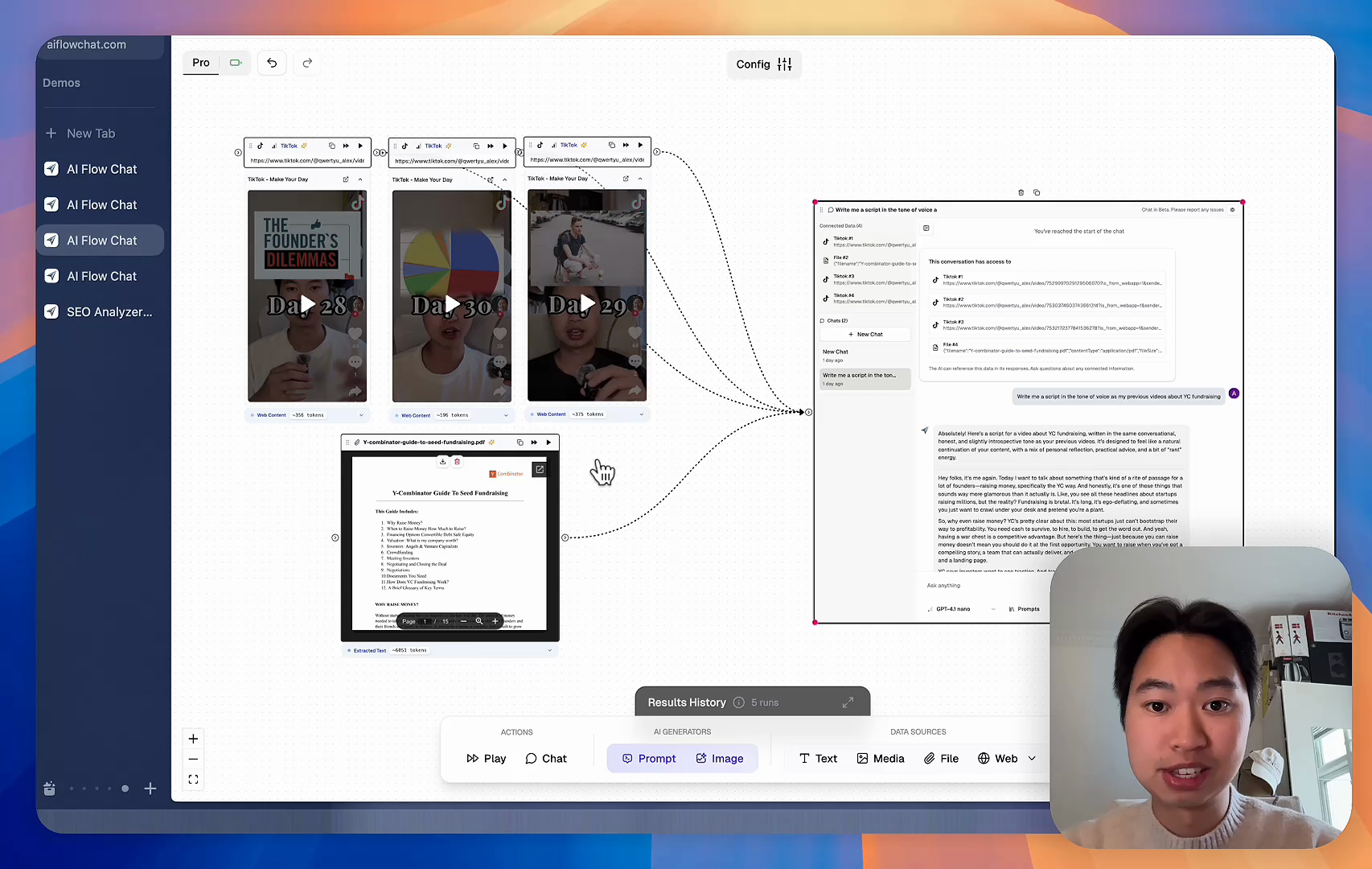
AI Flow Chat

Stop Losing Your AI Work

Tired of rewriting the same prompts, juggling ChatGPT and Claude in multiple tabs, and watching your best AI conversations disappear forever?

AI Flow Chat lets you save winning prompts to a reusable library, test all models in one workspace, and convert great chats into automated workflows that scale.


Teach World Class AI About Your Business, Content, Competitors… Get World Class Answers, Content, Suggestions...
AI Flow Chat powers our entire content strategy. We double down on what’s working, extract viral elements, and create stuff fast.
Video thumbnail

Reference Anything

Bring anything into context of AI and build content in seconds

YouTube

PDF

DOCX

TikTok

Web

Reels

Video Files

Twitter Videos

Facebook/Meta Ads

Tweets

Coming Soon

Audio Files

Coming Soon

Choose a plan to match your needs

Upgrade or cancel subscriptions anytime. All prices are in USD.

Basic

For normal daily use. Ideal for getting into AI automation and ideation.

$30/month
  • See what Basic gets you
  • 11,000 credits per month
  • Access to all AI models
  • 5 app schedules
  • Free optional onboarding call
  • 1,000 extra credits for $6
Get Started

No risk, cancel anytime.

ProRecommended

For power users with high-volume needs.

$100/month
  • See what Pro gets you
  • 33,000 credits per month
  • Access to all AI models
  • 10 app schedules
  • Remove AI Flow Chat branding from embedded apps
  • Free optional onboarding call
  • 2,000 extra credits for $6
Get Started

No risk, cancel anytime.

Frequently Asked Questions

Everything you need to know about AI Flow Chat. Still have questions? Contact us.