CoSchedule Headline Analyzer: How To Improve Your Titles
At AI Flow Chat
Contents
0%You can spend hours crafting the perfect blog post or social caption, but if your headline falls flat, nobody clicks. That's where the CoSchedule Headline Analyzer comes in, a free tool that scores your titles based on word balance, sentiment, clarity, and readability. Whether you're writing blog titles, email subject lines, or video hooks, it gives you a concrete score and actionable feedback to work with instead of guessing what sounds good.
The tool works by breaking your headline into components: common words, uncommon words, emotional words, and power words. It then weighs those against length, word count, and overall structure to generate a score out of 100. Headlines scoring above 70 are generally considered strong performers. But knowing your score is only half the equation, you also need to understand how to systematically improve it, which is what this guide covers step by step.
If you use AI Flow Chat to generate content from viral references and multi-source workflows, pairing that output with headline optimization closes the loop. You can reverse-engineer what makes top-performing content work using AI Flow Chat's visual canvas, then run your titles through CoSchedule to validate they'll actually grab attention. This article walks you through exactly how to use the CoSchedule Headline Analyzer to write stronger titles, from accessing the tool to interpreting your results and pushing your scores higher.
What the CoSchedule Headline Analyzer checks
The CoSchedule Headline Analyzer evaluates your headline across several distinct dimensions, not just gut feel or keyword density. Understanding what it actually measures helps you make targeted improvements rather than randomly rewording until your score nudges up.
Word type balance
The analyzer categorizes every word in your headline into four buckets: common words, uncommon words, emotional words, and power words. Common words are everyday terms like "how," "your," or "the." Uncommon words are specific or surprising terms that make readers pause. Emotional words trigger a feeling, and power words drive urgency or curiosity.
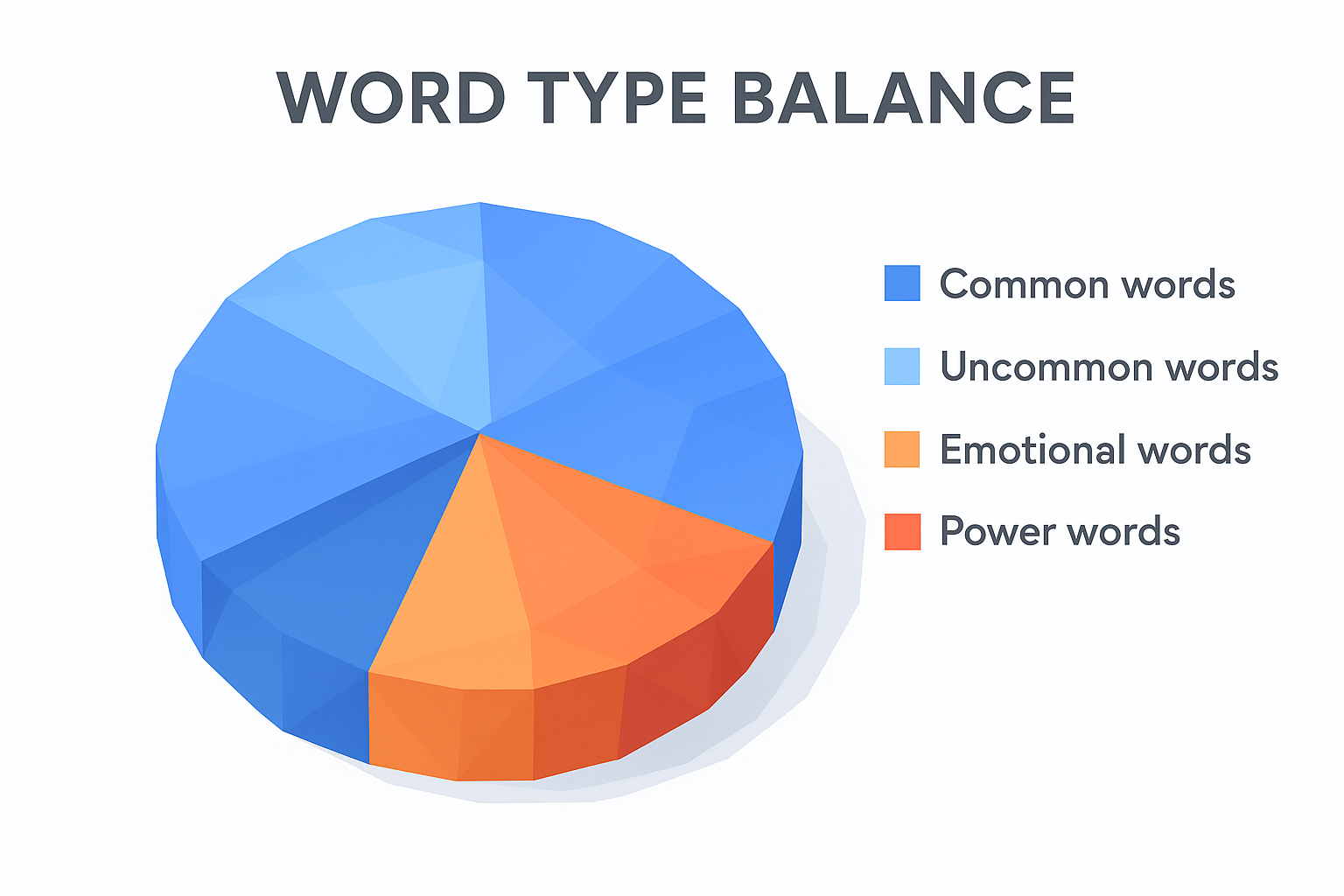
A strong headline typically hits a balance across all four types. The tool shows you the percentage breakdown for each category so you can see exactly where your headline runs lean. For example, if your headline has 0% emotional words, you know to swap in a word that creates a stronger reaction.
Aim for emotional words to make up at least 10-15% of your headline's word count for a meaningful impact on engagement.
Headline length and readability
Length matters more than most writers expect. The analyzer flags whether your headline is too short, too long, or hits the optimal range in terms of both character count and word count. For search results, headlines around 6-7 words often perform well, while 55-70 characters fit cleanly in Google's title display without truncation.
The tool also evaluates sentence structure and reading level, checking whether the headline reads clearly at a glance. A headline that requires re-reading loses clicks, so the analyzer pushes you toward concise, front-loaded phrasing that delivers the value immediately.
Sentiment and SEO signals
Your headline's emotional sentiment, whether positive, negative, or neutral, directly affects click-through rates. The analyzer scores the overall tone and nudges you toward headlines with a positive or moderately charged feel, which tend to outperform flat, neutral titles in real-world testing.
On the SEO side, the tool checks where your target keyword appears in the headline. Front-loading your primary keyword signals relevance to search engines and catches reader attention faster. It also flags unnecessary filler words that dilute both readability and keyword strength in a single scan.
Step 1. Write headline options before you score them
Before you open the CoSchedule Headline Analyzer, give yourself raw material to work with. Running a single headline and tweaking it based on feedback is slow. A better approach is to draft 5 to 10 variations upfront so you can compare scores across different angles and choose the strongest version as your starting point.
Generate at least 5 headline variations
Start by writing your headline from multiple angles before you score anything. Think about the primary benefit your content delivers, then frame it from different perspectives: a how-to, a numbered list, a question, a bold claim, and a negative framing (what to avoid). Each angle produces different emotional triggers and keyword combinations that will score differently in the analyzer.
Use this quick template to build your batch:
| Angle | Example |
|---|---|
| How-to | How To Write Blog Titles That Drive Clicks |
| Numbered list | 7 Ways To Write Headlines That Actually Convert |
| Question | Are Your Headlines Costing You Organic Traffic? |
| Bold claim | Your Headlines Are Killing Your Click-Through Rate |
| Negative framing | Stop Writing Weak Headlines That Lose Readers |
Writing variations before scoring prevents you from over-optimizing one headline instead of finding the genuinely strongest option.
Pull from your best-performing references
If you use AI Flow Chat, import a top-performing video or article into your canvas and extract the headline structures it uses. This approach gives you proven formulas to build on rather than starting from scratch, and it feeds directly into the scoring step that follows.
Step 2. Run your titles through the analyzer
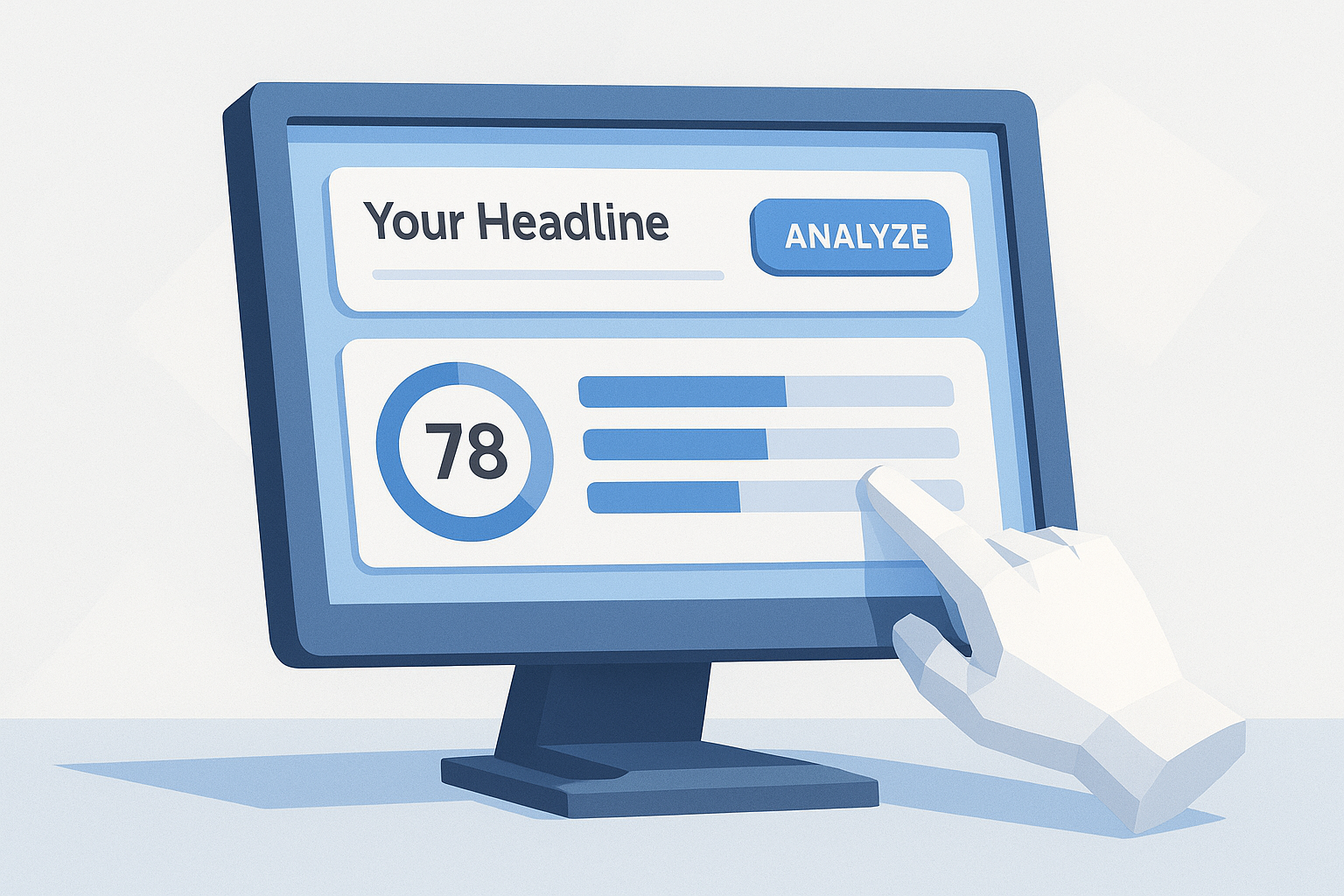
With your headline variations ready, open the CoSchedule Headline Analyzer in your browser. The interface is simple: you get a single text input field where you paste or type your headline, then hit "Analyze." The tool processes your input in seconds and returns a full breakdown of your score across every category it tracks.
How to submit your headlines
Paste the first headline from your batch into the analyzer and click the analyze button. Once you see your initial score and feedback, screenshot the results or copy them into a notes document before moving to the next variation. Running all your options this way gives you a side-by-side comparison you can use to identify your strongest starting point before you begin editing anything.
Follow this sequence for each headline in your batch:
- Paste the headline into the input field
- Click "Analyze" and record your score
- Note which category (emotional, power, common, uncommon) is scoring low
- Move to the next variation without making edits yet
Score all your variations before changing a single word so you select the highest-potential headline to refine, not just the first one you wrote.
What to look at first
Once you have scores for all your variations, focus on the highest-scoring headline as your working base. Then shift your attention to the feedback panel in the results, which breaks down word type percentages, sentiment, and length in one view. These specific data points tell you exactly which elements to adjust in the next step rather than guessing.
Step 3. Improve word balance, clarity, and emotion
Now that you have your highest-scoring headline selected, use the CoSchedule Headline Analyzer feedback to make targeted edits. Focus on one category at a time rather than rewriting the whole headline, since changing too much at once makes it hard to see what actually moved your score.
Swap weak words for emotional and power words
Start with your word type percentages. If your emotional word count sits below 10%, scan each word in your headline and replace flat descriptors with words that create a stronger reaction. Words like "proven," "instantly," "effortless," or "critical" carry emotional weight without sounding forced.
Replace one common word with a power word before changing anything else to isolate what actually drives your score increase.
Use this swap reference to make quick edits:
| Weak word | Stronger alternative |
|---|---|
| Good | Proven |
| Help | Boost |
| Use | Master |
| Tips | Strategies |
| Fast | Instantly |
Tighten the structure for clarity
Once your word balance improves, check your character count to make sure your headline fits cleanly in search results without truncation. Anything over 70 characters risks getting cut off mid-sentence, which buries your value proposition right when a reader is deciding whether to click.
Cut filler words like "that," "just," or "really" first. Then front-load your strongest benefit so readers understand the payoff within the first three words. A headline that leads with the benefit converts better than one that buries it toward the end.
Step 4. Tune for SEO and real search clicks
Once your word balance and clarity look strong, shift your attention to keyword placement and search intent. The CoSchedule Headline Analyzer flags whether your primary keyword appears early in the title, which matters both for search engine indexing and for matching what a reader expects when they type a query. A high emotional score means nothing if your headline doesn't signal relevance to the search.
Front-load your keyword
Place your primary keyword within the first three words of your headline whenever possible. Search engines weight words that appear earlier in the title more heavily, and readers scanning results tend to anchor on the opening phrase before deciding to click. If your keyword lands in the middle or at the end, rewrite the headline structure so the keyword leads.
Use this template to shift your keyword to the front:
| Original structure | Front-loaded version |
|---|---|
| 7 Ways to Get More Traffic With Better Headlines | Headline Writing: 7 Ways to Drive More Traffic |
| How To Write Content That Ranks Using Strong Titles | CoSchedule Headline Analyzer: How To Write Titles That Rank |
| Tips for Creating Blog Posts That Convert Readers | Blog Post Titles That Convert: 5 Proven Tips |
Check sentiment and click intent
After repositioning your keyword, review the sentiment score the analyzer returns. Positive headlines consistently pull higher click-through rates in organic search than neutral ones. If your score shows a neutral or negative tone, swap one word to inject a forward-looking or benefit-driven signal into the title.
A one-word change from "avoid" to "fix" can shift your sentiment score and improve your organic click-through rate without altering your keyword placement.
Wrap-up and next steps
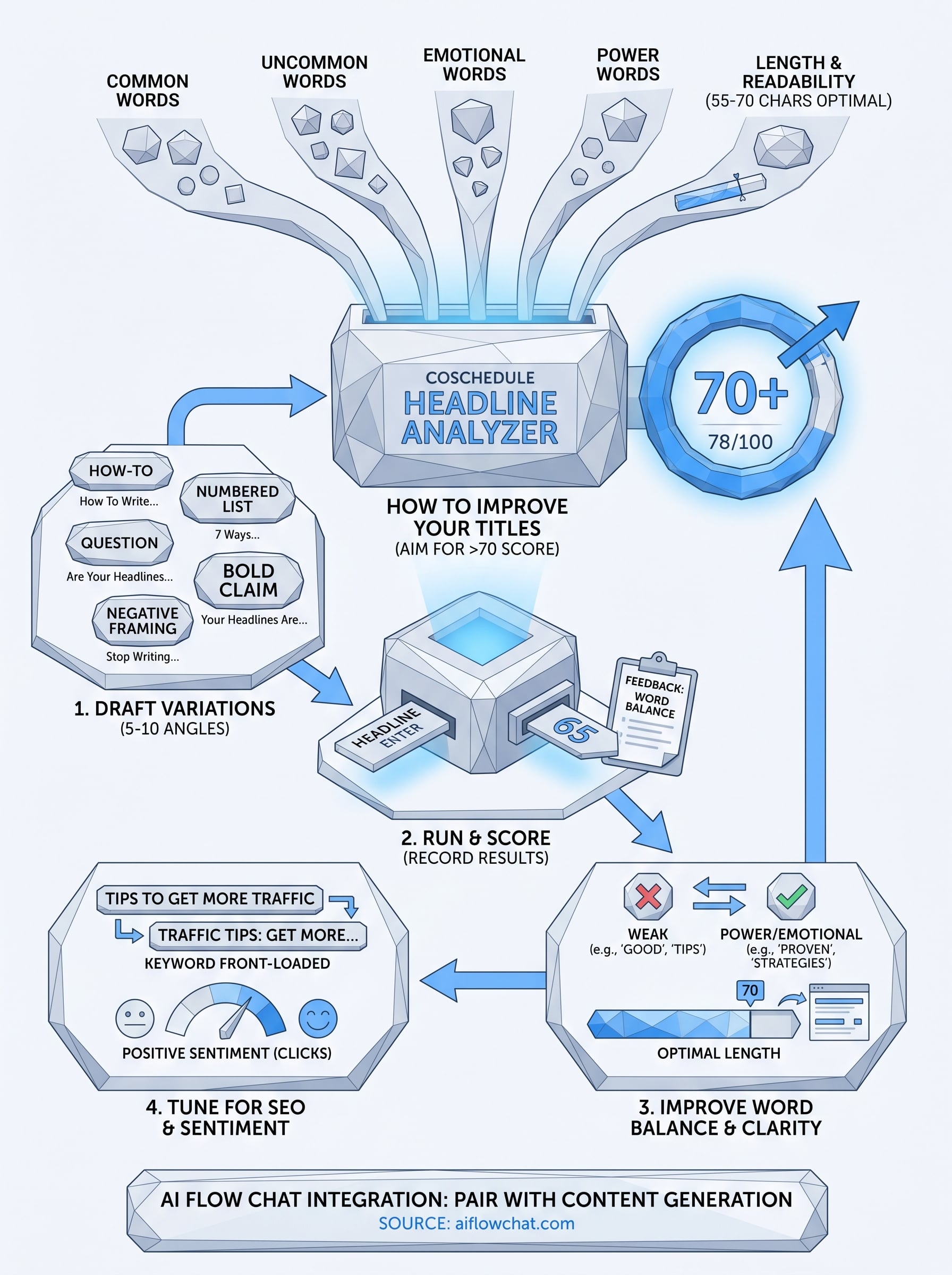
Strong headlines don't come from guessing. The CoSchedule Headline Analyzer gives you a repeatable system: draft variations, score them, fix your word balance and clarity, then tune for keyword placement and sentiment. Each step builds on the last, so by the time you publish, your title is backed by data rather than instinct.
Once your headline scores above 70 and your keyword sits front-loaded, you're set to drive more clicks from search and social. The next step is making sure the content behind that headline is just as strong. If you want to speed up the content creation side, pull proven viral references and competitor structures directly into a visual workflow. AI Flow Chat lets you reverse-engineer what's already working, so you're not writing from a blank page. Pair that with your optimized headlines, and you've got a system that covers the full content production cycle from idea to published title.
Continue Reading
Discover more insights and updates from our articles
Choose an AI model for scripts, marketing copy, coding, research, long documents, and quick everyday work using a practical quality, speed, and credit-cost framework.
Compare eight current Poppy AI alternatives for visual research, creator workflows, general AI work, grounded synthesis, automation, and reusable delivery.
A practical method for turning a scattered content process into a clear AI-assisted flowchart with source context, review checks, and a reusable output.