More Prompts:

Suno Mashup Prompts: Harmony Blending Tips

13 practical, copy-ready Suno prompts for creating polished mashups with harmony-focused blending techniques. Each entry includes a concise explanation, a realistic example, and suggested companion AIs for arrangement or lyrical help.


GPT-5
Claude Opus 4
Claude Sonnet 4
Gemini 2.5 Flash
Gemini 2.5 Pro
You've spent hours trying to blend two songs in Suno, only to end up with a jarring mess where vocals clash, keys fight each other, and the whole thing sounds like a musical car crash. The frustration hits hard when you know the potential is there, but the technical execution keeps falling flat. Every mashup attempt leaves you wondering if there's a better way to make these musical pieces actually work together.
These 13 harmony-focused Suno prompts transform your mashup struggles into polished, professional blends that actually sound intentional. From key alignment and tempo matching to stereo positioning and harmonic bridging, each prompt tackles a specific technical challenge with copy-ready instructions you can use immediately. Instead of wrestling with clashing elements and muddy mixes, you'll create seamless transitions and complementary arrangements that showcase your creative vision.
1
Key & Tempo Harmonizer
Create a mashup of Track A (key: F#m, tempo: 100 BPM) and Track B (key: A major, tempo: 120 BPM). Time-stretch Track B to 100 BPM while preserving formants. Transpose Track A up 3 semitones to A major so both tracks share the same key. Output 3 stems: lead vocal (from Track A), instrumental-bed (from Track B), and a matched chord-pad that fills any harmonic gaps. Include a 2-bar crossfade at the start and a 2-bar crossfade at the end.
Combine two songs by aligning key and tempo: instruct Suno to transpose or time-stretch stems, preserve vocal formants, and output tempo-matched stems with a short fade-in/out.
2
Chord-Bridge Creation
Write a 4-bar chord bridge that connects Progression A (I - vi - IV - V in C major) to Progression B (i - iv - V in A minor). Use modal pivoting and common-tone retention: keep any shared notes between chords and use stepwise bass motion. Output MIDI and a simple piano rendering in 16th-note quantization.
Generate a short chord bridge that smoothly connects two different progressions using common tones and stepwise voice leading.
3
Instrumentation Blend with Frequency Slots
Produce an arrangement that blends Track A’s acoustic guitar (midrange 200–2kHz) with Track B’s synth pad (low-mids 80–400Hz and highs 4–10kHz). Assign frequency slots: guitar 200–2kHz, synth pad 80–400Hz + 4–10kHz, bass 40–120Hz, percussion 150–6kHz. Apply subtle sidechain (10–15% gain duck) from lead vocal to pad. Export stems with labeled EQ suggestions.
Specify instrumentation and frequency ranges to avoid masking between two source tracks for a cleaner harmonic blend.
4
Vocal Lead Swap with Formant Safety
Take Vocal A (original key D minor) and place onto Instrumental B (key F major). Use pitch shifting to move vocal up 3 semitones while applying formant correction to retain natural timbre. Apply light automated pitch correction (maximum 20 cents per note) and gentle reverb (hall, 1.2s) matched to Instrumental B. Provide vocal_lead_shifted.wav and vocal_dry.wav.
Place Vocal A on Instrumental B while preserving natural timbre: use pitch correction only for key alignment and preserve formants to avoid chipmunk effect.
5
Rhythmic Groove Merge
Extract the kick/snare pattern from Groove A (4-on-the-floor at 124 BPM) and hi-hat groove from Groove B (syncopated at 118 BPM). Warp both to a common 120 BPM grid. Layer kick A with kick B transient-enhanced (50% mix) and keep snare from Groove B. Add a percussion bus with transient shaping (+3 dB attack) to glue patterns. Export drum_bus.wav and separated drum stems.
Combine drum grooves from two songs by extracting core hits, aligning grid, and layering transient enhances for a cohesive beat.
6
Dynamic Crossfade Arrangement
Arrange a mashup with three sections: Intro (0–16 bars) — bring in Instrumental A quietly; Blend (16–48 bars) — crossfade Instrumental B in with harmonic pad reinforcement at bars 18–20; Drop (48–80 bars) — remove non-essential elements leaving lead vocal and bass. Use automated CC for volume ramping: +6 dB over 8 bars at 16–24. Export a 3-track stems timeline with timestamps and fade curves.
Plan section-based crossfades with crescendo and harmonic reinforcement to ensure smooth transitions between source tracks.
7
Harmonic Pad Layering
Generate a set of 3 pad layers to smooth harmonic transitions: Pad 1 (warm sine pad) holds root and 3rd, Pad 2 (soft chorus pad) emphasizes 2nd and 4th for add9 texture, Pad 3 (high shimmer pad) adds harmonic whispers above 6kHz. Program sustained voicings for each chord change and use slow attack (60–120 ms) and long release (800–1200 ms). Export pads as pad1.wav, pad2.wav, pad3.wav and MIDI.
Create pad voicings that fill chord gaps and smooth key changes by using suspended and add9 voicings to mask dissonance.
AI Flow Chat

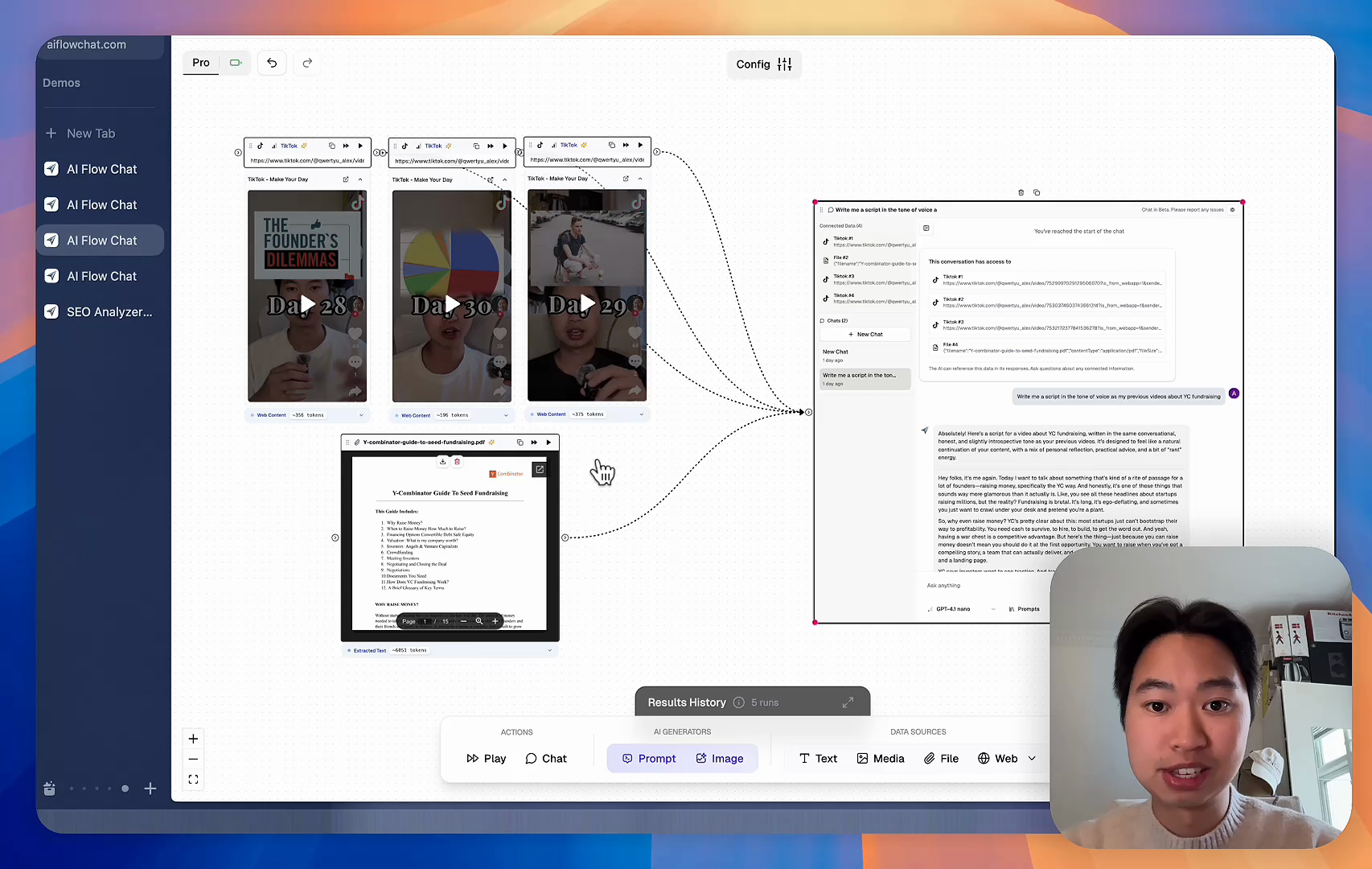
Stop Losing Your AI Work

Tired of rewriting the same prompts, juggling ChatGPT and Claude in multiple tabs, and watching your best AI conversations disappear forever?

AI Flow Chat lets you save winning prompts to a reusable library, test all models in one workspace, and convert great chats into automated workflows that scale.


Teach World Class AI About Your Business, Content, Competitors… Get World Class Answers, Content, Suggestions...
AI Flow Chat powers our entire content strategy. We double down on what’s working, extract viral elements, and create stuff fast.
Video thumbnail

Reference Anything

Bring anything into context of AI and build content in seconds

YouTube

PDF

DOCX

TikTok

Web

Reels

Video Files

Twitter Videos

Facebook/Meta Ads

Tweets

Coming Soon

Audio Files

Coming Soon

Choose a plan to match your needs

Upgrade or cancel subscriptions anytime. All prices are in USD.

Basic

For normal daily use. Ideal for getting into AI automation and ideation.

$30/month
  • See what Basic gets you
  • 11,000 credits per month
  • Access to all AI models
  • 5 app schedules
  • Free optional onboarding call
  • 1,000 extra credits for $6
Get Started

No risk, cancel anytime.

ProRecommended

For power users with high-volume needs.

$100/month
  • See what Pro gets you
  • 33,000 credits per month
  • Access to all AI models
  • 10 app schedules
  • Remove AI Flow Chat branding from embedded apps
  • Free optional onboarding call
  • 2,000 extra credits for $6
Get Started

No risk, cancel anytime.

Frequently Asked Questions

Everything you need to know about AI Flow Chat. Still have questions? Contact us.