Hey there,
The most useful parts of a workflow often show up in more than one place.
Your brand context belongs in every content flow. The same research kit may power an article, a newsletter, and a campaign. Until now, keeping those copies aligned meant updating each board separately.
Reusable groups give you one source of truth. Build a group once, link it wherever you need it, and manage its data from the original group.
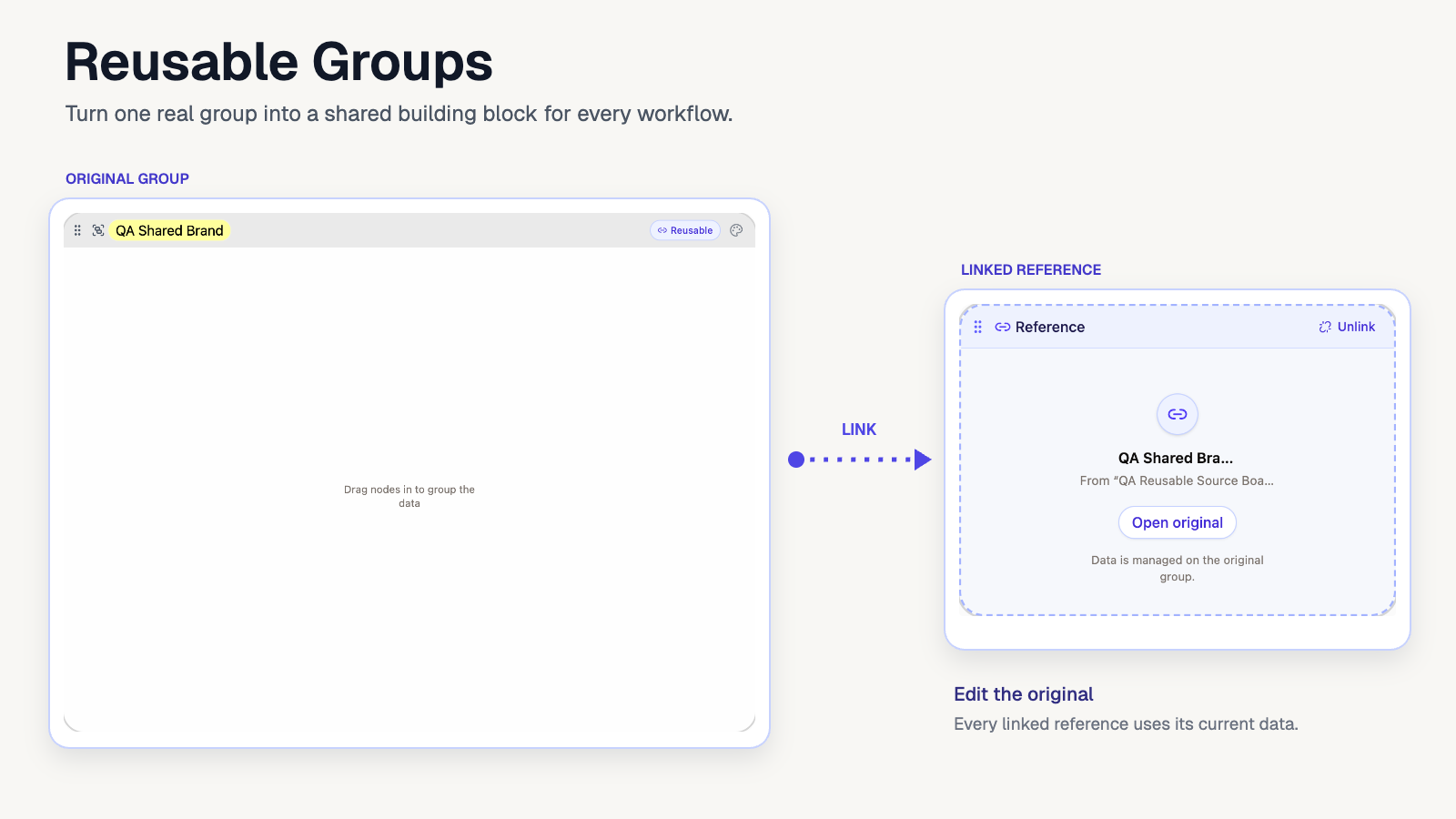
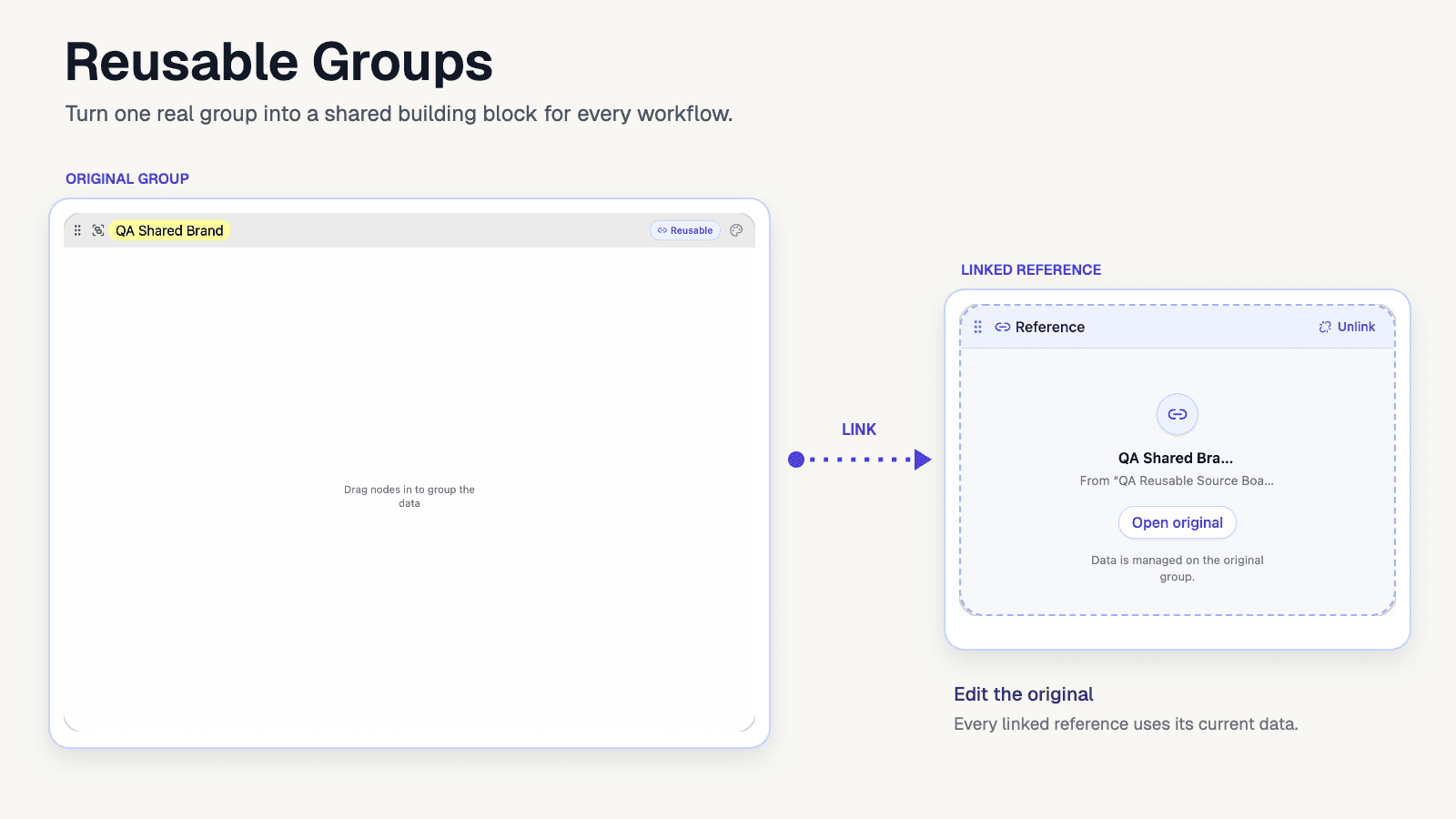
Component-derived illustration showing an original reusable group linked to a read-only reference group
What reusable groups do
A reusable group is a shared building block for your AI workflows.
When you mark a group as reusable, it becomes available from your other flow boards. Link it into an empty group and that reference uses the nodes and data from the original. When the original changes, its linked references stay in sync.
This is especially useful for information you want to maintain in one place:
- Brand voice, audience, and offer details
- Research sources and background material
- Product information and customer context
- Instructions you use across several content or automation flows
- A shared set of image references or creative direction
How to create a reusable group
- Create a group and add the nodes you want to reuse.
- Give the group a clear name so it is easy to find later.
- Click Make reusable in the group header.
The group now appears in the reusable group picker on your flow boards.
How to link a reusable group
- Open the board where you want to use the shared group.
- Add an empty group.
- Click Link reusable group inside it.
- Search by group or board name, then select the group you want.
The linked group has an indigo dashed outline so you can tell it apart from an ordinary group. You can link a reusable group on its original board or on another one of your flow boards.
Update once, use the change everywhere
Linked groups are references, not disconnected copies. Their data is managed on the original group.
Choose Open original on a reference to jump back to its source. If the source lives on another board, it opens with the original group in focus so you can find it quickly. Make your changes there and the linked boards refresh with the current version.
Because a reference is read-only, nodes cannot be added directly inside it. This keeps each use consistent and prevents one board from quietly drifting away from the source.
Unlinking and stopping sharing
Click Unlink when a board no longer needs the shared group. The reference returns to an empty ordinary group; it does not create a separate copy of the original nodes.
You can also click the Reusable badge on the original group to stop sharing it. AI Flow Chat shows how many references and boards will be affected before you confirm. Any linked references become empty, so you always know the impact before removing the source.
Reusable groups are available across the flow boards you own. Shared and public views keep the source board and group details private.
Build your first reusable group from the workflow context you copy most often, then link it into the next board that needs it.
Kind regards,
Alex
Continue Reading
Discover more insights and updates from our announcements
Keep related conversations together in one tabbed Chat node, move them apart when you need to, and catch up on the improvements we haven't announced yet.
Automate multi-turn Chat nodes, recover recent flow versions, reuse shared groups, bring Instagram posts into workflows, and keep large canvases readable.
Feature Update 1.1 introduces new text and image models, folders, image settings, Notion page integration, node organization, and multi-video imports.