More Prompts:

Best prompts for Suno AI using audio enhancement

12 copy-ready prompts to enhance, process and master audio with Suno AI workflows. Each prompt is specific, practical, and includes a realistic example you can paste and use immediately.


GPT-5
Claude Opus 4
Claude Sonnet 4
Gemini 2.5 Pro
Gemini 2.5 Flash
You've spent hours tweaking audio settings in Suno AI, only to end up with muddy vocals, harsh frequencies, or tracks that sound completely different from what you imagined. The frustration hits hardest when you know your music has potential, but you can't seem to unlock the professional sound you're hearing in your head. Every adjustment feels like a shot in the dark, leaving you wondering if there's a better way to communicate exactly what you want from your AI audio assistant.
These 12 copy-ready prompts transform your Suno AI workflow from guesswork into precision audio engineering. Each prompt tackles specific challenges like noise reduction, vocal clarity, streaming optimization, and professional mastering with detailed settings you can paste and use immediately. Instead of struggling with vague requests that produce inconsistent results, you'll have exact instructions that deliver studio-quality audio enhancement every single time.
1
Noise Reduction and Hum Removal
Source file: raw_vocal_take.wav Goal: Reduce broadband noise and 60 Hz hum without dulling the voice. Steps: 1) Apply spectral noise reduction (learn noise profile from first 0.5s) — reduction 8 dB, smoothing 12 ms. 2) Apply notch filter at 60 Hz and harmonics (60, 120, 180 Hz) Q=6, -10 dB depth. 3) Use transient-preserve setting = ON (attack 1–3 ms) and reduce artifact smoothing to 8%. 4) Output: clean_vocal_noise_reduced.wav, 48 kHz, 24-bit. If artifacts remain, rerun with reduction 6 dB and increase smoothing to 18 ms.
Remove broadband noise and steady hum while preserving vocal detail. Provide settings for spectral reduction, low-frequency hum notch, and preserve transients.
2
Vocal Clarity: De-esser + Dynamic EQ
Source file: lead_vocal.wav Goal: Smooth sibilance and make vocal intelligible on small speakers. Steps: 1) Detect sibilant region: 4.5–8.5 kHz. 2) Insert dynamic EQ band, threshold -18 dB, ratio 3:1, attack 2 ms, release 80 ms. 3) Add high-shelf +1.8 dB starting at 10 kHz with Q=0.7 for airiness. 4) Apply light compression after EQ: 2:1 ratio, threshold -10 dB, attack 6 ms, release 120 ms, makeup to unity. 5) Output: vocal_clarity_master.wav, -1 dBTP peak.
Reduce sibilance and airy harshness while making the vocal sit forward. Use dynamic EQ for sibilant bands and a gentle high-shelf boost.
3
Master for Streaming (Spotify/Apple Music)
Source file: final_mix_stems.wav Goal: Master for streaming platforms with consistent loudness. Steps: 1) Target integrated LUFS: -14 LUFS (Spotify/Apple Music standard). 2) True peak limit: -1.0 dBTP using brickwall limiter. 3) Multiband compression: mild glue on 120–8k Hz, ratio 1.5–1.8:1, gain reduction up to 1.5 dB. 4) Stereo widen: none or +5% mid-side to preserve mono compatibility. 5) Dither to 16-bit if exporting to distribution. Export: master_streaming_48k_24b.wav and master_streaming_16b_44.1k.wav (for upload). If LUFS reads off-target, adjust final limiter gain in 0.5 dB steps.
Finalize a master targeted for streaming platforms: loudness, true peak, and format. Provide LUFS target, limiter settings, and dithering.
4
Podcast Voice Optimizer
Source file: podcast_raw_episode1.wav Goal: Clean, conversational podcast voice at consistent loudness. Steps: 1) Noise gate: threshold -50 dB, attack 5 ms, release 100 ms, hold 40 ms. 2) EQ: cut 80–120 Hz by -3 to -6 dB to reduce proximity boom; boost 3–6 kHz by +1.5 dB for intelligibility. 3) Compressor: ratio 4:1, threshold -18 dB, attack 10 ms, release 120 ms, makeup gain to achieve consistent RMS. 4) Normalize integrated loudness to -16 LUFS (podcast standard), true peak -1.0 dBTP. 5) Export: episode1_podcast_master.wav, 48 kHz, 24-bit and MP3 128–160 kbps for distribution.
Tailor spoken-word audio for podcast clarity and consistent loudness with noise gating, EQ, compression, and LUFS target for podcasts.
5
EQ Balance for Acoustic Guitar + Vocal Duo
Source files: vocal_dry.wav, guitar_raw.wav Goal: Sit vocal and guitar together without frequency masking. Steps: 1) Vocal: gentle low-cut at 90 Hz, reduce 200–400 Hz by -1.5 dB to reduce boxiness, boost 2.5–4 kHz +1.5 dB for presence. 2) Guitar: low-cut at 70 Hz, reduce 2.5–4 kHz by -1.5 dB (make space for vocal), add body boost +1 dB around 120–200 Hz. 3) Use mid-side separation: slightly widen guitar sides +6% and keep vocal centered. 4) Bus compression: 2:1, threshold -12 dB, slow attack 30 ms, release 200 ms for glue. 5) Export: duo_balance_mix.wav 48 kHz, 24-bit.
Create a complementary EQ curve to prevent masking between acoustic guitar and vocal: carve competing bands, add presence and warmth.
6
Stereo Imaging and Depth Control
Source file: full_mix.wav Goal: Increase stereo width and perceived depth while maintaining mono-sum integrity. Steps: 1) Apply mid/side EQ: cut 1–3 kHz -1.2 dB in sides, boost 10–12 kHz +1.0 dB in sides for sheen. 2) Add short plate reverb on vocals (pre-delay 18 ms, decay 0.9 s, wet 8%). 3) Use stereo imager: increase side gain by +3 dB only above 800 Hz, leave low frequencies mono below 250 Hz. 4) Mono-sum check: ensure no phase cancellation and keep mono correlation > 0.6. 5) Export: wide_mix.wav, preview in mono and stereo.
Enhance stereo width and depth without harming mono compatibility. Specify mid/side EQ adjustments and reverb placement.
7
De-bleed and Stem Separation for Remix
Source file: stereo_mix_for_remix.wav Goal: Extract usable stems with minimal artifacts for remixing. Steps: 1) Stem separation aggressiveness: medium-high. 2) Output stems: vocals_stem.wav, drums_stem.wav, bass_stem.wav, keys_stem.wav. 3) Post-clean vocal stem: apply spectral repair on bleed regions (200–800 Hz) and light denoise -6 dB. 4) Normalize each stem to -18 LUFS and export at 48 kHz, 24-bit. 5) Note: keep a reference mix to realign timing and phase if needed.
Isolate stems (vocals, drums, bass, keys) from a stereo mix for remixing. Provide separation aggressiveness and post-cleaning steps.
AI Flow Chat

Stop Losing Your AI Work

Tired of rewriting the same prompts, juggling ChatGPT and Claude in multiple tabs, and watching your best AI conversations disappear forever?

AI Flow Chat lets you save winning prompts to a reusable library, test all models in one workspace, and convert great chats into automated workflows that scale.


Teach World Class AI About Your Business, Content, Competitors… Get World Class Answers, Content, Suggestions...
AI Flow Chat powers our entire content strategy. We double down on what’s working, extract viral elements, and create stuff fast.
Video thumbnail

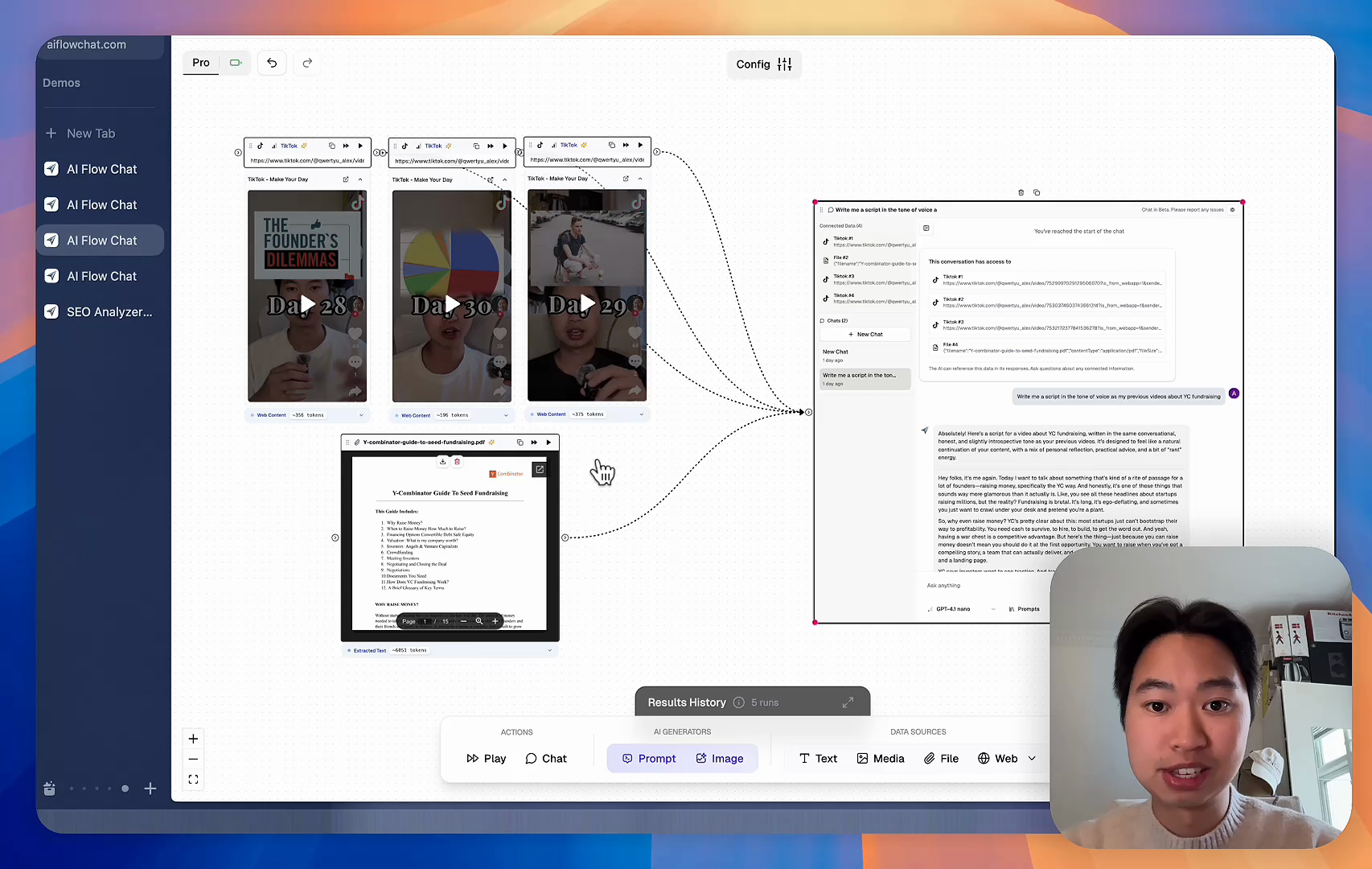
Reference Anything

Bring anything into context of AI and build content in seconds

YouTube

PDF

DOCX

TikTok

Web

Reels

Video Files

Twitter Videos

Facebook/Meta Ads

Tweets

Coming Soon

Audio Files

Coming Soon

Choose a plan to match your needs

Upgrade or cancel subscriptions anytime. All prices are in USD.

Basic

For normal daily use. Ideal for getting into AI automation and ideation.

$30/month
  • See what Basic gets you
  • 11,000 credits per month
  • Access to all AI models
  • 5 app schedules
  • Free optional onboarding call
  • 1,000 extra credits for $6
Get Started

No risk, cancel anytime.

ProRecommended

For power users with high-volume needs.

$100/month
  • See what Pro gets you
  • 33,000 credits per month
  • Access to all AI models
  • 10 app schedules
  • Remove AI Flow Chat branding from embedded apps
  • Free optional onboarding call
  • 2,000 extra credits for $6
Get Started

No risk, cancel anytime.

Frequently Asked Questions

Everything you need to know about AI Flow Chat. Still have questions? Contact us.